

Share via

Hyper-V Server is not pinging

Subhankar Patnaik 171 Reputation points
2021-07-10T08:38:24.827+00:00

Hi All

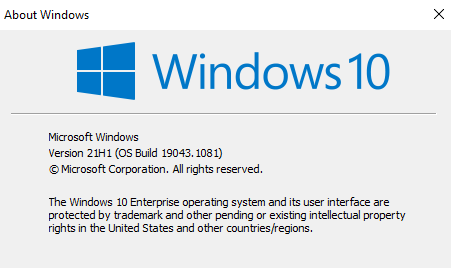
I installed Hyper-V Server 2019 on a Hyper-V VM running on my Windows 10 Enterprise OS (Version 21H1).

113480-image.png

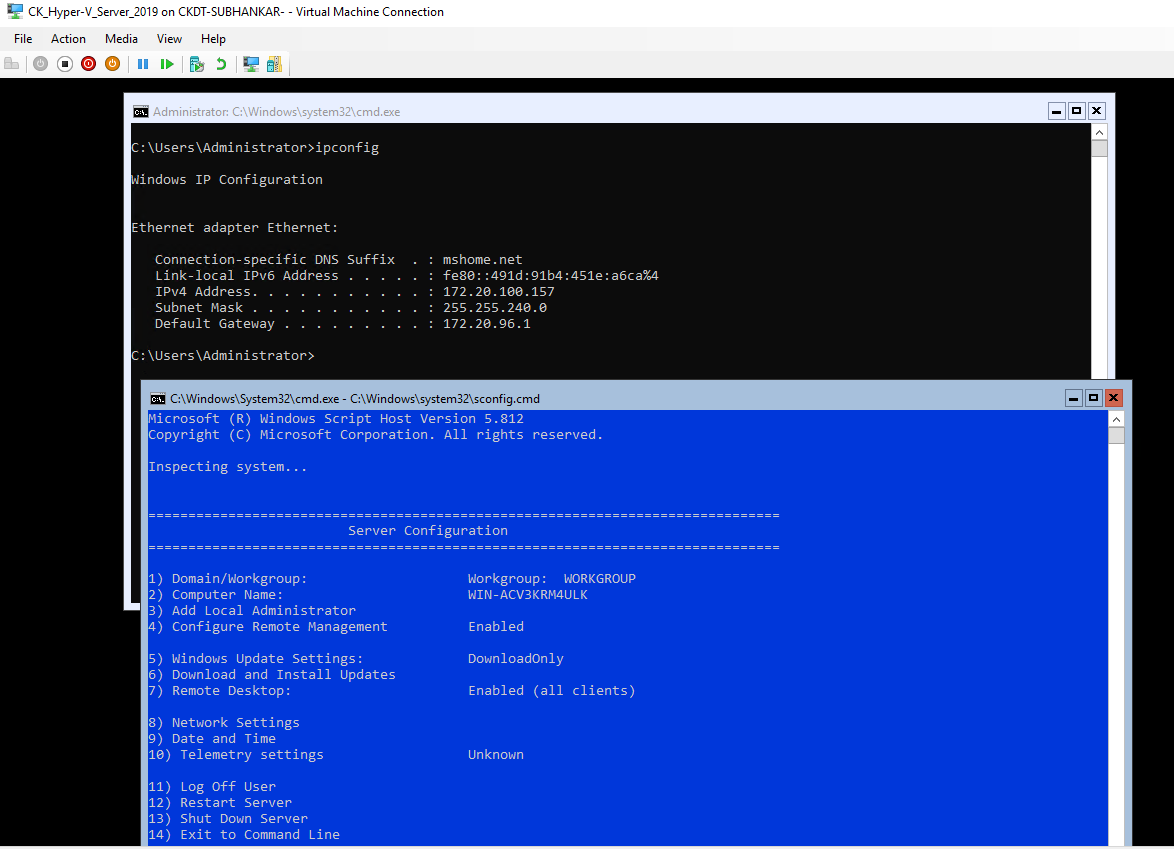
It's successfully installed but I'm unable to ping the IP of this Hyper-V Server 2019, nor am I able to connect from my Hyper-V Manager from my Windows 10 Desktop.

113571-image.png

Please help. Thanks in advance.

Windows for business | Windows Client for IT Pros | Storage high availability | Virtualization and Hyper-V

2 answers

Sort by: Most helpful
  1. Anonymous
    2021-07-12T05:02:22.037+00:00

    Hi,

    May I know what type of virtual switch you have connected to the VM Hyper-V Server 2019?
    If it is a private virtual switch, the VM will not be able to communicate with the host.

    Create a virtual switch for Hyper-V virtual machines
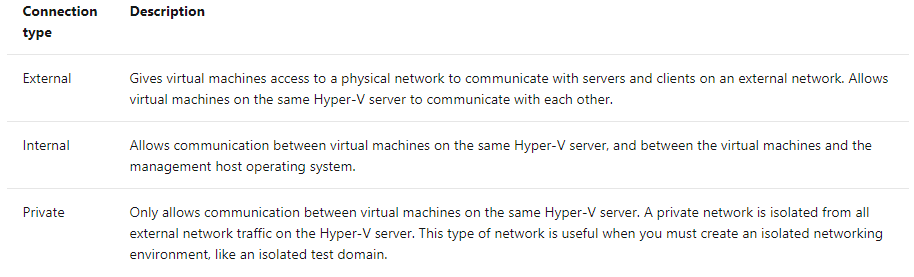
    113689-image.png

    Also, please check if you have enabled "Integration Services" from Hyper V manager.

    Hyper-V Integration Services
    Manage Hyper-V Integration Services
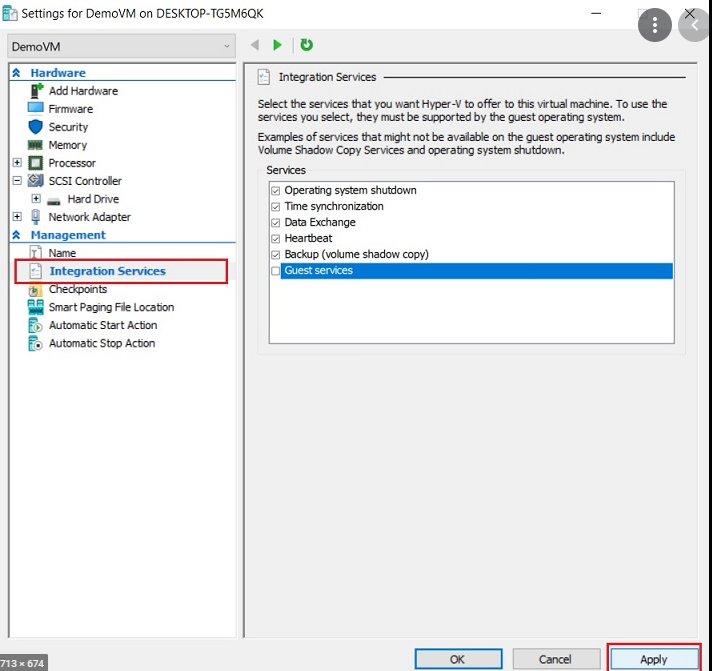
    113695-image.png

    Thanks,

    ----------

    If the Answer is helpful, please click "Accept Answer" and upvote it. Thanks.

    Was this answer helpful?

    0 comments No comments

  2. Anonymous
    2021-07-10T12:24:31.697+00:00

    Something here may help. The NAT may need to be configured, also firewalls will need required ports allowed.
    https://learn.microsoft.com/en-us/virtualization/hyper-v-on-windows/user-guide/nested-virtualization
    https://www.thomasmaurer.ch/2017/09/10-hidden-hyper-v-features-you-should-know-about/

    --please don't forget to upvote and Accept as answer if the reply is helpful--

    Was this answer helpful?


Your answer

Answers can be marked as 'Accepted' by the question author and 'Recommended' by moderators, which helps users know the answer solved the author's problem.