Developer technologies | .NET | Blazor
A free and open-source web framework that enables developers to create web apps using C# and HTML, developed by Microsoft.
This browser is no longer supported.
Upgrade to Microsoft Edge to take advantage of the latest features, security updates, and technical support.

Hi,
I am working on a Blazor Server Application. I have this Radzen menu (NavMenu.razor);
<RadzenPanelMenu>
    <RadzenPanelMenuItem Text="General" Icon="line_weight">
        <RadzenPanelMenuItem Text="Home" Path="/" Icon="home"></RadzenPanelMenuItem>
    </RadzenPanelMenuItem>
    <RadzenPanelMenuItem Text="Orders" Icon="add_shopping_cart">
        <RadzenPanelMenuItem Text="Orders List" Path="orders" Icon="receipt_long"></RadzenPanelMenuItem>
        <RadzenPanelMenuItem Text="Orders Upload" Path="upload" Icon="file_upload"></RadzenPanelMenuItem>
        <RadzenPanelMenuItem Text="Orders Export" Path="export" Icon="post_add"></RadzenPanelMenuItem>
    </RadzenPanelMenuItem>
    <RadzenPanelMenuItem Text="Vendors" Icon="face">
        <RadzenPanelMenuItem Text="Vendor List" Path="vendors" Icon="account_box"></RadzenPanelMenuItem>
    </RadzenPanelMenuItem>
    <RadzenPanelMenuItem Text="Customers" Icon="paid">
        <RadzenPanelMenuItem Text="Customer List" Path="customers" Icon="add_cart"></RadzenPanelMenuItem>
    </RadzenPanelMenuItem>
    <RadzenPanelMenuItem Text="Administration" Icon="paid">
        <RadzenPanelMenuItem Text="User Management" Path="administration" Icon="security"></RadzenPanelMenuItem>
    </RadzenPanelMenuItem>
</RadzenPanelMenu>
But I want to use https://getbootstrap.com/docs/5.0/examples/sidebars/# collapsible for the sidebar. I copied sidebars.css and the related HTML tags but there are some problems with the outcome.
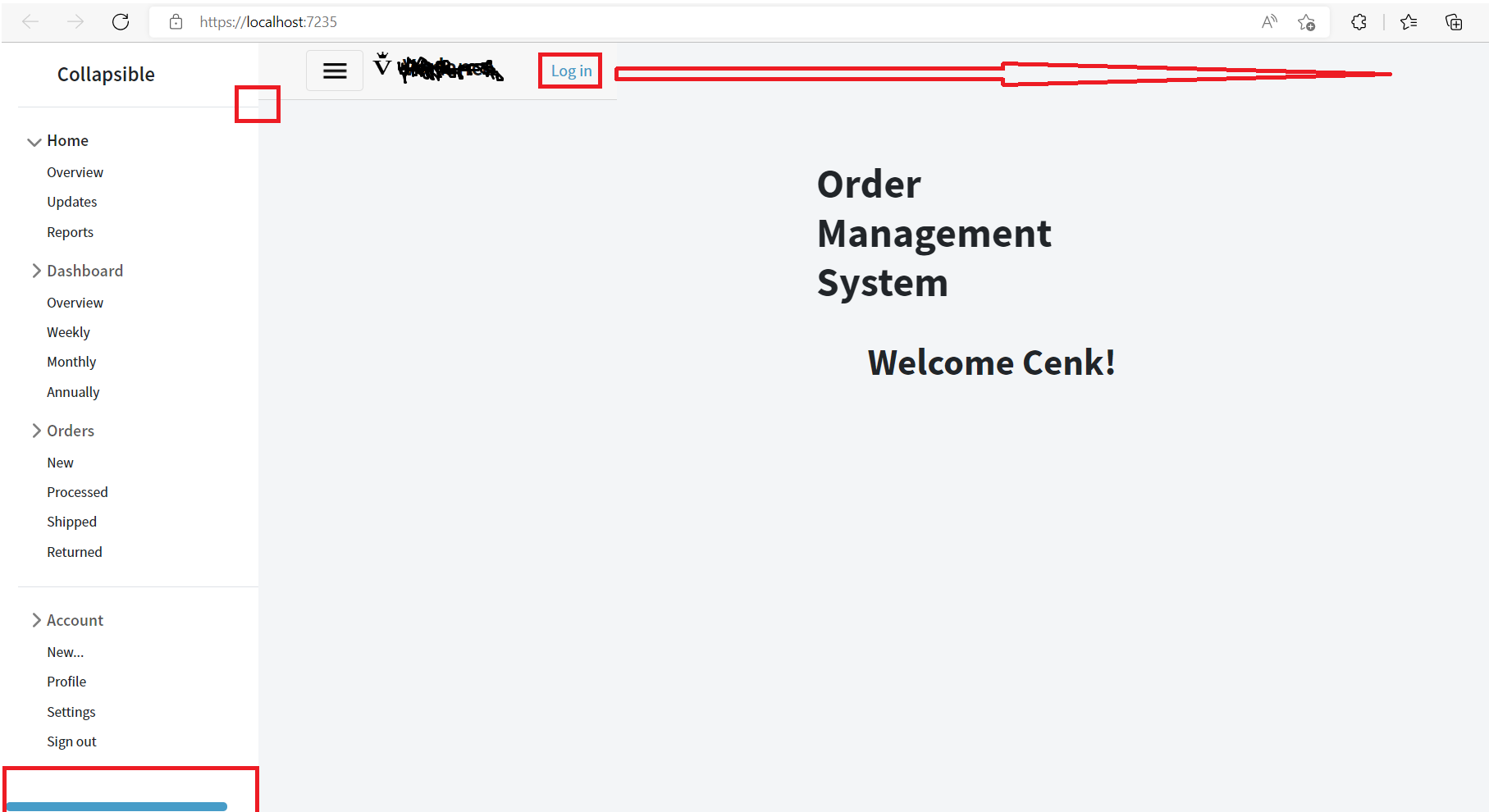
Can you please help me?
I forgot to mention that clicking the menu items, triggers the toggler to hide and show. How can I only trigger the sidebar hide and show only with the toggler icon?
Thank you.
A free and open-source web framework that enables developers to create web apps using C# and HTML, developed by Microsoft.
' cx='32' cy='32' r='32' /%3E%3Ctext x='50%25' y='55%25' dominant-baseline='middle' text-anchor='middle' fill='%23FFF' %3EA%3C/text%3E%3C/svg%3E)
Hi,@Cenk ,Could you upload your project to github so that we could figout what's wrong?
Problematic code is commented out in NavMenu.razor and _Layout.cshtml.
https://github.com/raysefo/IMS.WebApp
Thank you @Anonymous
Sorry for the delay,I can't reply for network failure these days
Answer accepted by question author
Hi,@ Cenk-1028
I checked your codes and
main {
    display: flex;
    flex-wrap: nowrap;
    height: 100vh;
    height: -webkit-fill-available;
    max-height: 100vh;
    overflow-x: auto;
    overflow-y: hidden;
}
in your sidebar.css affected your former codes
So I modified the codes and added class attribute to your main tag in sidebar page as below:
.sidebarmain {
    display: flex;
    flex-wrap: nowrap;
    height: 100vh;
    height: -webkit-fill-available;
    max-height: 100vh;
    overflow-x: hidden;
    overflow-y: hidden;
}
in your NavMenu.razor:
......
<main class="sidebarmain">
.......
then I added the codes in your MainLayout.razor:
<style>
.pb-3,
.py-3 {
  padding-bottom: 0.65rem !important;
}
</style>
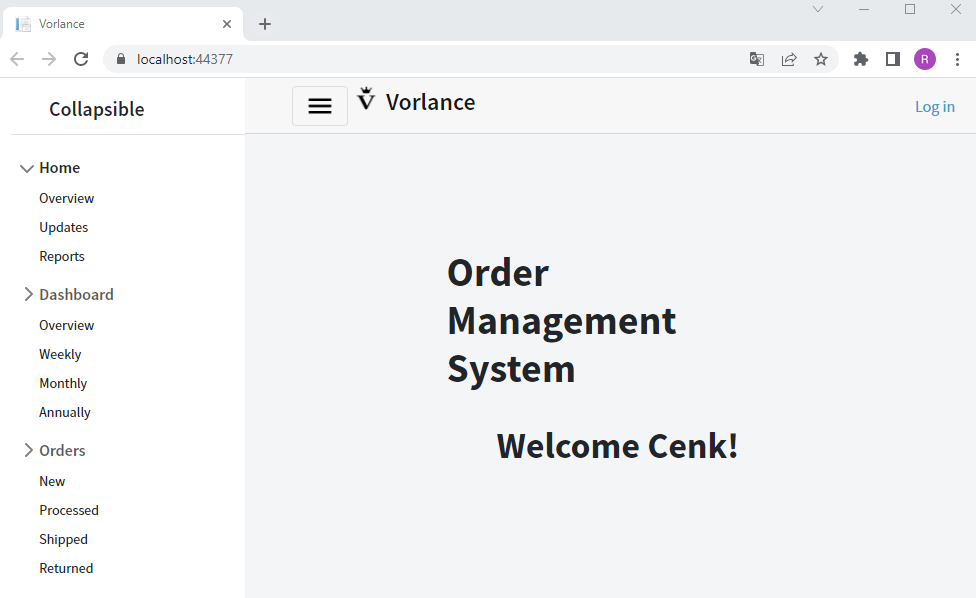
----------
If the answer is the right solution, please click "Accept Answer" and kindly upvote it. If you have extra questions about this answer, please click "Comment".
Note: Please follow the steps in our documentation to enable e-mail notifications if you want to receive the related email notification for this thread.
Best regards
RuikaiFeng
@Anonymous Here is how it is now, the problems I mentioned continue.

@Anonymous thanks for your help. I guess I need to make some more adjustments, it seems to me that the line is a little lower for sidebar. And the main problem is that every time I click on the sidebar menu items, toggler closes. How can I get the menu to open and close only when pressing the hamburger menu icon?
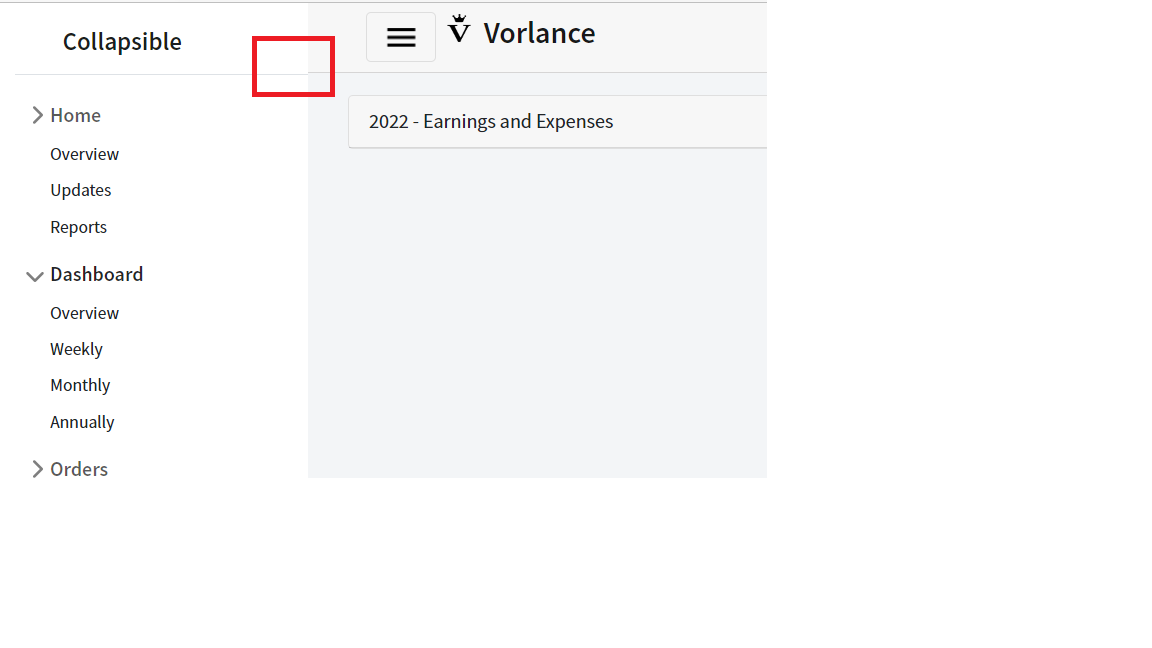
This works for the line but still, I need to solve sidebar open/close only with the icon.
<style>
    .pb-3,
    .py-3 {
        padding-bottom: 0.56rem !important;
    }
</style>
find the following codes in MainLayout and delete the onclick event
<div class="sidebar @NavMenuCssClass" @onclick="ToggleNavMenu">
        <NavMenu />
    </div>
Thank you for the fast and detailed support.
Hi, @Anonymous I noticed that when I click the buttons on the sidebar, it closes and then opens again. How can I fix it? And make sidebar collapsed by default.
Thank you.
<main class="sidebarmain">
    <div class="flex-shrink-0 p-3 bg-white" style="width: 280px;">
        <a href="/" class="d-flex align-items-center pb-3 mb-3 link-dark text-decoration-none border-bottom">
            <svg class="bi me-2" width="30" height="24">
                <use xlink:href="#bootstrap"></use>
            </svg>
            @*<span class="fs-5 fw-semibold">Collapsible</span>*@
        </a>
        <ul class="list-unstyled ps-0">
            <li class="mb-1">
                <button class="btn btn-toggle align-items-center rounded collapsed" data-bs-toggle="collapse" data-bs-target="#home-collapse" aria-expanded="true">
                    Home
                </button>
               ...
</main>
Hi @Anonymous , were you able to identify the problem? Also, how can I change the background color of the sidebar?
Thank you.
did you find anything @Anonymous ? my hands are tied.
It's a Bootstrap related question, I tried but failed you could check this document
sorry to hear it :( Thank you for your help.
@Anonymous thank you for your help, where exactly did you make changes? I had a hard time following :)
Hi,@ Cenk-1028,I've updated my answer,please check it
' cx='32' cy='32' r='32' /%3E%3Ctext x='50%25' y='55%25' dominant-baseline='middle' text-anchor='middle' fill='%23FFF' %3EBS%3C/text%3E%3C/svg%3E)
as this is a 3rd part library you should use their support.
You got me wrong or maybe I said it wrong, I want to use https://getbootstrap.com/docs/5.0/examples/sidebars/# collapsible. But has some issues as seen in the picture.