Note
Access to this page requires authorization. You can try signing in or changing directories.
Access to this page requires authorization. You can try changing directories.
InfoBridge in plan (preview) not only transforms and integrates data from multiple sources but also enables direct writeback to a Microsoft Fabric SQL database. This process allows the transformed dataset produced in a bridge to become a governed dataset stored in the enterprise data platform.
Important
This feature is in preview.
This section explains how to write back the output of a bridge to a Fabric SQL database destination.
Writeback overview
In the following example, a sample bridge is created using InfoBridge that merges two data sources:
- Query 1: A planning sheet containing actual revenue from 2026
- Query 2: An external Excel file containing forecast and projected revenue
Through the Merge Query operation, measures from both queries are combined to produce a unified dataset that integrates actual and forecasted values.
Once the transformation is complete, the merged dataset can be written back to a Fabric SQL database. This writeback allows the combined data to be used by downstream applications such as analytics, planning models, and operational reporting systems.
Here's an example of transformed data:
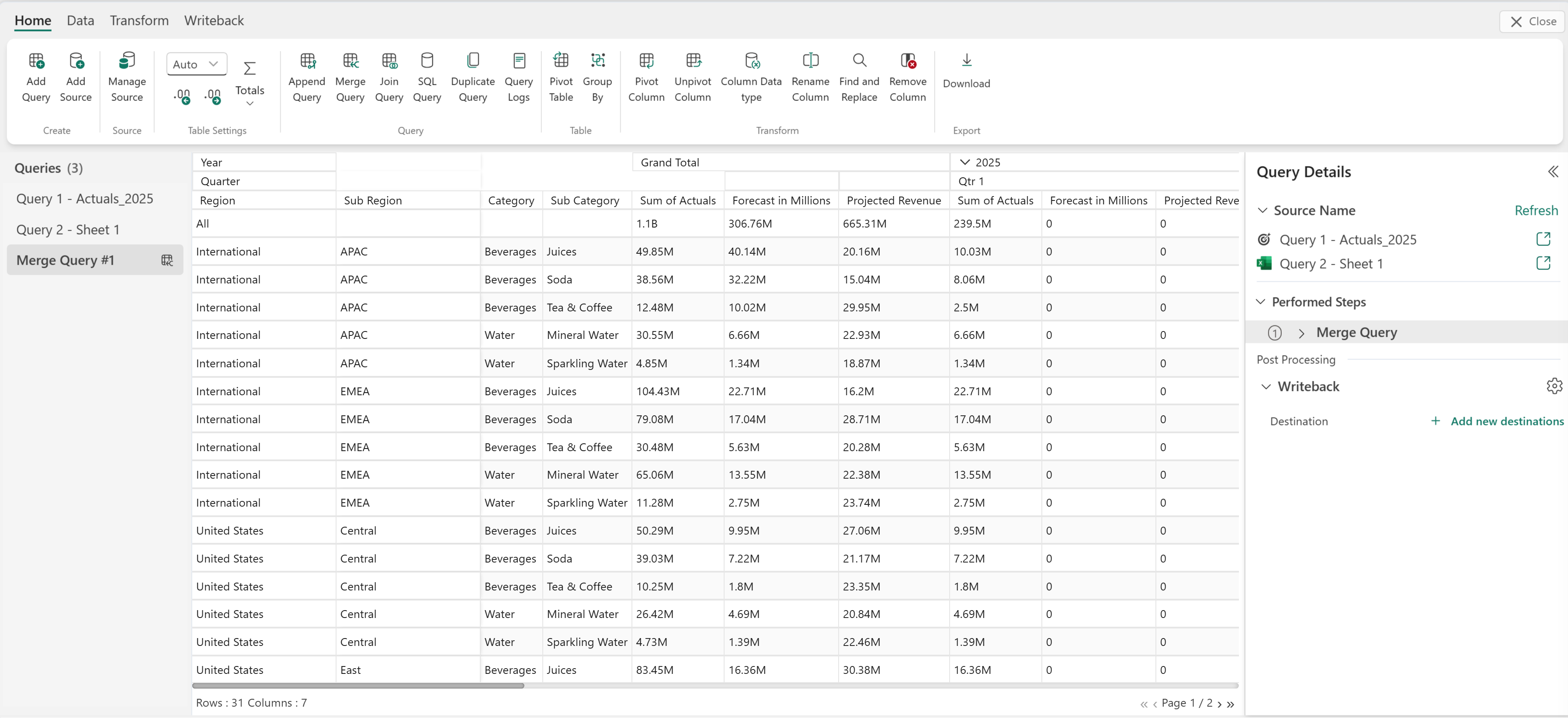
Add new destination
Select Add new destination to add a writeback destination.
Enter the Fabric SQL connection information, including the connection name, database name for writeback, schema, writeback table name, decimal precision, and text length.
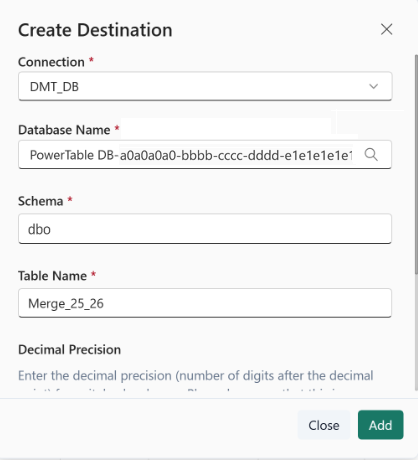
The writeback destination is configured.
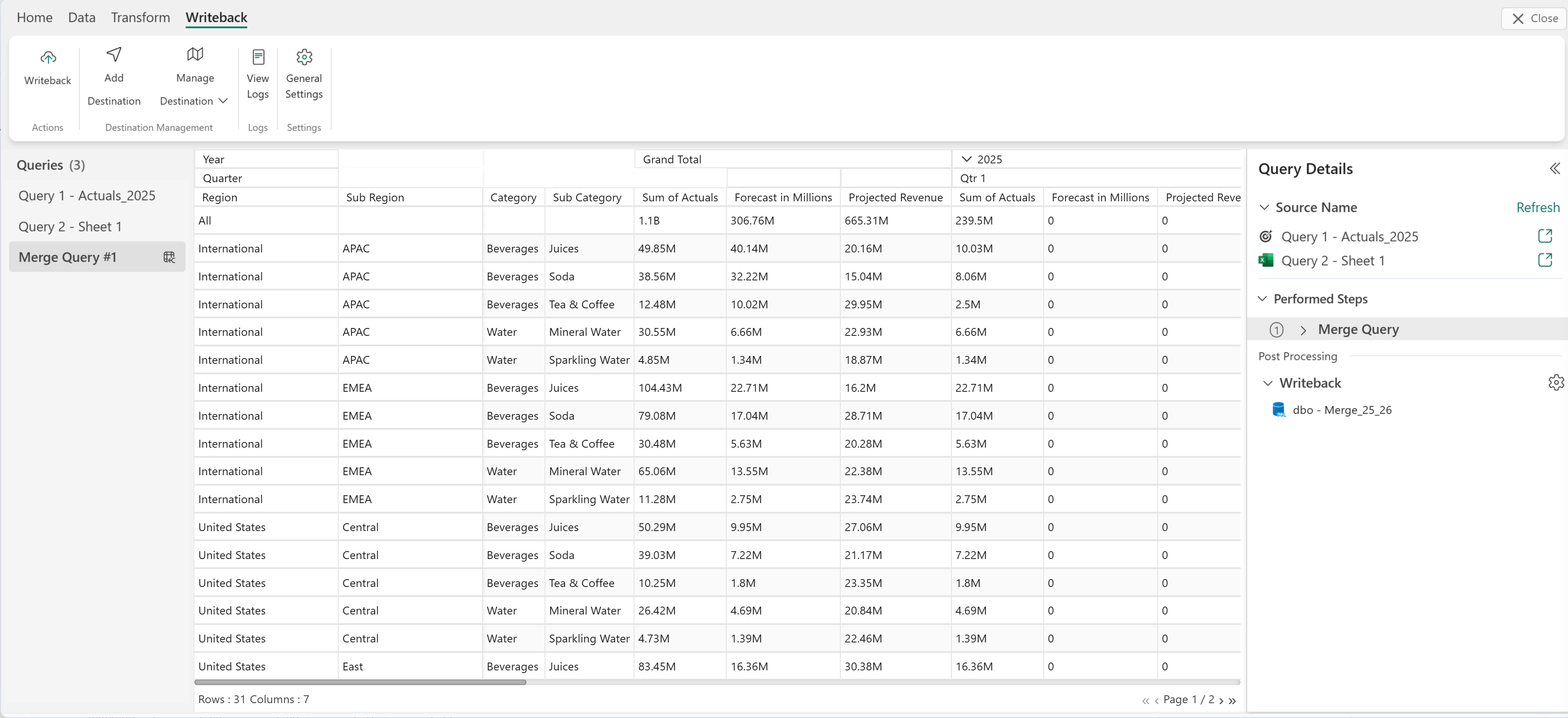
Write back data
Select Writeback from the Writeback tab. This instruction writes back the merged query to the chosen destination.
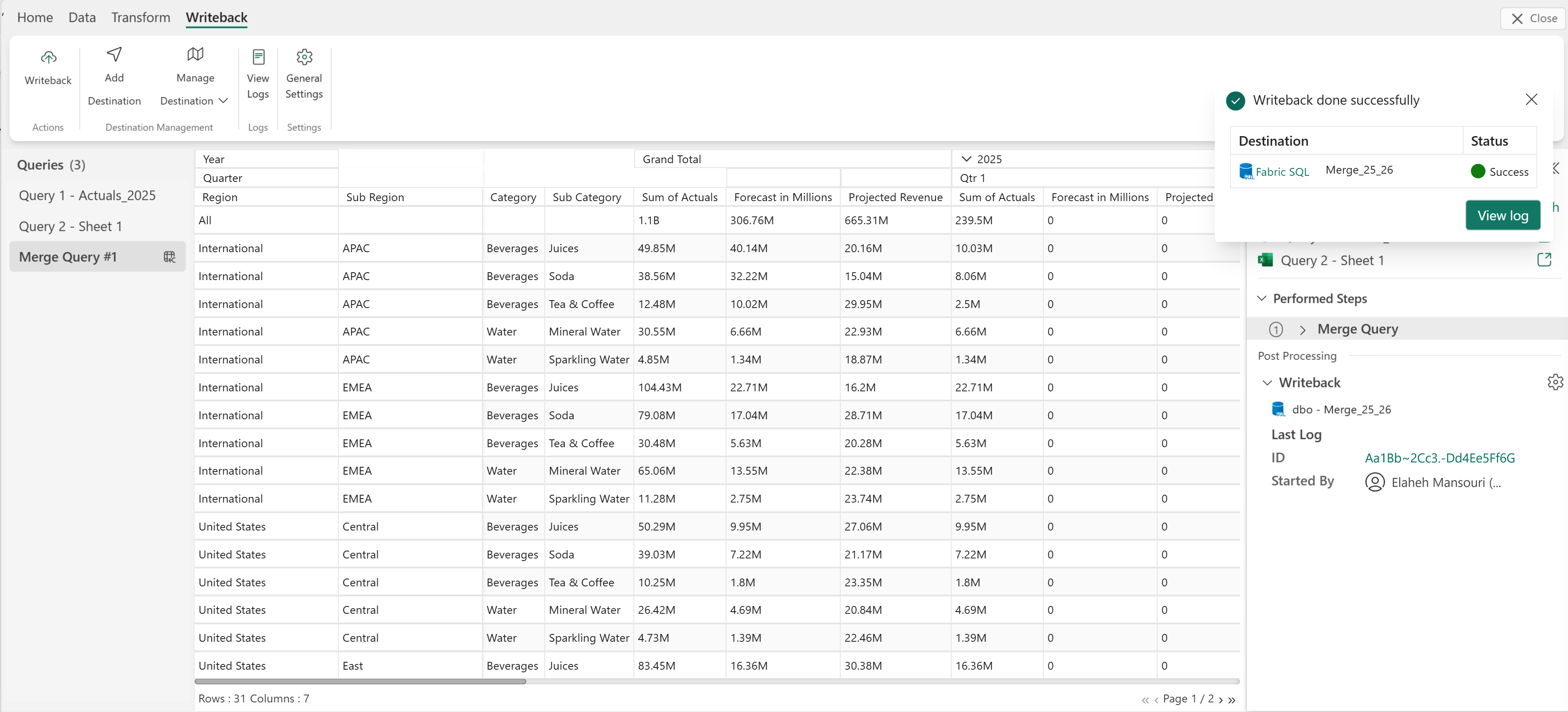
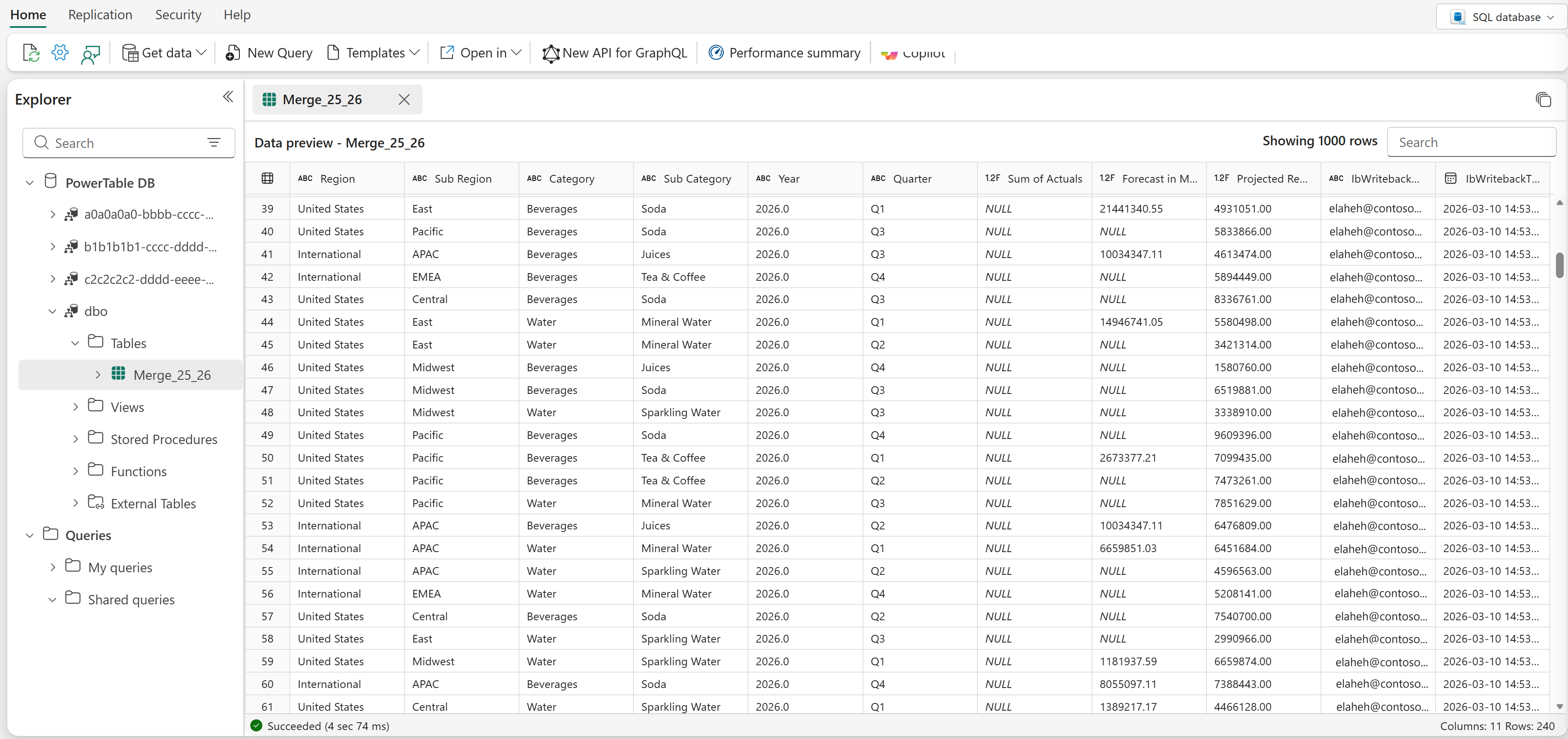
The data that is written back to the Fabric SQL database is shown in the following image.