Note
Access to this page requires authorization. You can try signing in or changing directories.
Access to this page requires authorization. You can try changing directories.
This article lists all the required prerequisites, tenant settings, and capacity settings that must be configured to use plan (preview).
Tenant settings
Fabric administrators can grant access to these settings in the admin portal under Tenant settings.
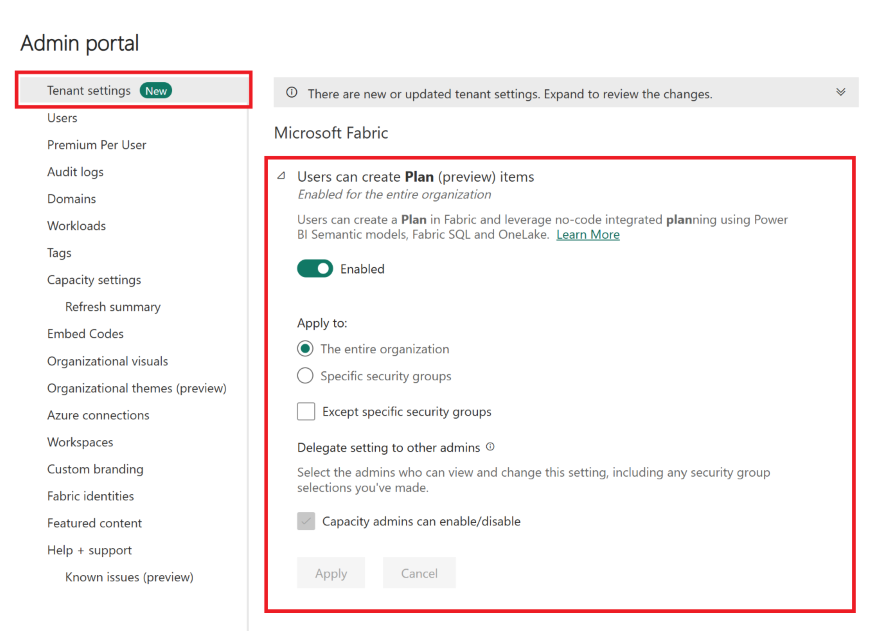
Enable Users can create Plan (preview) items. This setting is required to create plan (preview) items.
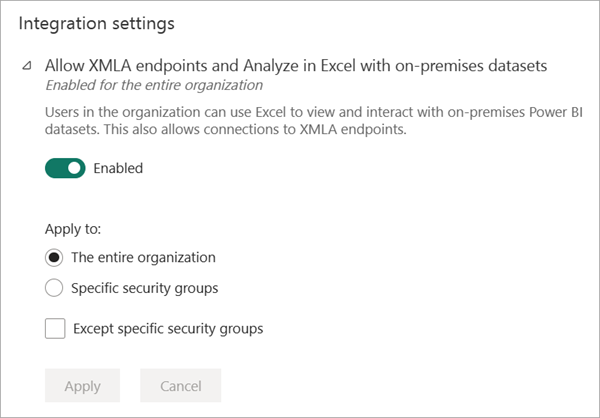
Under Integration settings, enable Allow XMLA endpoints and Analyze in Excel with on-premises semantic models.
Under Developer settings, enable Embed content in apps.
Capacity settings
Semantic models used in plan must be hosted on supported capacities, such as
- Power BI Premium capacities (P1, P2, and higher)
- Microsoft Fabric capacities (F SKUs)
Plan scenarios that rely on XMLA endpoints and embed tokens require supported Microsoft Fabric capacities (F SKUs) or Power BI Premium capacities (P1–P5). Power BI Pro and Power BI Premium Per User (PPU) aren't supported for these scenarios. Some lower-capacity SKUs can also have XMLA and memory limitations that prevent supported usage.
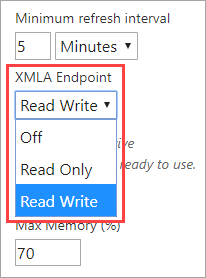
In the Power BI Admin portal, under Capacity settings, ensure that the XMLA Endpoint setting is configured as Read Only or Read Write.
Semantic model connection owner permissions
The shared cloud connection owner, whether a user account or service principal, must have a workspace Member or Admin role.
Optional: Database connections
The following list contains optional database connections that you can configure to enable specific scenarios such as collaboration and writeback.
- Create and share a Fabric SQL database connection with report viewers so they can collaborate on the plan report. For more information, see Create a database connection for collaboration.
- Create and configure a writeback destination if you want to write back the plan data. For more information, see Create a writeback destination.
Note
During plan (preview) item creation, a Fabric SQL database is automatically created in your workspace. This database stores your plan report's metadata.