Note
Access to this page requires authorization. You can try signing in or changing directories.
Access to this page requires authorization. You can try changing directories.
This article describes how to get started with your first planning sheet in plan.
Important
This feature is in preview.
Prerequisites
Before you set up planning sheets, make sure you have the following prerequisites:
The overall prerequisites for plan (preview), including the required tenant and capacity settings.
Data in a Power BI semantic model, and a connection to your semantic model.
Note
The preview of plan in Fabric IQ is now accessible to organizations worldwide in Microsoft Fabric as part of the Microsoft Fabric SKU. This SKU includes new meters. Meters are currently available but aren't currently billed.
Create plan item
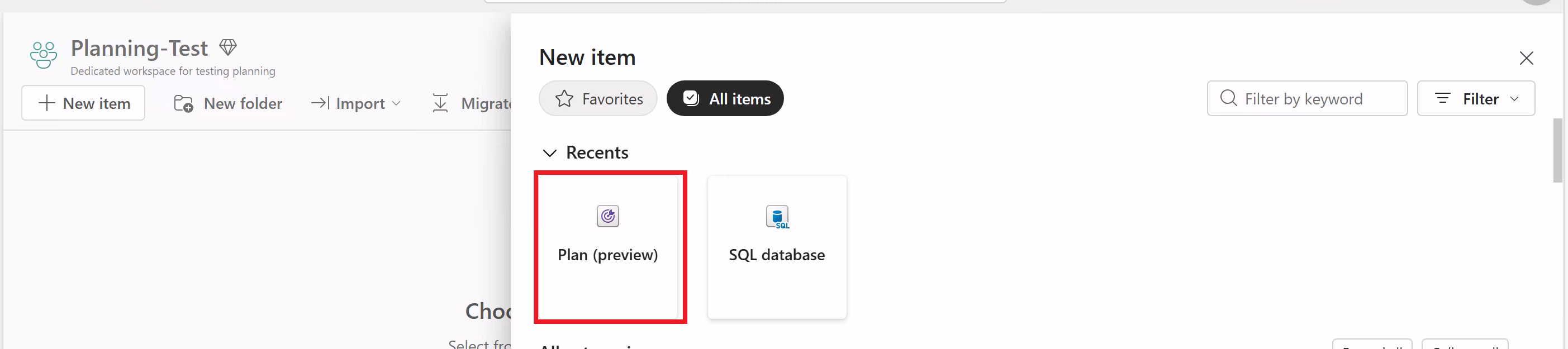
From your Fabric workspace, select New item > Plan (preview).
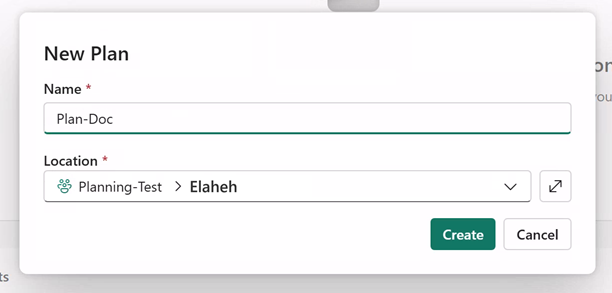
On New Plan, enter a name for your plan, and then select Create.
Note
When you create a planning item, you also automatically create a Fabric SQL database in your workspace. This database stores your plan report's metadata.
Create your planning sheet
In your new plan item, you see options to get your data from the semantic model or from Excel, and to create a planning sheet from it. Alternatively, start with a planning sheet and then connect it to data.
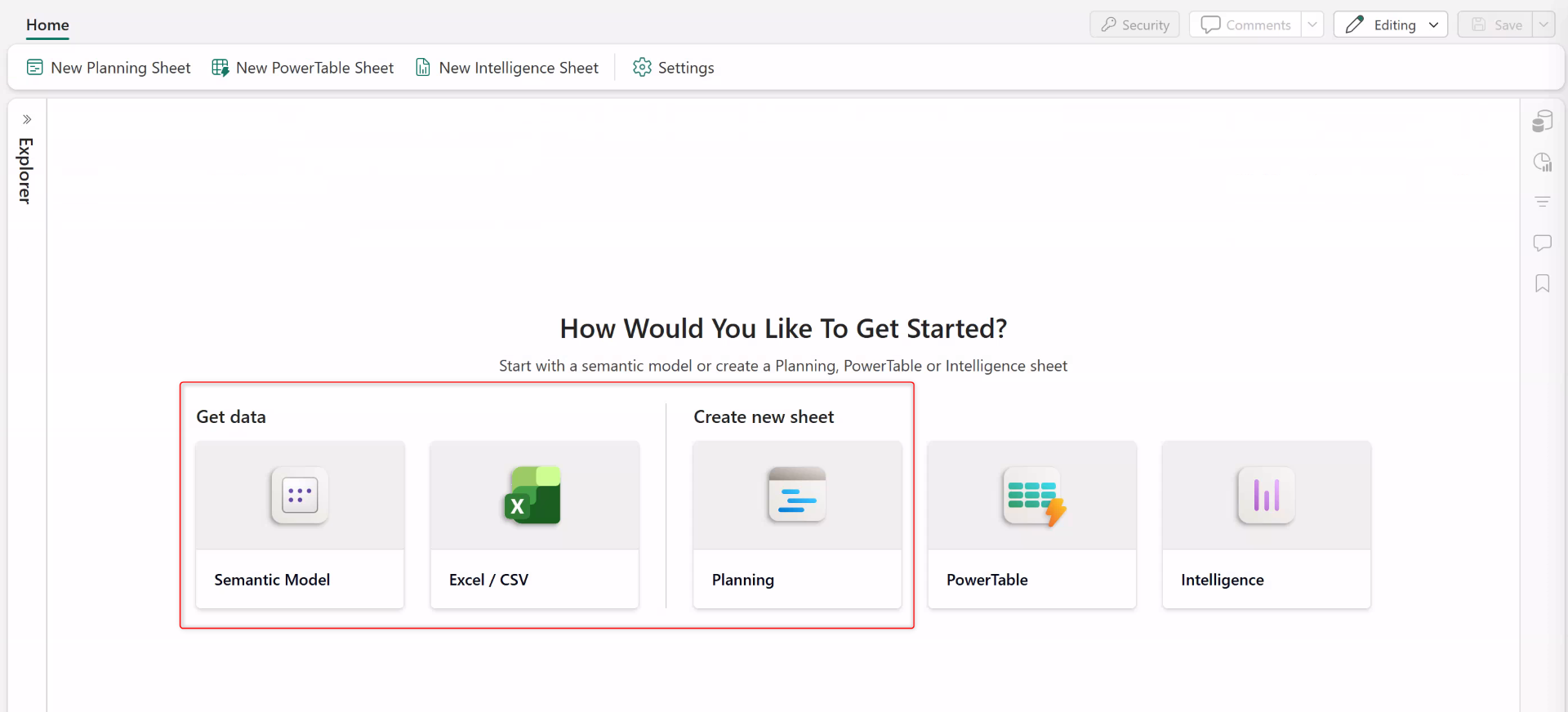
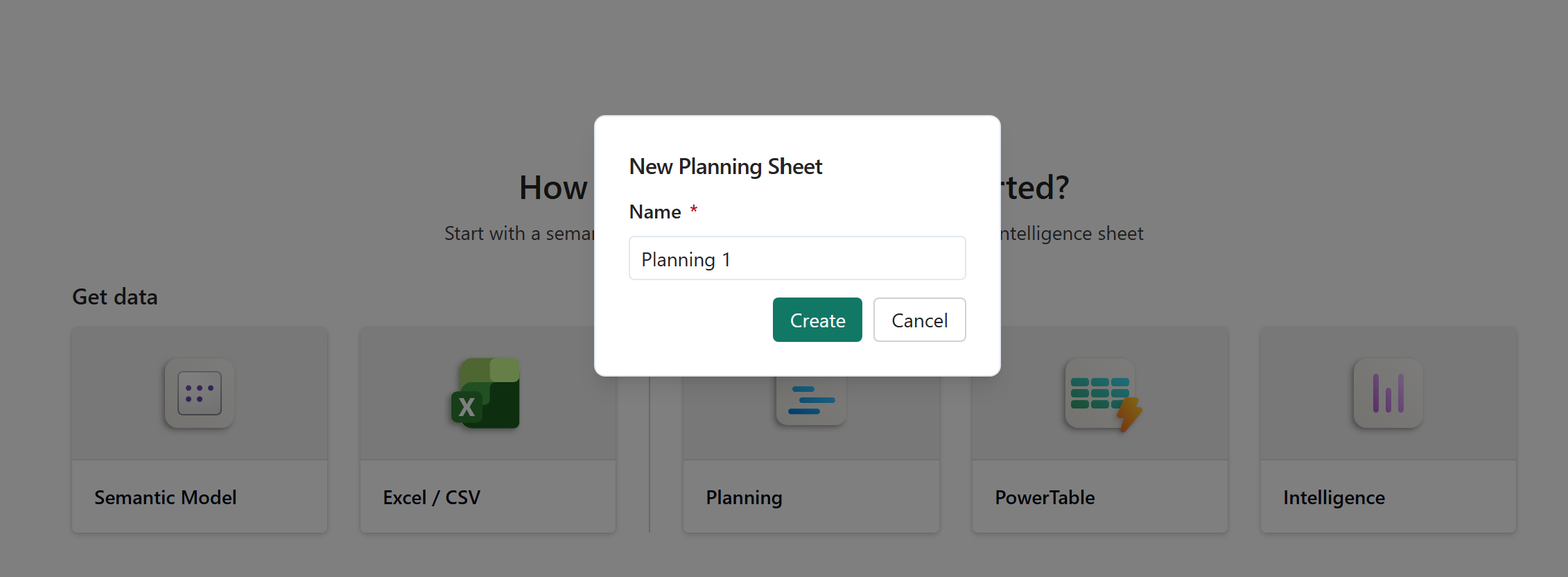
Select Planning, enter a name for the new planning sheet, and then select Create.
Add the semantic model connection
In this section, you add the semantic model connection that you created earlier (see the Prerequisites section). The result of this step is that your planning sheet has access to data in the semantic model.
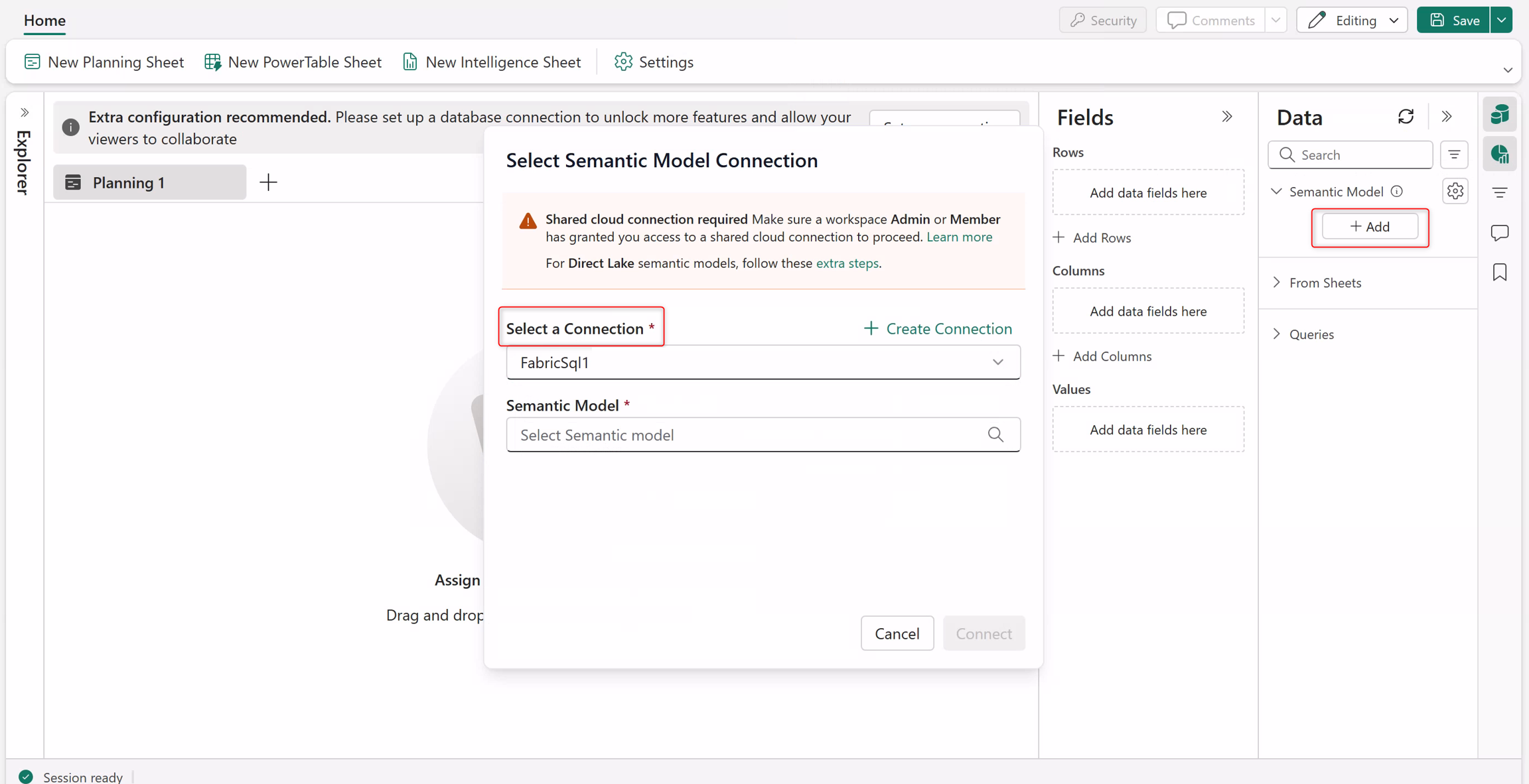
In your new planning sheet, select Add.
Under Select a Connection, connect to your semantic model connection.
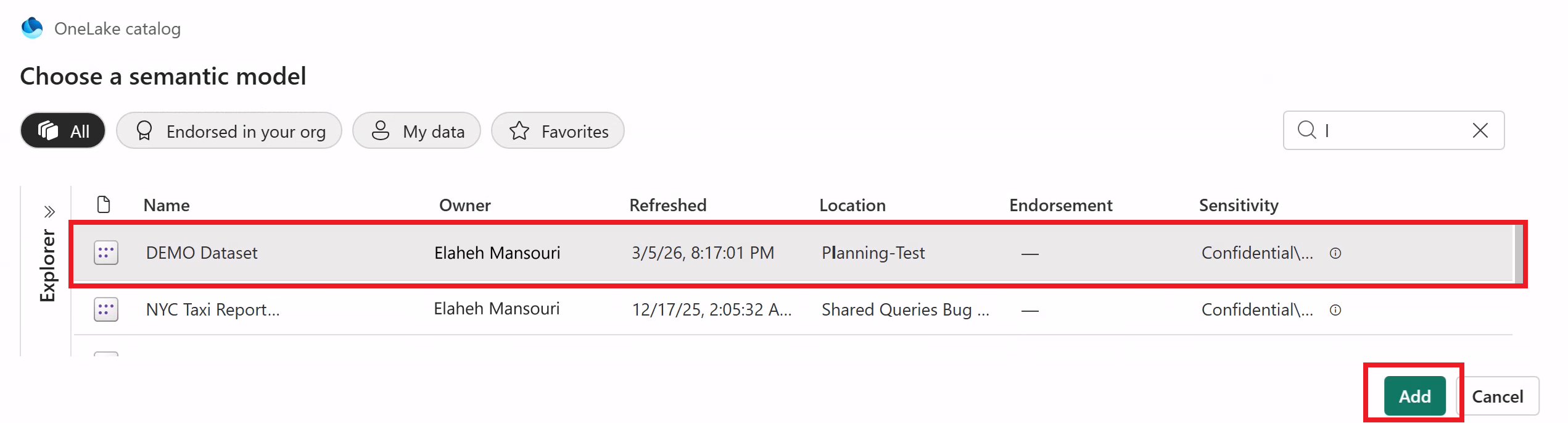
Select the semantic model, and then select Add.
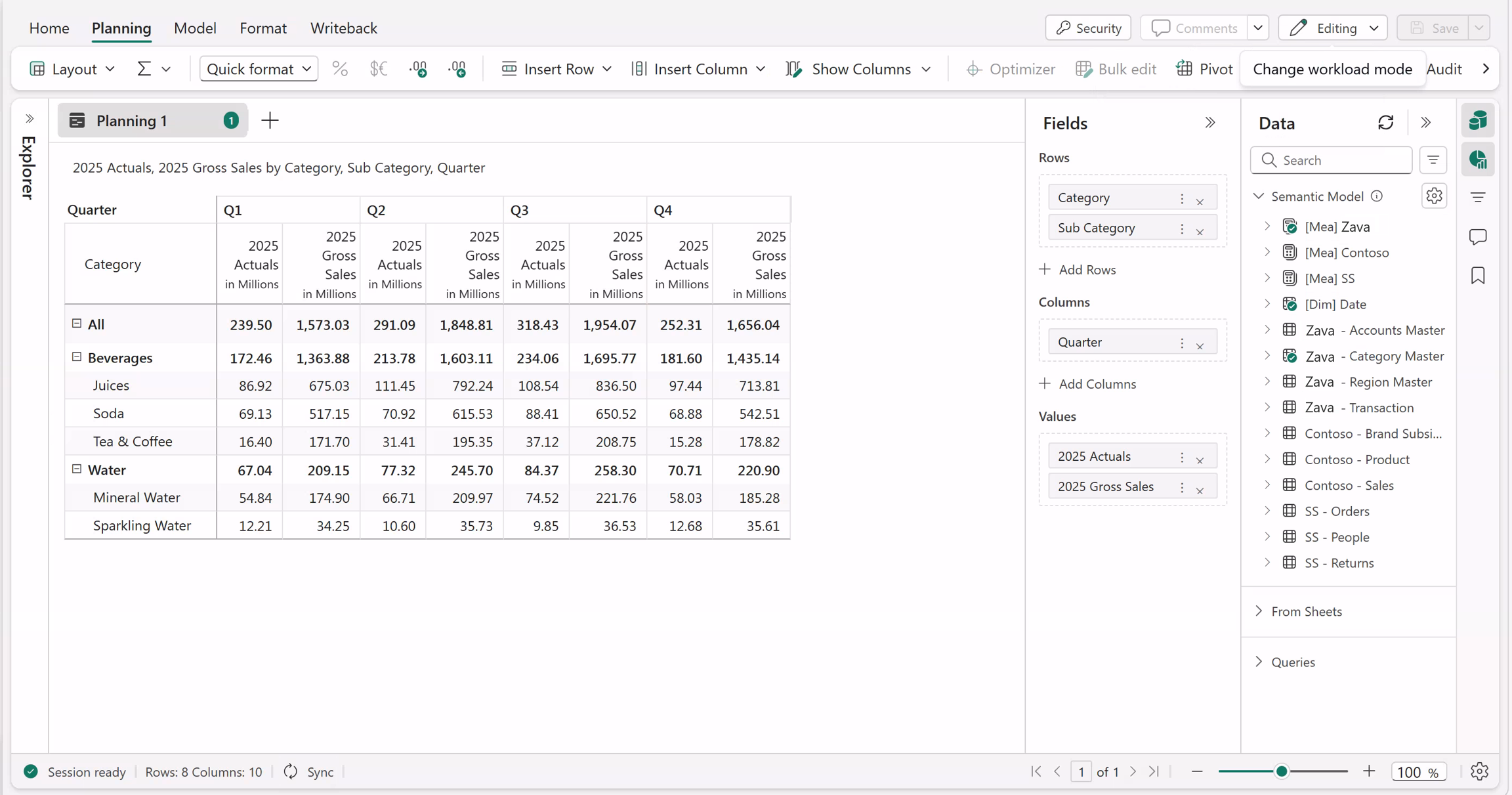
Add semantic model data into your fields. Now you have your first planning sheet.
Optional: Connect to a database for collaboration
If you want to collaborate with others on this planning sheet, create a database connection for your plan item to store comments and other collaboration details. For more information, see Create a database connection for collaboration.