Note
Access to this page requires authorization. You can try signing in or changing directories.
Access to this page requires authorization. You can try changing directories.
Plan (preview) supports exporting planning data to Fabric SQL databases. Write back budgets, forecasts, adjustments, and scenarios to keep planning data synchronized with enterprise systems. Unlike conventional BI and planning tools that require predefined database schemas and IT-managed writeback infrastructure, plan supports dynamic database configuration and runtime table creation.
Important
This feature is in preview.
Writeback use cases
Maintain planning and analytics data in a single governed environment instead of exporting data manually. Common scenarios include:
- Save budget and forecast inputs directly to the data platform.
- Store scenario planning results for further analysis.
- Capture manual adjustments made in planning sheets.
- Synchronize planning data with enterprise data warehouses.
Prerequisites
Before you begin, make sure you have the following prerequisites in place:
- The planning sheet contains at least one row or column dimension.
- Required permissions are assigned to users who perform writeback.
Create a writeback destination
To save data using writeback, first configure a destination.
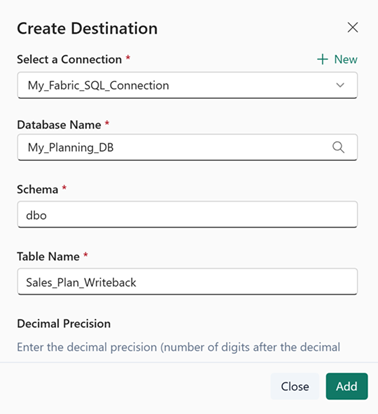
- Go to Writeback > Add Destination.
- Select a database connection.
- Select the target database—browse and select the required database from the OneLake catalog.
- Enter a Table Name.
- Enter the Decimal Precision to specify the number of digits after the decimal point for numeric columns.
- Use Text Length to define the maximum length for string columns (for example, length of all string columns = 512) or choose Custom.
- Select Add to create the writeback destination.
Manage destinations
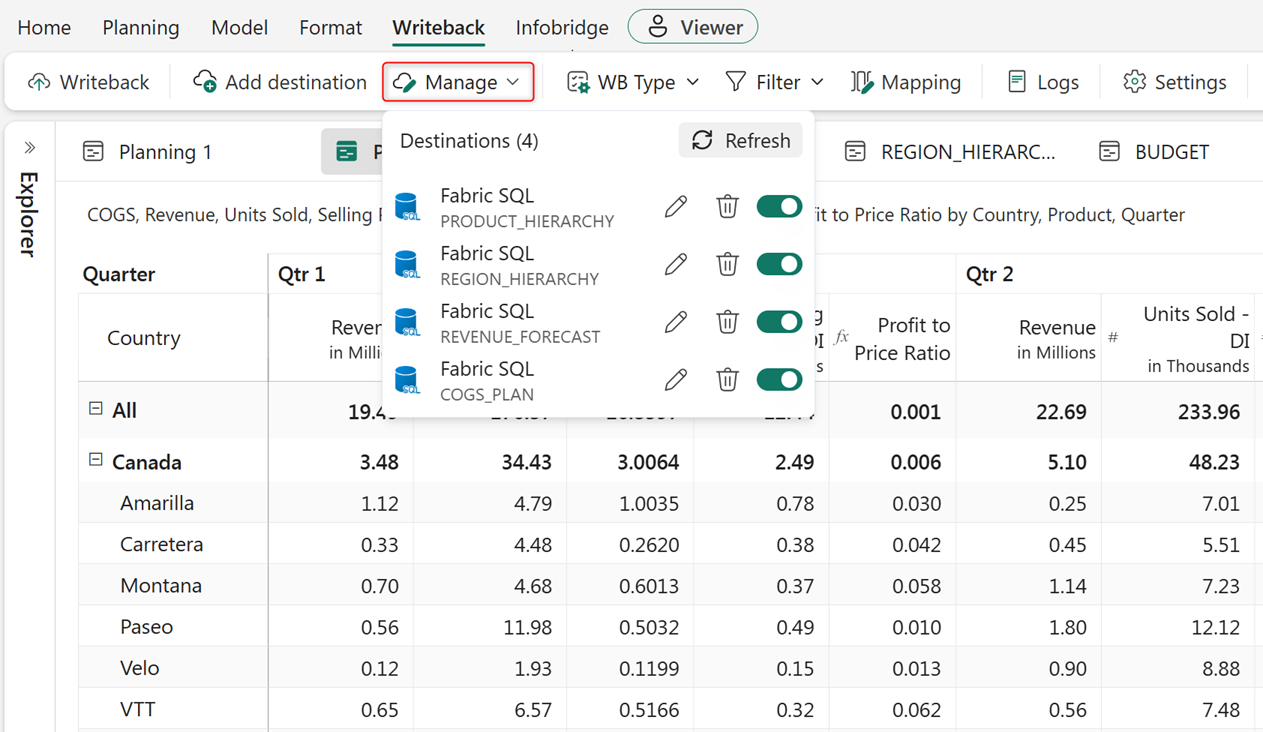
To view, update, or reuse configured destinations, go to Writeback > Manage.
Configure writeback settings
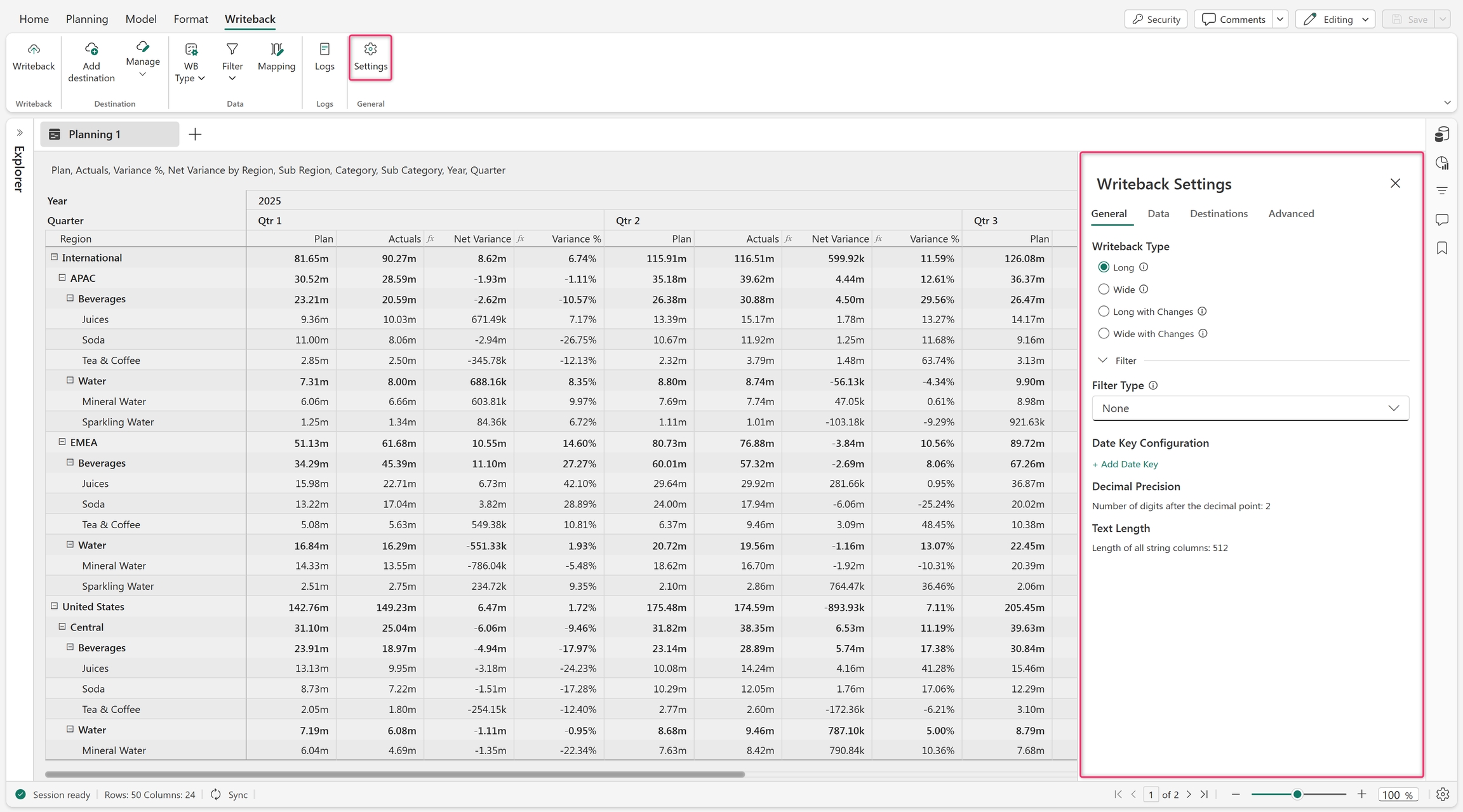
Use writeback settings to configure how data entered in a planning sheet is saved back to the underlying data source. Writeback settings help ensure that planning data entered by users is stored correctly, consistently, and in a format that aligns with the organization's data model. Define the structure, filtering behavior, and data format used when writing planning values to the destination.
Configure settings from Writeback > Settings.
- General: Defines the core settings for the writeback operation. For detailed information about general settings for writeback, see Configure general settings for writeback.
- Data: Used to select and configure the measures and dimensions that participate in the writeback process.
- Destinations: Defines where the planning data is written back, such as a database table or storage location.
- Advanced: Provides more configuration options for controlling writeback behavior and system-level settings.
Set the writeback type
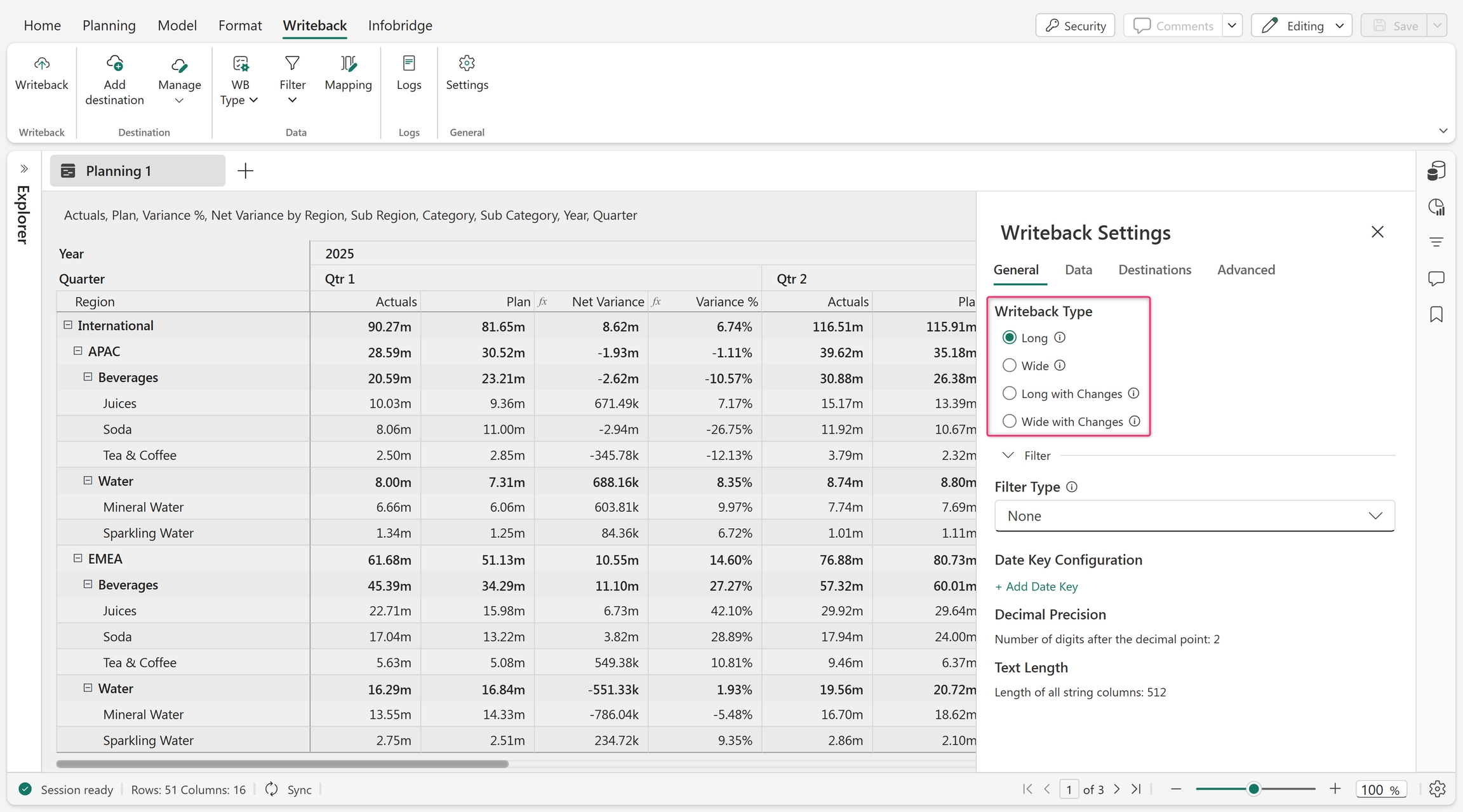
Control how data is structured in the writeback table. Go to Writeback > Settings > Writeback Type, and select one of the following:
- Select Long to store measures as key-value pairs a row-based format.
- Select Wide to store measures in a column-based format.
- Select Long with Changes. This format is the same as long format, but tracks only the changed values written back from the planning sheet.
- Select Wide with Changes. This format is the same as wide format, but tracks only the changed values written back from the planning sheet.
Perform writeback
Write back scenarios, forecasts, data inputs, and comments to the designated data platform.
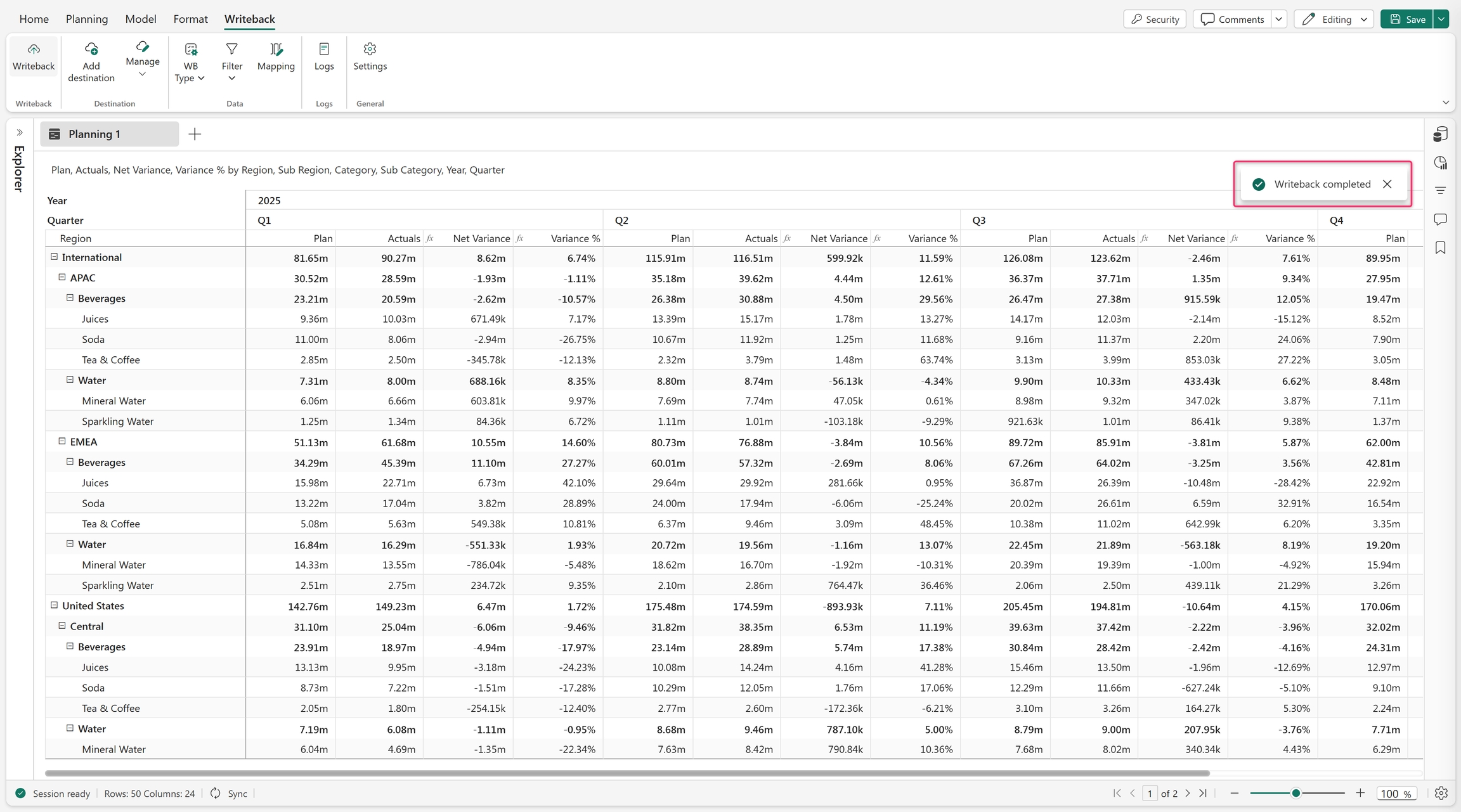
Select Writeback > Writeback to trigger a writeback. After completion, a confirmation message is displayed.
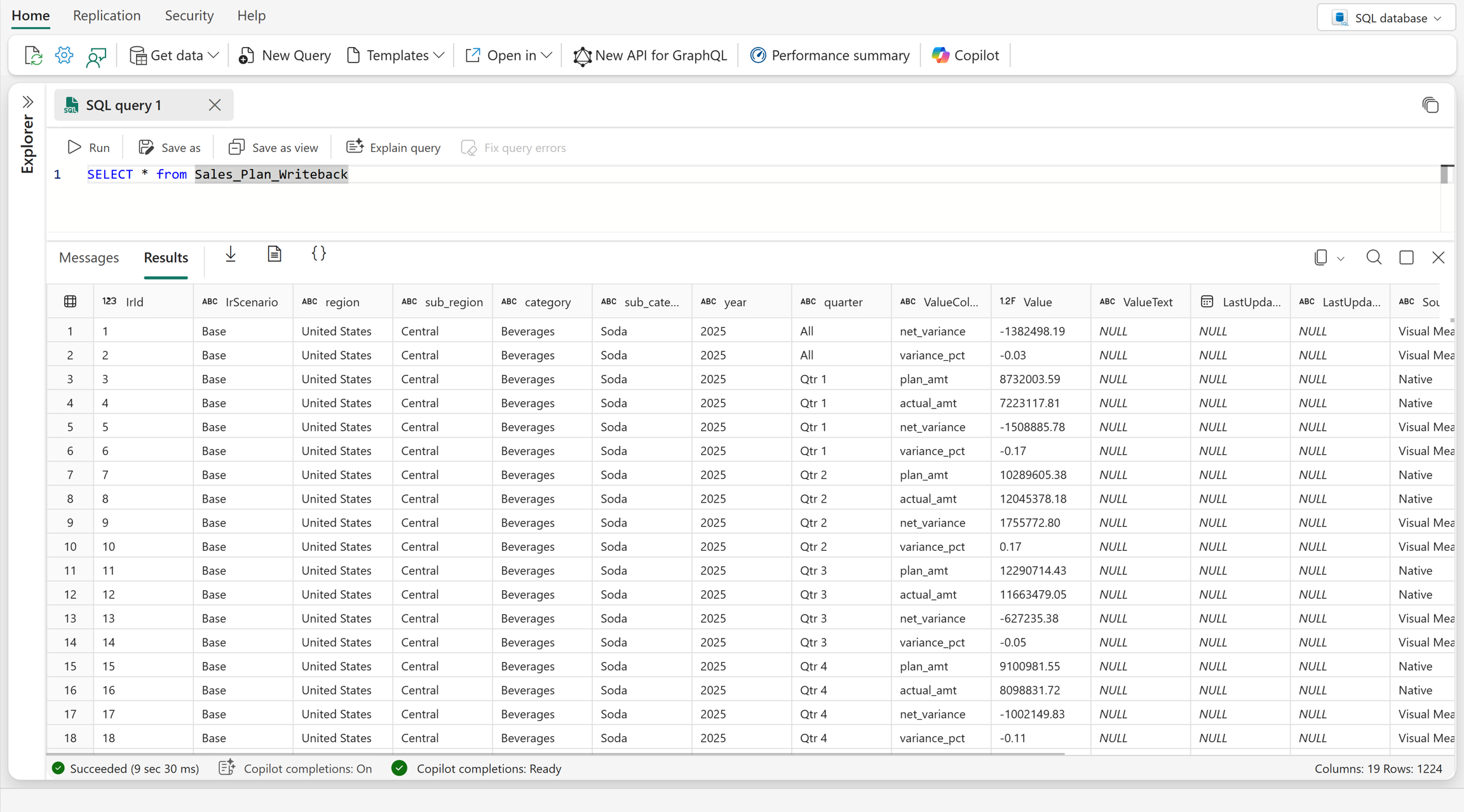
Open the destination database to view the writeback data.
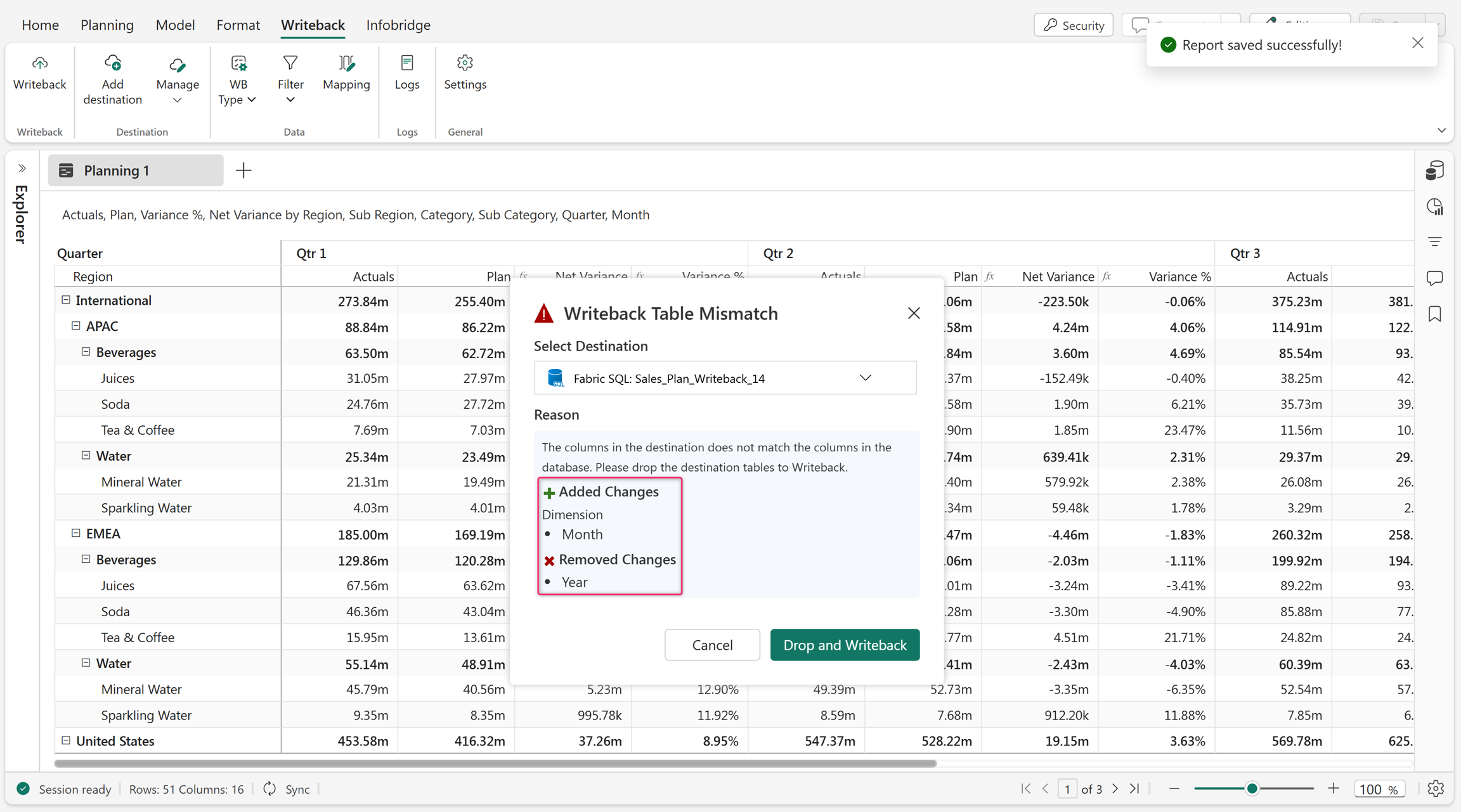
After the initial writeback, add or remove row or column dimensions as you build your planning sheet. If the destination structure must change because of these updates, drop and re-create the table with the updated structure before the next writeback.
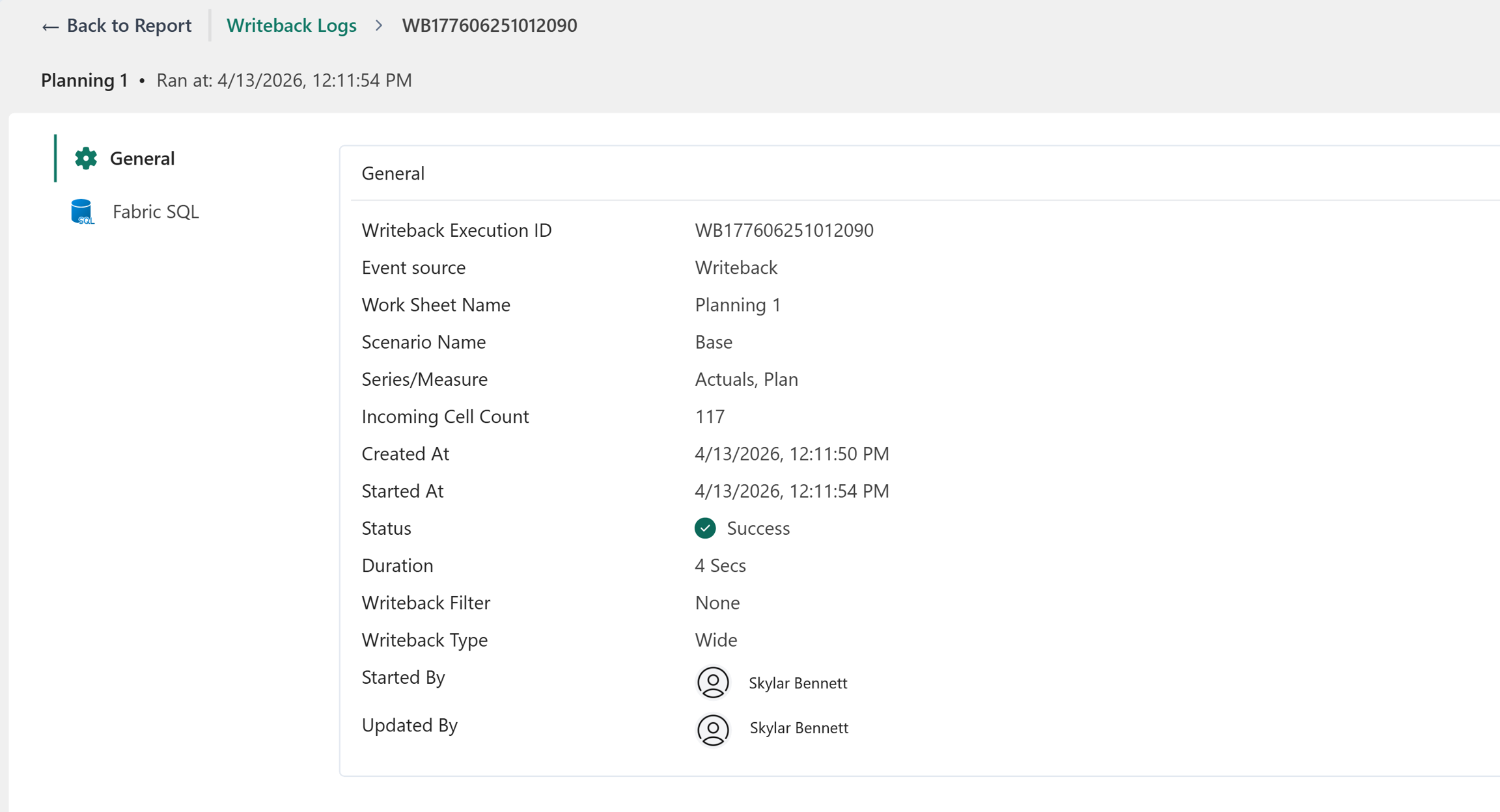
Writeback logs include milestones, payload size, and writeback duration. Select Writeback > Logs to view the writeback logs.

Select a writeback ID to view detailed information about a specific writeback instance.