
first issue is fixed, your query is displaying results.
the second issue is still there when trying to view the reports available for bitlocker in sccm
This browser is no longer supported.
Upgrade to Microsoft Edge to take advantage of the latest features, security updates, and technical support.
' cx='32' cy='32' r='32' /%3E%3Ctext x='50%25' y='55%25' dominant-baseline='middle' text-anchor='middle' fill='%23FFF' %3EGB%3C/text%3E%3C/svg%3E)
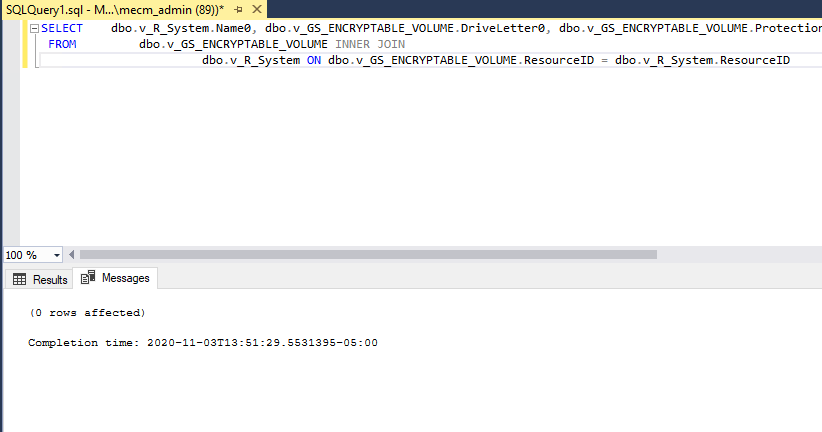
when trying to execute this query to find bitlocker status, it displayed query executed successfully but no results shown,
any ideas of what could be the issue?
SELECT dbo.v_R_System.Name0, dbo.v_GS_ENCRYPTABLE_VOLUME.DriveLetter0, dbo.v_GS_ENCRYPTABLE_VOLUME.ProtectionStatus0
FROM dbo.v_GS_ENCRYPTABLE_VOLUME INNER JOIN
dbo.v_R_System ON dbo.v_GS_ENCRYPTABLE_VOLUME.ResourceID = dbo.v_R_System.ResourceID
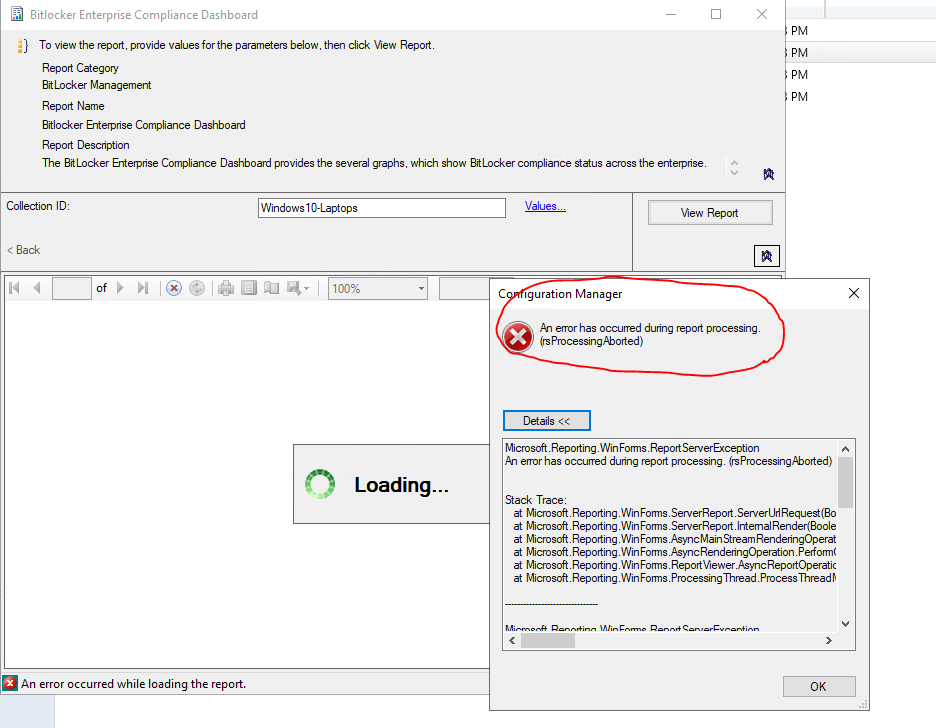
I also when trying to view the he BitLocker Enterprise Compliance Dashboard Reoport in configutation manager, it error out with
Other Configuration Manager-related features and issues

first issue is fixed, your query is displaying results.
the second issue is still there when trying to view the reports available for bitlocker in sccm
it still show me this error
An error has occurred during report processing. (rsProcessingAborted)
Cannot read the next data row for the dataset 'ComplianceDetails'. (rsErrorReadingNextDataRow)
The MERGE statement attempted to UPDATE or DELETE the same row more than once. This happens when a target row matches more than one source row. A MERGE statement cannot UPDATE/DELETE the same row of the target table multiple times. Refine the ON clause to ensure a target row matches at most one source row, or use the GROUP BY clause to group the source rows.

There are two issues in this post, the first is that the query get no results and the second is reporting error.
My solution is for you to solve the first issue, does the query can get the results now?
For the second issue, Garth has asked what exactly the query is listed within that dataset?
@Anonymous
Thank you for posting in Microsoft Q&A forum.
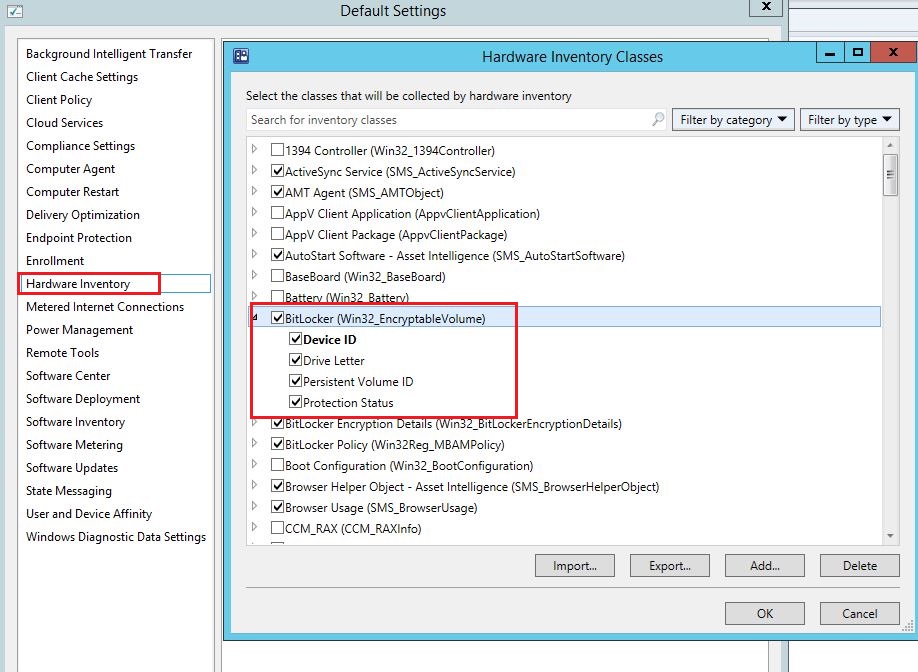
The data of v_GS_ENCRYPTABLE_VOLUME comes from hardware inventory, have you checked the BitLocker(Win32_EncrytableVolume) in your Hardware Inventory Classes? If not, enable it and wait for the next Hardware Inventory according to your "Hardware Inventory Schedule", then retry the query.
If the response is helpful, please click "Accept Answer" and upvote it.
Note: Please follow the steps in our documentation to enable e-mail notifications if you want to receive the related email notification for this thread.
that option was disabled and I just enable it in haardware class selection. i will wait per your instructions and post a reply
You may right click the device collection, and select Client Notification > Collect Hardware Inventory, it will collect hardware inventory ASAP.
It seems there is no update for a couple of days? May we know the current status of the problem? Does the query get results now?
1- after enabling that, I had to connect reportingservices in order to enable it, otherwise that option is not available in default connection
error:
An error has occurred during report processing. (rsProcessingAborted)
Cannot read the next data row for the dataset 'ComplianceDetails'. (rsErrorReadingNextDataRow)
The MERGE statement attempted to UPDATE or DELETE the same row more than once. This happens when a target row matches more than one source row. A MERGE statement cannot UPDATE/DELETE the same row of the target table multiple times. Refine the ON clause to ensure a target row matches at most one source row, or use the GROUP BY clause to group the source rows.
2- what do I put on the query then to dispaly the results I need

And exactly what query is listed within that dataset?
Turn on remote errors to see the true error. https://www.enhansoft.com/turn-on-remote-error-reporting/
Secondly, That query will NOT be limited to the collection that you have selected. Why Because you need to do the limited within the query itself.