Microsoft 365 and Office | SharePoint | Development
The process of building custom applications and tools that interact with Microsoft SharePoint, including SharePoint Online in Microsoft 365.

This browser is no longer supported.
Upgrade to Microsoft Edge to take advantage of the latest features, security updates, and technical support.
' cx='32' cy='32' r='32' /%3E%3Ctext x='50%25' y='55%25' dominant-baseline='middle' text-anchor='middle' fill='%23FFF' %3EKP%3C/text%3E%3C/svg%3E)
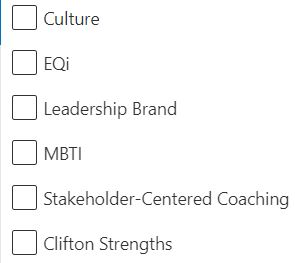
When I edit the properties of various documents in sharepoint, some of the metadata options are alphabetized (for example our tags of client name, product) but our tag of Topics does not show up alphabetized. How do I fix this?
The process of building custom applications and tools that interact with Microsoft SharePoint, including SharePoint Online in Microsoft 365.
Answer accepted by question author
' cx='32' cy='32' r='32' /%3E%3Ctext x='50%25' y='55%25' dominant-baseline='middle' text-anchor='middle' fill='%23FFF' %3EED%3C/text%3E%3C/svg%3E)
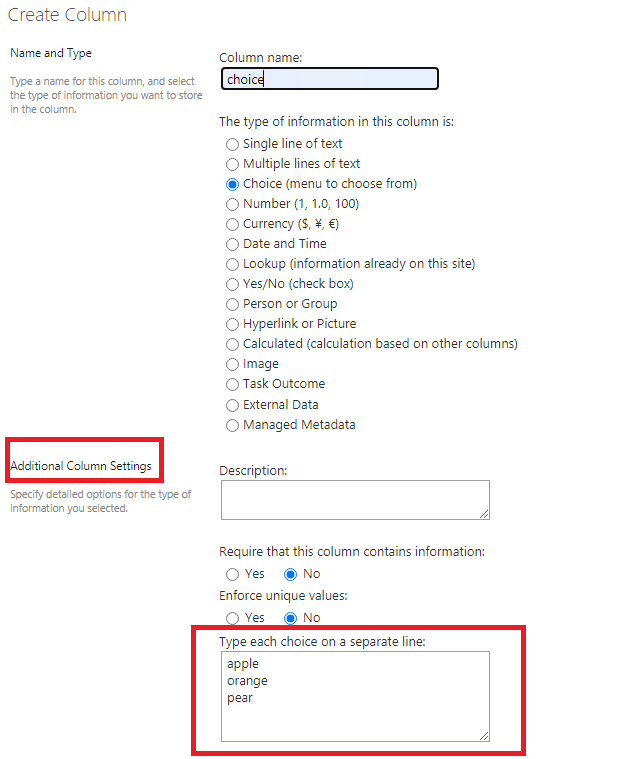
Whether the "Topic" column is a choice column?
If it is a choice column, the options in the column will not display alphabetized, they will display as the order you add them. It’s by default.
If an Answer is helpful, please click "Accept Answer" and upvote it
Note: Please follow the steps in our documentation to enable e-mail notifications if you want to receive the related email notification for this thread.
Emily - thank you so much. Do you know if there is a way to change the default or reorder them? Thanks!