' cx='32' cy='32' r='32' /%3E%3Ctext x='50%25' y='55%25' dominant-baseline='middle' text-anchor='middle' fill='%23FFF' %3EJG%3C/text%3E%3C/svg%3E)

' cx='32' cy='32' r='32' /%3E%3Ctext x='50%25' y='55%25' dominant-baseline='middle' text-anchor='middle' fill='%23FFF' %3EBZ%3C/text%3E%3C/svg%3E)
Hi @Anonymous ,
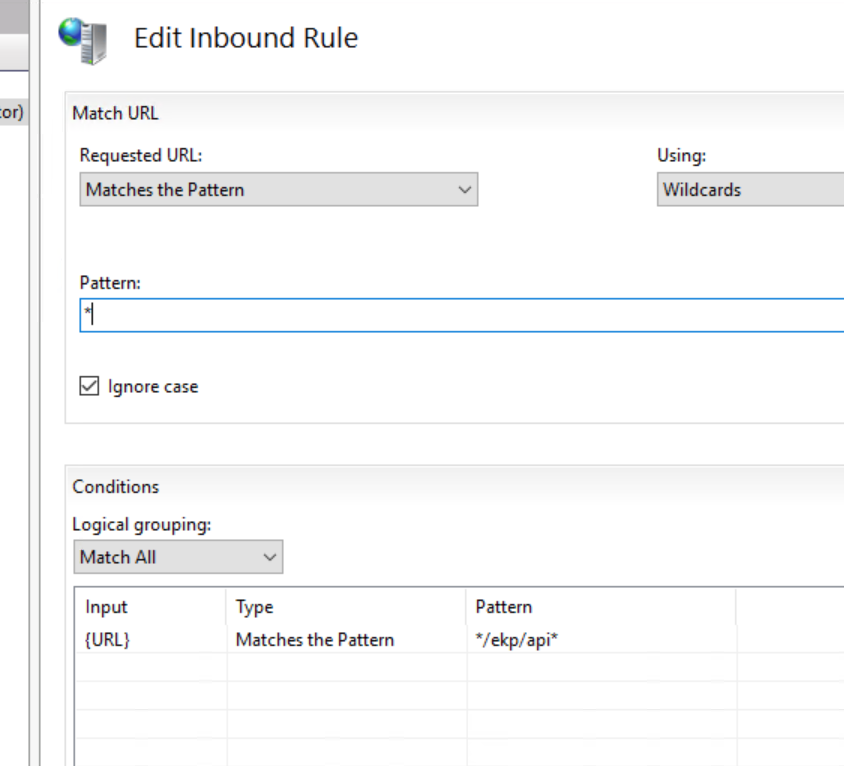
In my test, I made some changes in condition of URL, */ekp/api/* to /ekp/api/*. It can work well and show me 403 error. You can try this.
 <rule name="RequestBlockingRule1" patternSyntax="Wildcard" stopProcessing="true">
                    <match url="*" />
                    <conditions>
                        <add input="{URL}" pattern="/ekp/api/*" />
                    </conditions>
                    <action type="CustomResponse" statusCode="403" statusReason="Forbidden: Access is denied." statusDescription="You do not have permission to view this directory or page using the credentials that you supplied." />
                </rule>

If it still cannot work, please use failed request tracing to check what happened during the rewrite.
If the answer is the right solution, please click "Accept Answer" and kindly upvote it. If you have extra questions about this answer, please click "Comment".
Note: Please follow the steps in our documentation to enable e-mail notifications if you want to receive the related email notification for this thread.
Best regards,
Bruce Zhang