Azure Monitor
An Azure service that is used to collect, analyze, and act on telemetry data from Azure and on-premises environments.
This browser is no longer supported.
Upgrade to Microsoft Edge to take advantage of the latest features, security updates, and technical support.
' cx='32' cy='32' r='32' /%3E%3Ctext x='50%25' y='55%25' dominant-baseline='middle' text-anchor='middle' fill='%23FFF' %3EPK%3C/text%3E%3C/svg%3E)
Hi
I have requirement like i need to display logs for custom query in container logs(Kubernetes service) azure kub for c#
Please help me with any documentation or article. I can see documents on application insights but not on azure logs.
custom query like below
KubePodInventory
| where Namespace contains "monitor"
| join
(
ContainerLog
)
on ContainerID
| project TimeOfCommand, LogEntry, LogEntrySource, PodLabel, ContainerID, Namespace
| where LogEntry contains "keyword"
| order by TimeOfCommand desc
' cx='32' cy='32' r='32' /%3E%3Ctext x='50%25' y='55%25' dominant-baseline='middle' text-anchor='middle' fill='%23FFF' %3EMM%3C/text%3E%3C/svg%3E)
@Pavani Kadambari - Welcome to Microsoft Q&A and thanks for reaching out.
If you would like to query from azure log analytics, when you click on monitor from the azure sidebar it gives you the option of container insights & your log analytics resources. Presumably you’d query from those.
For more information on the same, please take a look at this document for more information: container-insights-log-query
UPDATE:
In general for ContainerLog, we use below for querying:
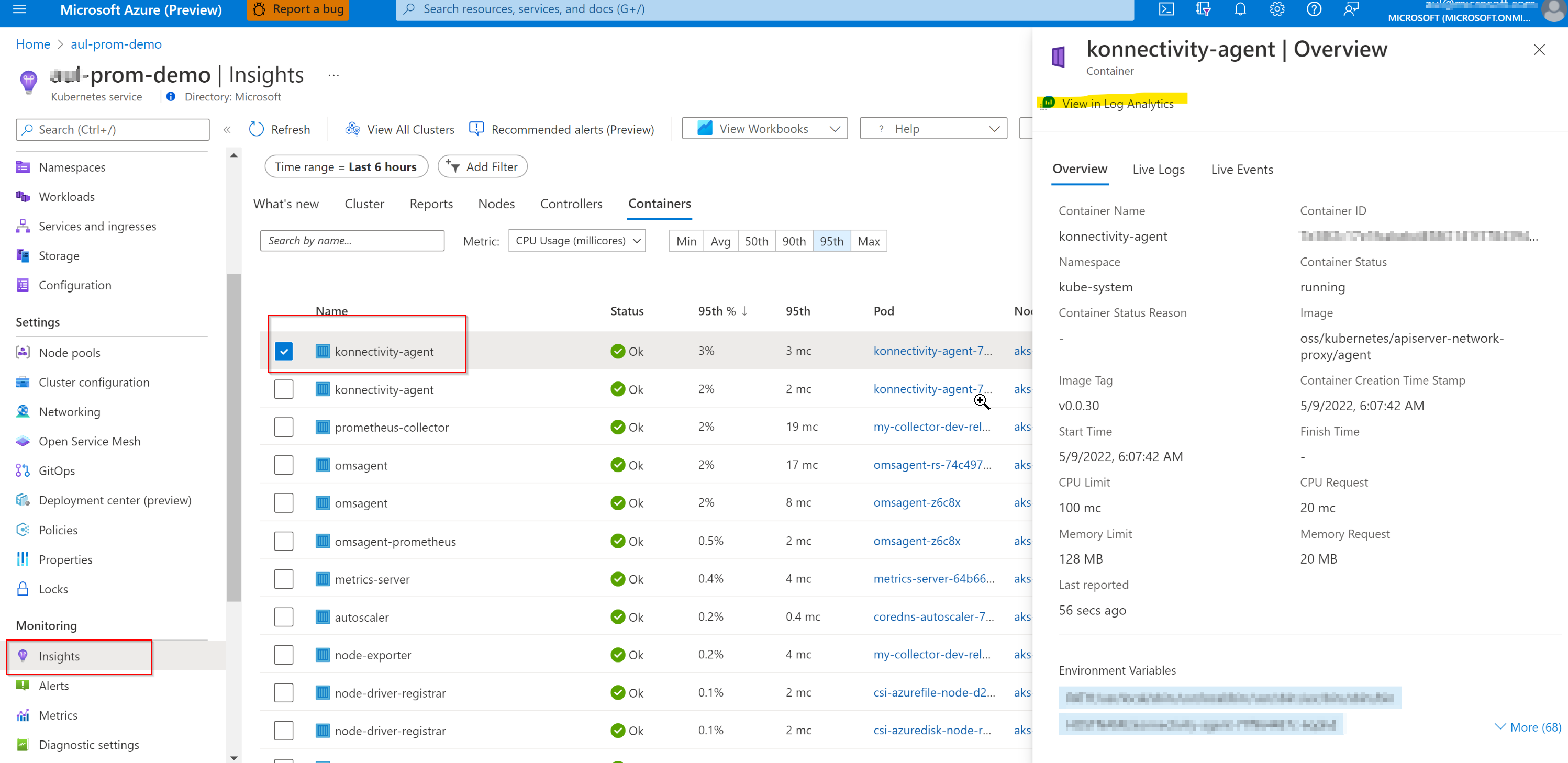
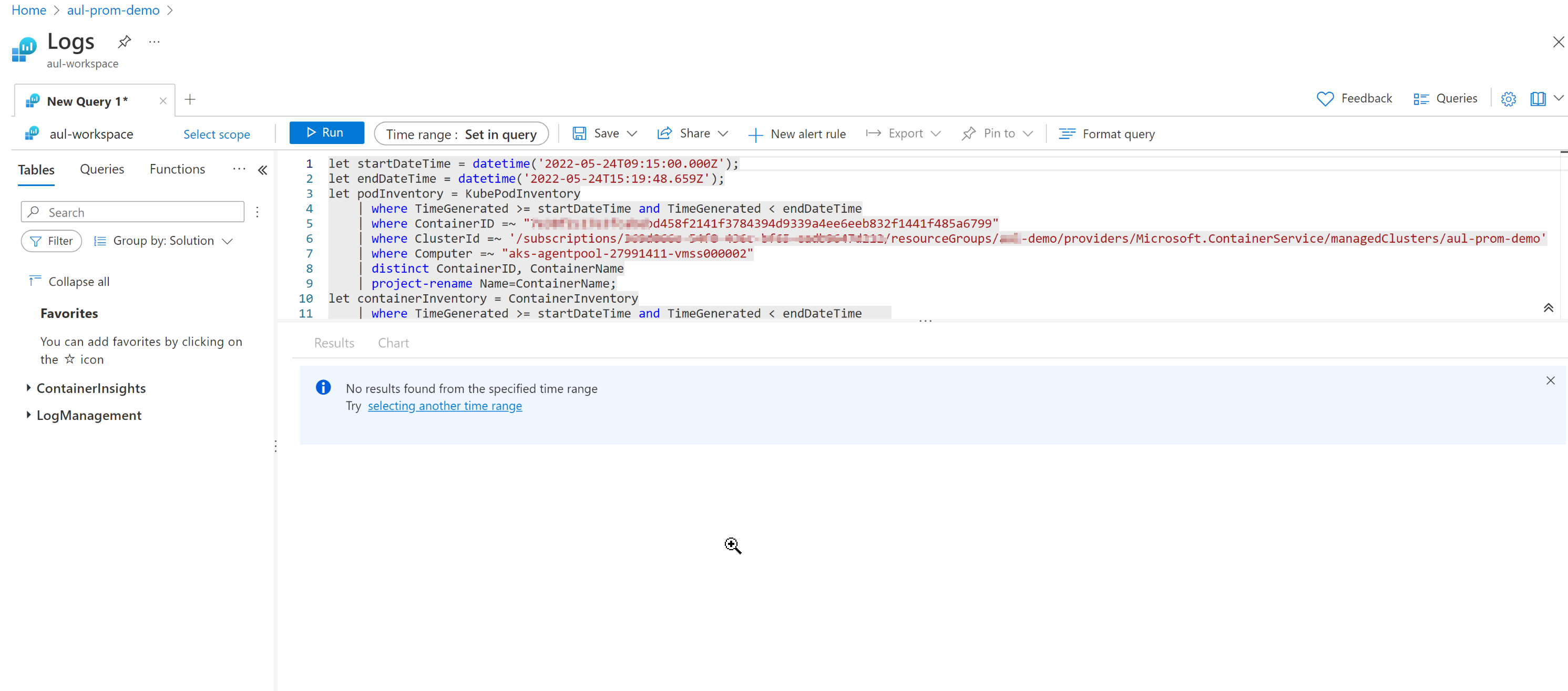
And this will generate query scoped to that container.
You might also want to look into this doc which provides more information on configuring Application Insights for your ASP.NET Website : asp-net
If you need more information, can you please provide the requested details?
Hope this helps. and please feel free to reach out if you have any further questions.
------------------------------------------------------------------
If the above response was helpful, please feel free to "Accept as Answer" and "Upvote" the same so it can be beneficial to the community.
Hi Monalla
please note I can check logs from azure container. I want to display them on my asp.net website can you please help on same.
@Pavani Kadambari - Thanks for sharing more details. Let me take a look into it in detail and get back to you as soon as possible. Thank you.
@Pavani Kadambari - I have provided an updated answer above. Please take a look at it and see if that helps.
@Pavani Kadambari - Did the below answer help resolve your issue, if not please revert back with any questions.
and if it did, please feel free to "accept as answer" so it can be beneficial to the community.