SQL Server Reporting Services
A SQL Server technology that supports the creation, management, and delivery of both traditional, paper-oriented reports and interactive, web-based reports.
This browser is no longer supported.
Upgrade to Microsoft Edge to take advantage of the latest features, security updates, and technical support.
' cx='32' cy='32' r='32' /%3E%3Ctext x='50%25' y='55%25' dominant-baseline='middle' text-anchor='middle' fill='%23FFF' %3ELD%3C/text%3E%3C/svg%3E)
I have a simple SSRS tablix with two fields - Age Bracket and # of deaths per age bracket (for particular condition). The report is grouped by Age Bracket and # of deaths is count of records per Age Bracket.
I'm using the following formula for # of deaths:
CountRows("Age_Bracket")
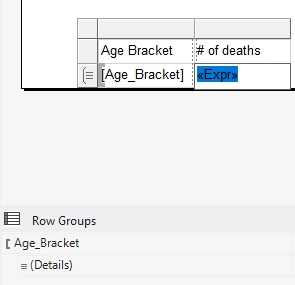
Here is the tablix in design mode:
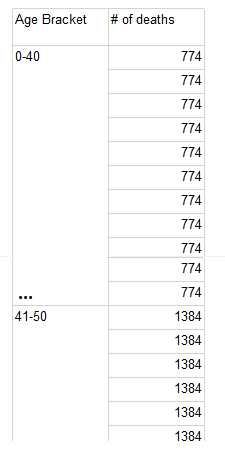
However, in Report Preview I see this (# of death appears multiple times per the same Age Bracket):
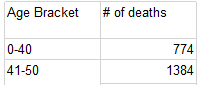
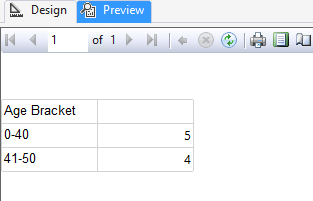
How to eliminate duplicates, so the report will appear like this?
A SQL Server technology that supports the creation, management, and delivery of both traditional, paper-oriented reports and interactive, web-based reports.
Answer accepted by question author
' cx='32' cy='32' r='32' /%3E%3Ctext x='50%25' y='55%25' dominant-baseline='middle' text-anchor='middle' fill='%23FFF' %3EA%3C/text%3E%3C/svg%3E)
Hi @Leonid Dynin
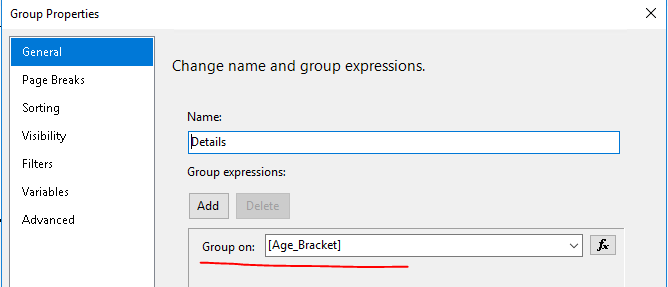
You can open the Properties pane of Details in the grouping pane, add Group on [Age_Bracket], and you can achieve the result you want.
Preview:
Best regards,
Aniya

Hi @Leonid Dynin ,
If you just need to count the number of deaths in each group, you can check the field - AddTotal, which will calculate the sum of all deaths in this group, and add an extra row;
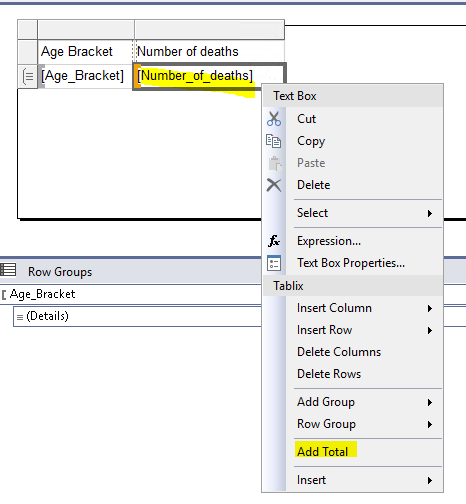
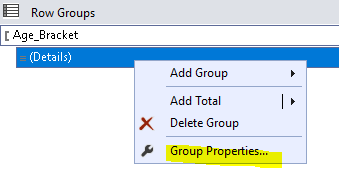
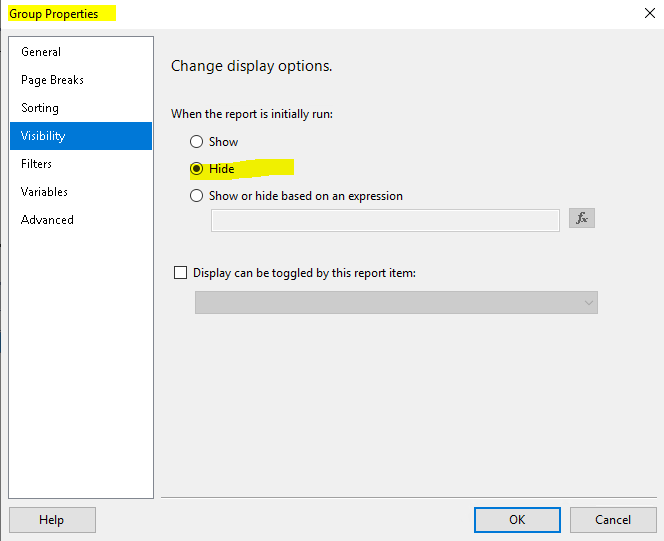
Then set the visibility of this Details Row , as shown below:
If you want to count the number of rows, you can modify the expression to: =CountRows("Age_Bracket")
If you are calculating the sum of deaths, use the SUM aggregate function.
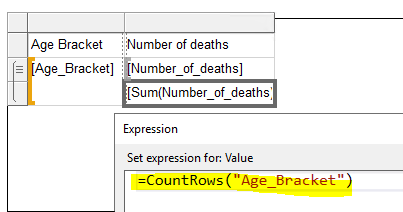
Preview:
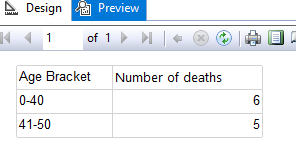
Best Regards,
Joy
If the answer is the right solution, please click "Accept Answer" and kindly upvote it. If you have extra questions about this answer, please click "Comment".
Note: Please follow the steps in our documentation to enable e-mail notifications if you want to receive the related email notification for this thread.
Thank you, this solution worked as well!
Hi @Leonid Dynin ,
Thanks for your feedback.
If the answer is helpful, please click "Accept Answer" and kindly upvote it.
If you have any questions, please feel free to let me know.
Warm Regards,
Joy