Microsoft 365 and Office | Development | Microsoft 365 Publishing
End-to-end process of building, validating, and distributing custom apps and add-ins across Microsoft 365 platforms

This browser is no longer supported.
Upgrade to Microsoft Edge to take advantage of the latest features, security updates, and technical support.

We have created Microsoft 365 group and instead of me being owner, adding every team member - we want users to raise request to get added to the group.
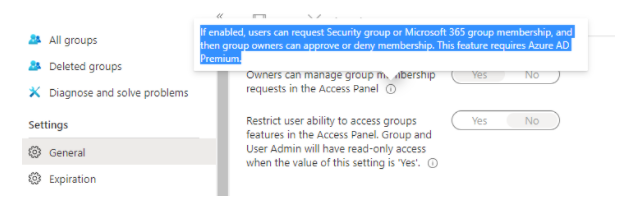
Found below option which shows that there should be such option. How can user raise request and from which section (Some Access panel), I can grant it?
I found one way but not that good - Create new draft email add xxx@abdou .mycompany.com, hover over to it and request to join

They can use the MyGroups portal: https://account.activedirectory.windowsazure.com/r#/groups
Therein, any user can see a list of groups they're a member of, as well as groups they own. Pressing the Join group button allows them to browse a list of groups within the tenant and request to be added.
' cx='32' cy='32' r='32' /%3E%3Ctext x='50%25' y='55%25' dominant-baseline='middle' text-anchor='middle' fill='%23FFF' %3EV%3C/text%3E%3C/svg%3E)
An easier solution would be to instruct the users to join via their Outlook client.
Just right click the groups element in Outlook and select "Browse groups". There they can join the group (public) or request to join the group (private).
Sorry, my client is in German language. :-)
The screenshot is taken from Outlook Classic.