Though I did what you told but still can't install VS!
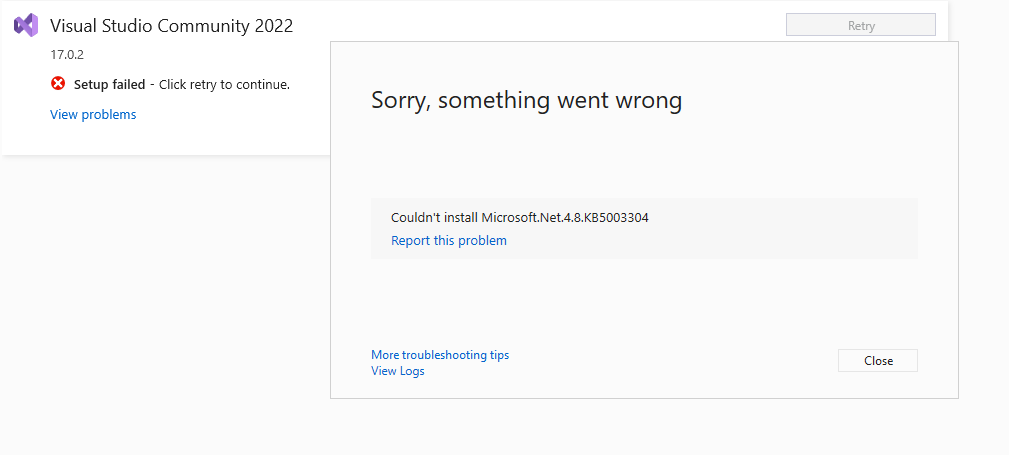
Something went wrong with the install.

You can troubleshoot the package failures by:

    1. Search for solutions using the search URL below for each package failure
    2. Modify your selections for the affected workloads or components and then retry the installation
    3. Remove the product from your machine and then install again

If the issue has already been reported on the Developer Community, you can find solutions or workarounds there. If the issue has not been reported, we encourage you to create a new issue so that other developers will be able to find solutions or workarounds. You can create a new issue from within the Visual Studio Installer in the upper-right hand corner using the "Provide feedback" button.

================================================================================

Package 'Microsoft.Net.4.8.KB5003304,version=4.8.4375.4,chip=x64,machinearch=x64' failed to install.
    Search URL
        https://aka.ms/VSSetupErrorReports?q=PackageId=Microsoft.Net.4.8.KB5003304;PackageAction=Install;ReturnCode=-2147418113
    Details
        Command executed: "C:\Windows\system32\dism.exe" /online /quiet /norestart /add-package /packagepath:"C:\Users\Saeed\AppData\Local\Temp\c309c323-12cc-4ab0-8610-d4946aa365e1\Windows10.0-KB5003304-x64-NDP48.cab" /logPath:"C:\Users\Saeed\AppData\Local\Temp\dd_setup_20211225210651_001_Microsoft.Net.4.8.KB5003304.log"
        Return code: -2147418113
        Return code details: Catastrophic failure
    Log
        C:\Users\Saeed\AppData\Local\Temp\dd_setup_20211225210651_001_Microsoft.Net.4.8.KB5003304.log
    Impacted workloads
        .NET desktop development (Microsoft.VisualStudio.Workload.ManagedDesktop,version=17.0.31804.368)
        ASP.NET and web development (Microsoft.VisualStudio.Workload.NetWeb,version=17.0.31804.368)
        Visual Studio core editor (Microsoft.VisualStudio.Workload.CoreEditor,version=17.0.31804.368)
    Impacted components
        .NET Framework 4.8 development tools (Microsoft.Net.ComponentGroup.4.8.DeveloperTools,version=17.0.31804.368)
        .NET Framework 4.8 targeting pack (Microsoft.Net.Component.4.8.TargetingPack,version=17.0.31804.368)
        Visual Studio core editor (Microsoft.VisualStudio.Component.CoreEditor,version=17.0.31804.368)
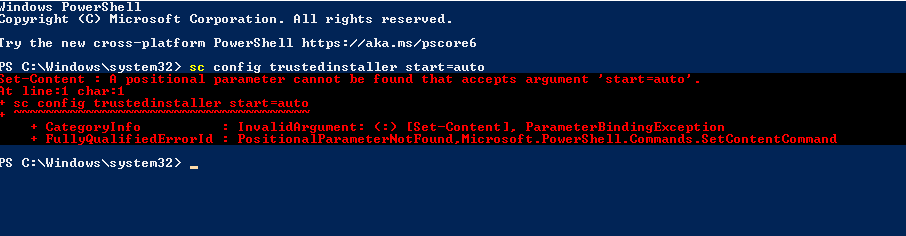
But I'm not sure if I did no.4 correct:
Please help me.
Saeed
' cx='32' cy='32' r='32' /%3E%3Ctext x='50%25' y='55%25' dominant-baseline='middle' text-anchor='middle' fill='%23FFF' %3ESP%3C/text%3E%3C/svg%3E)
' cx='32' cy='32' r='32' /%3E%3Ctext x='50%25' y='55%25' dominant-baseline='middle' text-anchor='middle' fill='%23FFF' %3EAX%3C/text%3E%3C/svg%3E)