Note
Access to this page requires authorization. You can try signing in or changing directories.
Access to this page requires authorization. You can try changing directories.
The Extension Gallery is a curated directory of Command Palette extensions that users can browse directly from within Command Palette settings. Listing your extension in the Gallery makes it discoverable to all Command Palette users — they can see your extension's description, screenshots, and install it with a single click.
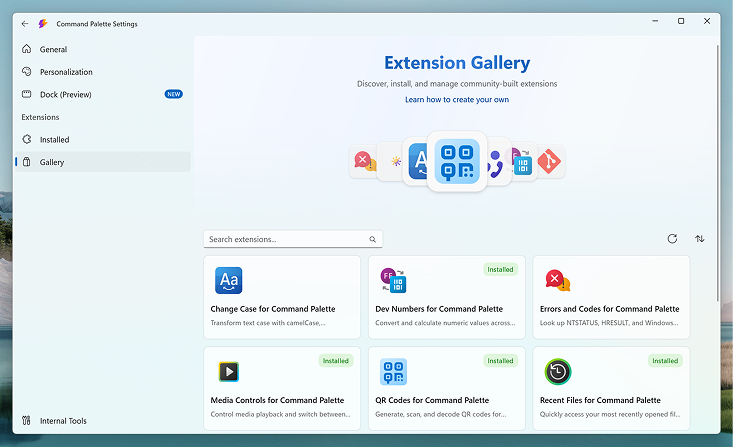
The Gallery itself doesn't host extensions. Instead, it links to your extension's install source — either WinGet or the Microsoft Store. When a user installs your extension from the Gallery, Command Palette uses the install source you specified.
How to list your extension
The Extension Gallery is powered by the microsoft/CmdPal-Extensions repository on GitHub. The Contributing Guide covers the full submission process including folder structure, metadata format, and pull request requirements.
Get started listing your extension in the Gallery
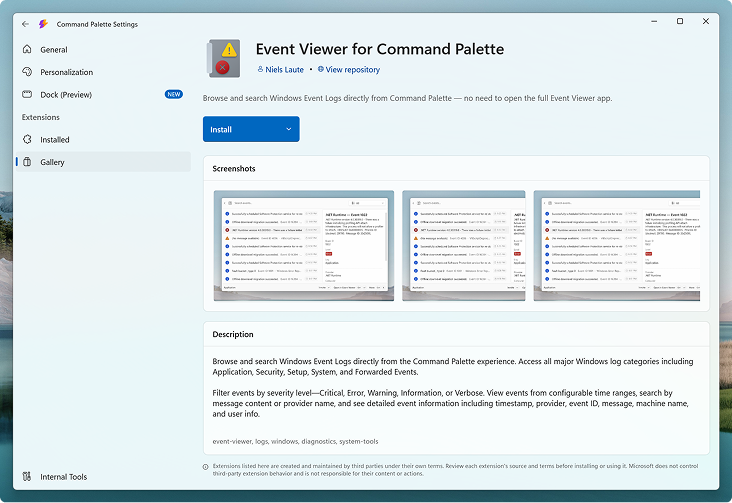
Once listed, your extension's detail page is displayed directly in Command Palette, giving users a rich preview before they install.
Related content
Collaborate with us on GitHub
The source for this content can be found on GitHub, where you can also create and review issues and pull requests. For more information, see our contributor guide.

Windows developer