Note
Access to this page requires authorization. You can try signing in or changing directories.
Access to this page requires authorization. You can try changing directories.
Once your Command Palette extension is built and tested, you need to distribute it so users can install it. There are several ways to get your extension into the hands of users, each with different trade-offs.
Distribution options
| Method | Automatic updates | Requirements |
|---|---|---|
| WinGet | ✅ Yes | WinGet manifest with windows-commandpalette-extension tag |
| Microsoft Store | ✅ Yes | Partner Center account, MSIX package |
Microsoft Store (recommended)
Publishing to the Microsoft Store is the recommended distribution method. Registration is free for individual developers, and the Store provides automatic updates and broad reach across Windows devices.
Get started publishing to the Microsoft Store
WinGet
Publishing to WinGet makes your extension discoverable within Command Palette via the Search WinGet command. When your extension is listed on WinGet with the windows-commandpalette-extension tag, users can find and install it directly from within Command Palette. WinGet also handles updates automatically.
Get started publishing to WinGet
List your extension in the Gallery
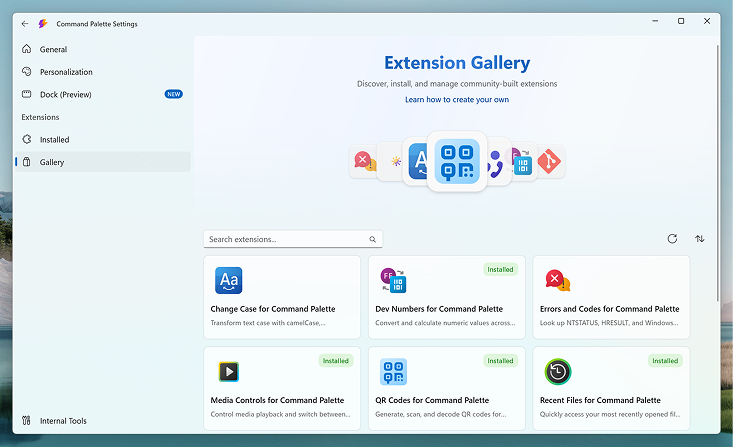
Regardless of which channel you publish to, you can list your extension in the Command Palette Extension Gallery so users can discover it from within Command Palette. The Gallery is a curated directory — it links to your extension's install source (WinGet or the Microsoft Store) but doesn't host the extension itself.
For more information, see Extension Gallery.
Get started listing your extension in the Gallery
Related content
Collaborate with us on GitHub
The source for this content can be found on GitHub, where you can also create and review issues and pull requests. For more information, see our contributor guide.

Windows developer