Microsoft 365 and Office | SharePoint | For business | Windows
A group of Microsoft Products and technologies used for sharing and managing content, knowledge, and applications.

This browser is no longer supported.
Upgrade to Microsoft Edge to take advantage of the latest features, security updates, and technical support.
' cx='32' cy='32' r='32' /%3E%3Ctext x='50%25' y='55%25' dominant-baseline='middle' text-anchor='middle' fill='%23FFF' %3ERS%3C/text%3E%3C/svg%3E)
i would like to do data validation on a column in SharePoint to ensure the naming convention of my documents are correct.
Im familiar with RegEx and was able to build the below Expression :
[A-Z]{4}-[A-Z]{3,6}-[A-Z0-9]{2}-[A-Z0-9]{2}-[A-Z]{2,3}-[A-Z]{1,3}-[0-9]{4}-[A-Za-z0-9]+
is there anyone that can assist converting this to a format that Sharepoint understands?
A group of Microsoft Products and technologies used for sharing and managing content, knowledge, and applications.

Hello @Ruan Swart ,
This is a quick note to let you know that we are performing research on this issue.
Thanks,
Echo Du
Answer accepted by question author
Hi @Ruan Swart ,
Welcome to Q&A Forum!
According to my research and testing, SharePoint Column Validation cannot support such a complex RegEx Expression. Because the Validation Formula must be 1024 characters or fewer.
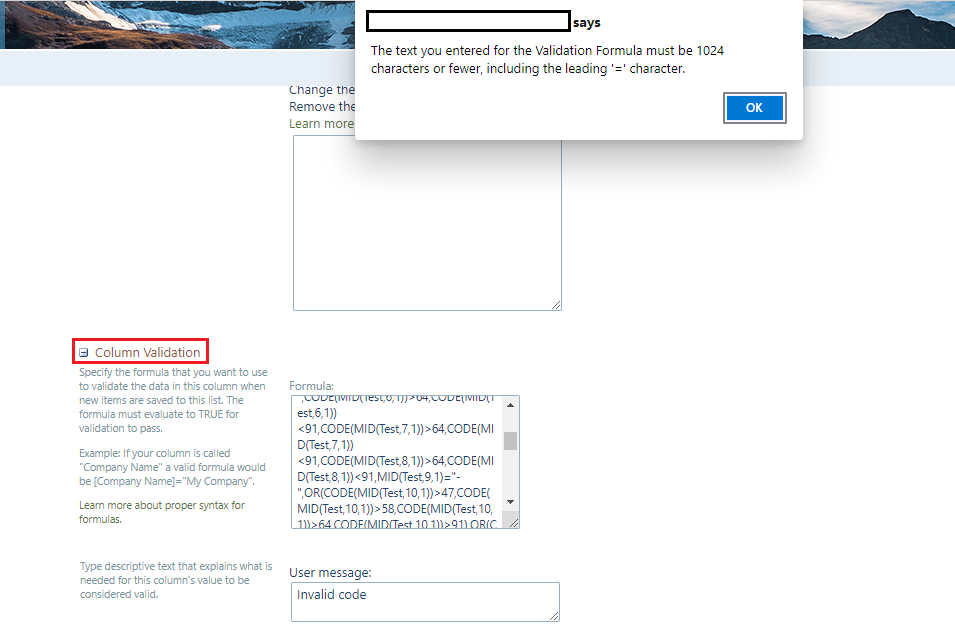
For example:
[A-Z]{4}- requires the following Formula:
=IF(AND(LEN(Test)=5,CODE(MID(Test,1,1))>64,CODE(MID(Test,1,1))<91,CODE(MID(Test,2,1))>64,CODE(MID(Test,2,1))<91,CODE(MID(Test,3,1))>64,CODE(MID(Test,3,1))<91,CODE(MID(Test,4,1))>64,CODE(MID(Test,4,1))<91,MID(Test,5,1)="-"),TRUE,FALSE)
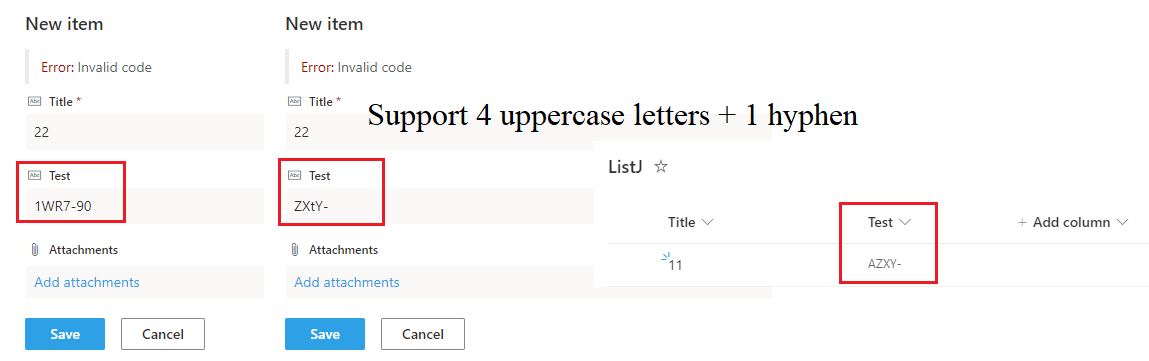
Thanks,
Echo Du
=========================================
If an Answer is helpful, please click "Accept Answer" and upvote it.
Note: Please follow the steps in our documentation to enable e-mail notifications if you want to receive the related email notification for this thread.
Thank you for the great feedback :)