Note
Access to this page requires authorization. You can try signing in or changing directories.
Access to this page requires authorization. You can try changing directories.
This article helps you diagnose and resolve common issues with Elastic Cloud on Azure. Use the quick reference table to jump to the matching scenario.
Quick diagnostic reference
| Symptom | Likely cause | Section |
|---|---|---|
| Can't create an Elastic resource | Missing Owner or Contributor role on the subscription | Unable to create |
| Marketplace purchase fails | Spending limits, unsupported subscription type, or region restrictions | Marketplace purchase errors |
| Logs aren't appearing in Elastic | Resource type unsupported, diagnostic settings limit reached, or tag rules exclude the resource | Logs not emitting |
| Diagnostic settings won't turn off | Delete lock on the resource or resource group | Diagnostic settings active after disabling |
| Want to request a new feature | — | Suggest a feature |
Unable to create an Elastic resource
To create the Elastic resource you must have Owner or Contributor access on the Azure subscription. Confirm your role before starting setup.
To verify your role assignment:
- Open the Azure portal and navigate to the subscription.
- Select Access control (IAM) > View my access.
- Confirm you have the Owner or Contributor role. If not, request it from your subscription administrator.
For step-by-step guidance, see check your access.
Marketplace purchase errors
| Error message | Details |
|---|---|
| "The Microsoft.SaaS RP isn't registered on the Azure subscription." | Before you use a resource provider, you must make sure that your Azure subscription is registered for it. For more information, see Register a resource provider and Resolve errors for resource provider registration. |
| "Plan can't be purchased on a free subscription, please upgrade your account." | You can't make Azure Marketplace purchases on a free Azure subscription. For more information, see Azure free account FAQ. |
| "Purchase has failed because we couldn't find a valid payment method associated with your Azure subscription." | Use a different Azure subscription, or add or update credit card or payment method information for this subscription. For more information, see Purchase a SaaS offer in the Azure portal. |
| "The Publisher doesn't make available Offer, Plan in your Subscription/Azure account's region." | The offer or the specific plan isn't available to the billing account market that's connected to the Azure subscription. |
| "Enrollment for Azure Marketplace is set to Free/BYOL SKUs only, purchase for Azure product isn't allowed. Please contact your enrollment administrator to change EA settings." | Enterprise administrators can disable or enable Azure Marketplace purchases for all Azure subscriptions under their enrollment. For more information, see Enabling Azure Marketplace purchases and Introduction to listing options. |
| "Marketplace isn't enabled for the Azure subscription." | Enterprise administrators can disable or enable Azure Marketplace purchases for all Azure subscriptions under their enrollment. For more information, see Enabling Azure Marketplace purchases. |
| "Plan by publisher isn't available to you for purchase due to private marketplace settings made by your tenant's IT administrator." | Your company uses a private marketplace to limit the access of its organization to specific offers and plans. The specific offer or the plan wasn't set up to be available in the tenant's private marketplace. Contact your tenant's IT administrator. |
| "The EA subscription doesn't allow Marketplace purchases." | Use a different subscription or check whether your Enterprise Agreement subscription is enabled for Azure Marketplace purchases. For more information, see Enabling Azure Marketplace purchases. |
If those options don't solve the problem, contact Elastic support.
Logs not being emitted to Elastic
If Azure resource logs aren't appearing in Elastic, check these common causes:
| Cause | How to verify | Fix |
|---|---|---|
| Resource type doesn't support log export | Check supported resource log categories | No fix; only supported resource types can emit logs |
| Diagnostic settings limit reached | Check the resource's diagnostic settings in the Azure portal (maximum five per resource) | Remove an unused diagnostic setting. See diagnostic settings |
| Tag rules exclude the resource | Check rules in Elastic deployment configuration > Logs & metrics | Update tag rules to include the resource. See tag rules for sending logs for include/exclude examples |
| Metrics export via diagnostic settings | N/A | Azure Monitor diagnostic settings don't support metric export for partner solutions. Use platform metrics from the Elastic resource instead |
To check whether a specific resource is emitting logs:
- Navigate to the resource in the Azure portal.
- Open Diagnostic settings and verify an Elastic diagnostic setting is present and enabled.
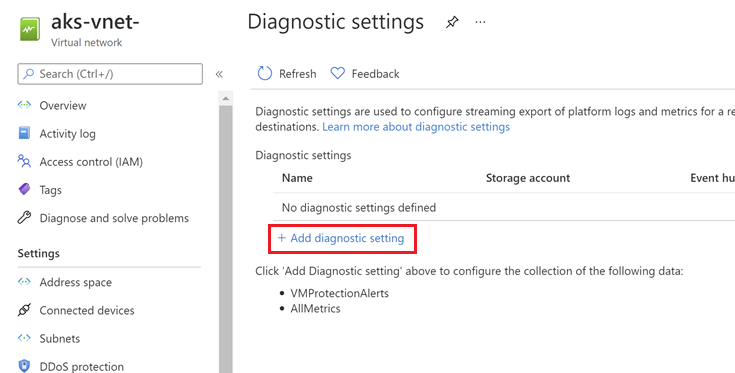
Diagnostic settings are active even after disabling
If logs continue to be emitted and diagnostic settings remain active on monitored resources after the Elastic resource is disabled or tag rules are modified to exclude resources, a delete lock on the resource or resource group is likely preventing cleanup.
To resolve:
- Navigate to the resource or resource group in the Azure portal and select Locks from the service menu.
- Remove the delete lock.
- If the lock was removed after the Elastic resource was already deleted, manually clean up the remaining diagnostic settings to stop log forwarding.
Diagnostic settings not created as expected after moving a resource
If you need to delete a resource, rename, or move a resource, or migrate it across resource groups or subscriptions, first delete its diagnostic settings. Otherwise, if you recreate this resource, the diagnostic settings for the deleted resource could be included with the new resource, depending on the resource configuration for each resource. If the diagnostics settings are included with the new resource, this resumes the collection of resource logs as defined in the diagnostic setting and sends the applicable metric and log data to the previously configured destination. Also, it's a good practice to delete the diagnostic settings for a resource you're going to delete and don't plan on using again to keep your environment clean. Learn more.
Manual updates to diagnostic settings created via tag rules
Diagnostic settings are created based on tag rules. Currently, changing log categories through the diagnostic settings page is not permitted. While you may be able to uncheck log categories and save them, they will revert to default settings (as per tag rules).
If destination details are modified, a new diagnostic setting with the original configuration is recreated. This is subject to the limitation of a maximum of five diagnostic settings per resource. Learn More.
Suggest a feature
To suggest a new feature for the Elastic integration with Azure, select the Suggest a feature link at the top of the Elastic resource overview page.
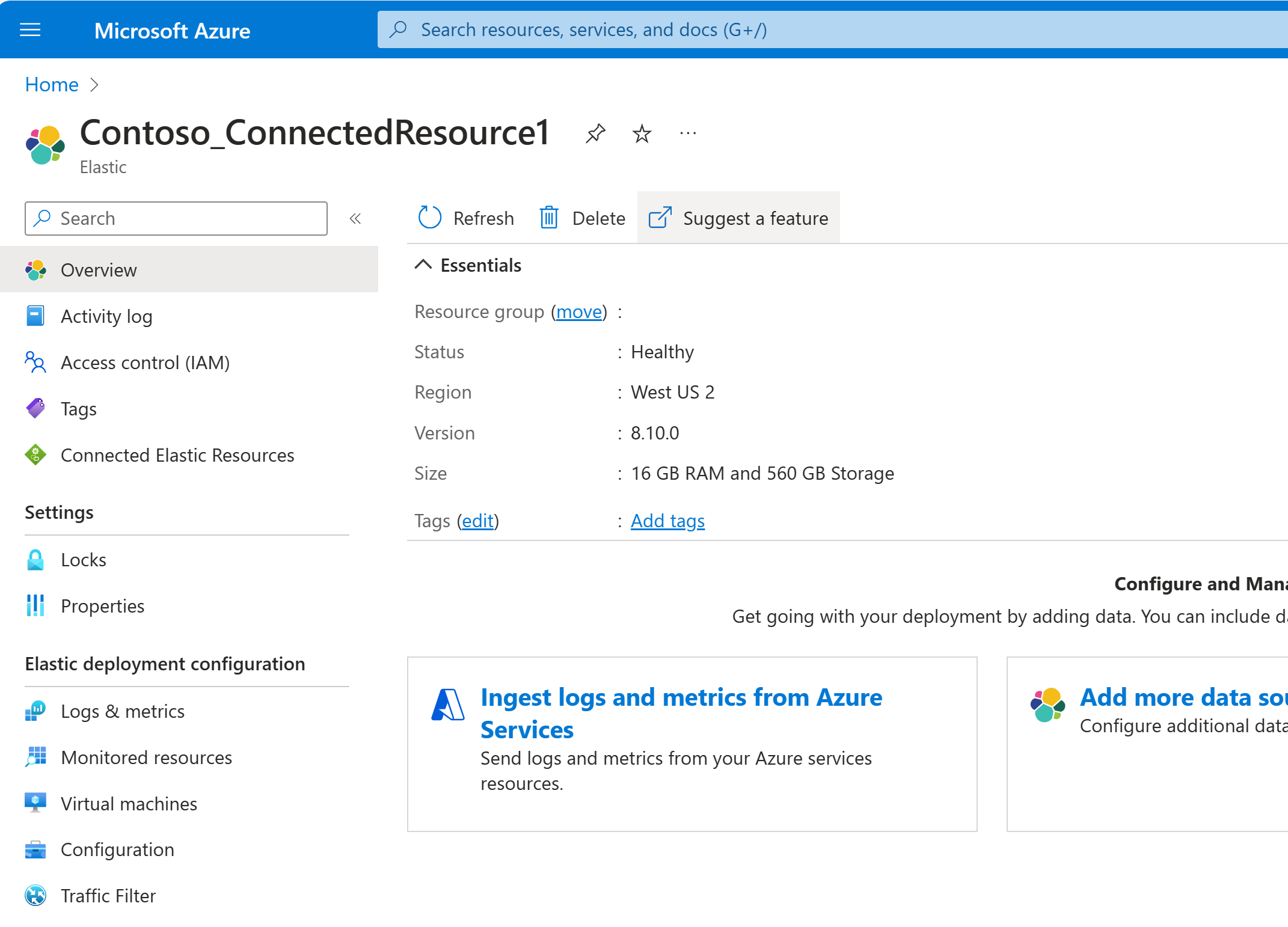
This link takes you to the Developer community forum where you can submit a new feature request, or view, upvote, and comment on existing suggestions.
Get support
- Contact Elastic support for Elastic product issues.
- Create an Azure support request for Azure platform issues (deployment failures, role assignments, resource provider registration).