Note
Access to this page requires authorization. You can try signing in or changing directories.
Access to this page requires authorization. You can try changing directories.
This article describes how to add a real-time weather event source in Fabric Real-Time hub.
The real-time weather connector allows you to ingest live weather data from a selected location into Eventstream. It provides real-time weather conditions such as precipitation, temperature, and wind for a specified set of coordinates. This data is updated every minute to ensure timely insights.
Weather data is powered by the Azure Maps Weather service. The cost of using Azure Maps is included in the connector's capacity consumption, so there's no need to set up a separate Azure Maps account or service within your Azure subscription. To learn more about Azure Maps, refer to What is Azure Maps?.
Prerequisites
- A workspace with Fabric capacity or Fabric Trial workspace type.
- Access to the workspace with Contributor or higher workspace roles.
- If you don't have an eventstream, follow the guide to create an eventstream.
In addition, the following tenant switches must be enabled from the Admin portal:
- Users can use Azure Maps services
- Users can use Azure Maps Weather Services. By enabling this setting, you consent to share your selected location with Azure Maps and AccuWeather to retrieve real-time weather information.
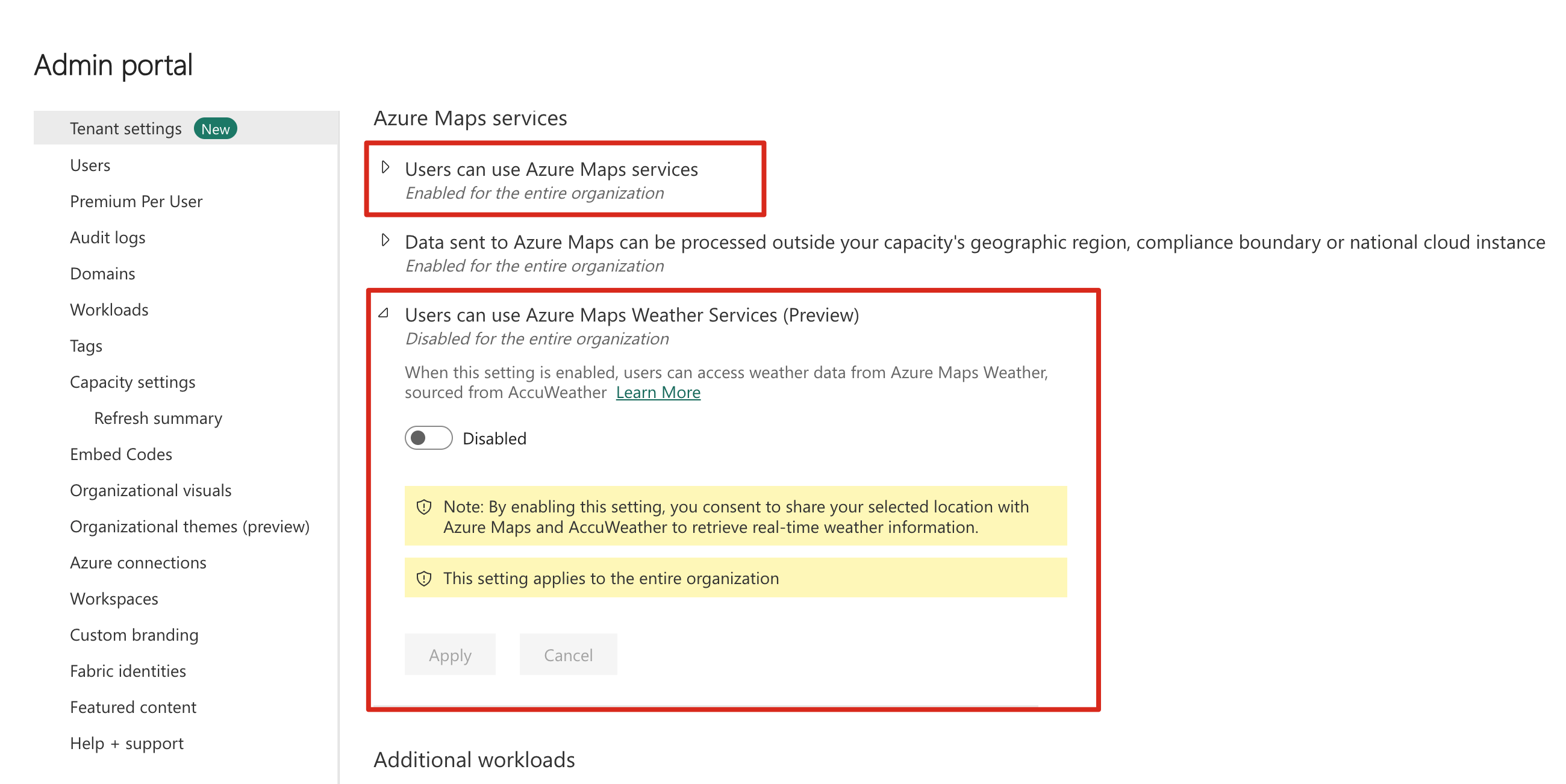
Data sources page
Sign in to Microsoft Fabric.
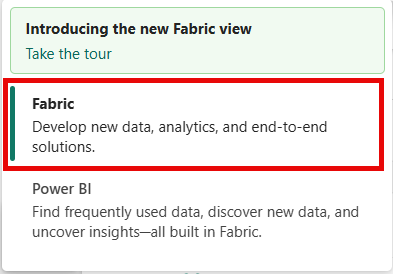
If you see Power BI at the bottom-left of the page, switch to the Fabric workload by selecting Power BI and then by selecting Fabric.
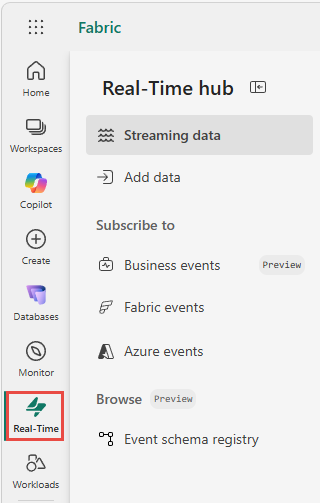
Select Real-Time on the left navigation bar.
The Streaming data page opens by default. Click on the Add data button to get to the Add data page.
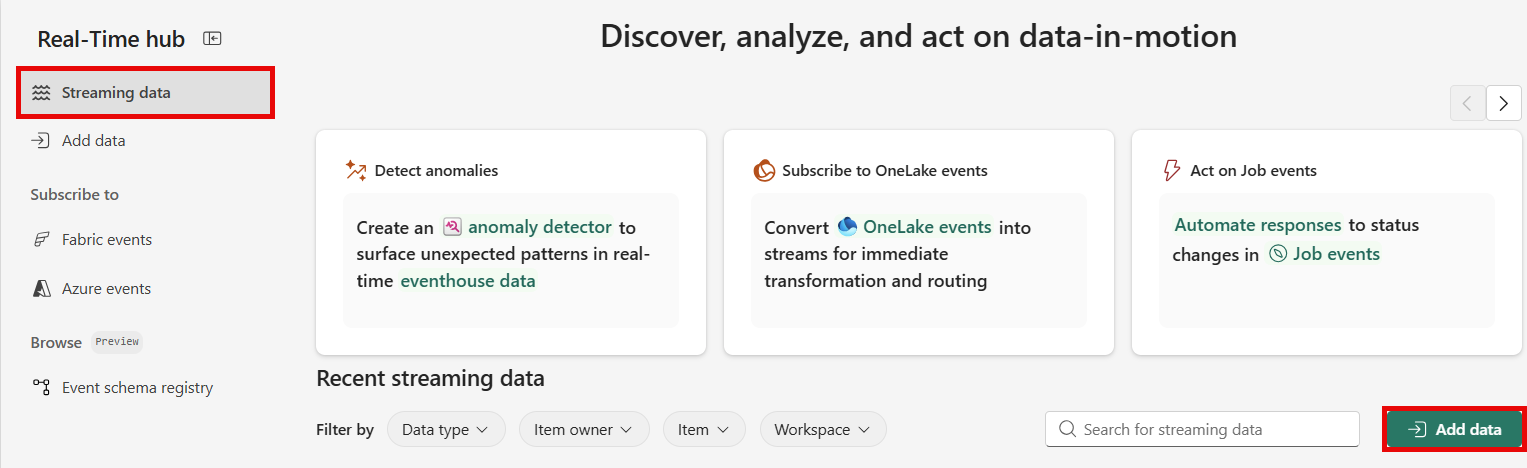
You can also get to the Add data page directly by selecting the Add data option in the left navigation bar.
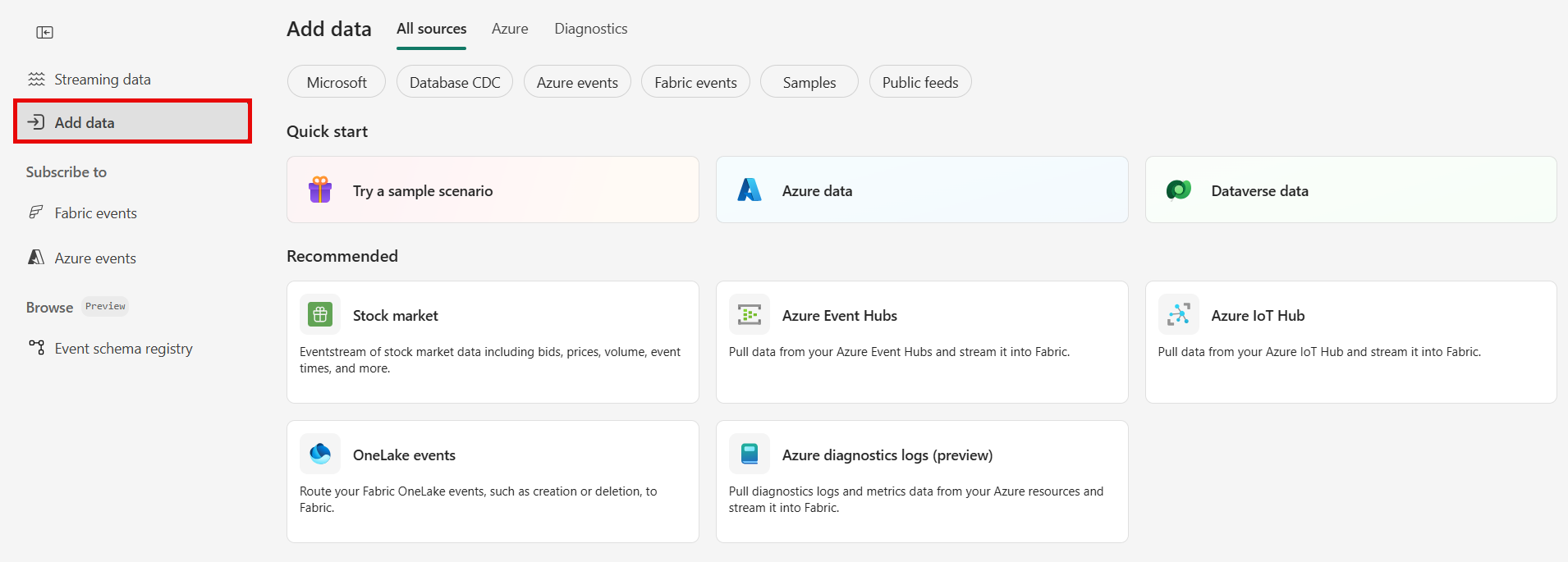
Select Real-time weather as data source type
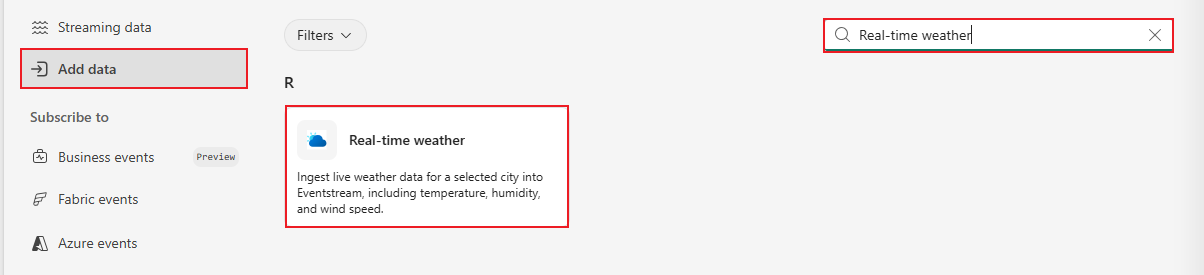
On the Data sources page, search for Real-time weather, and select Connect on the Real-time weather tile.
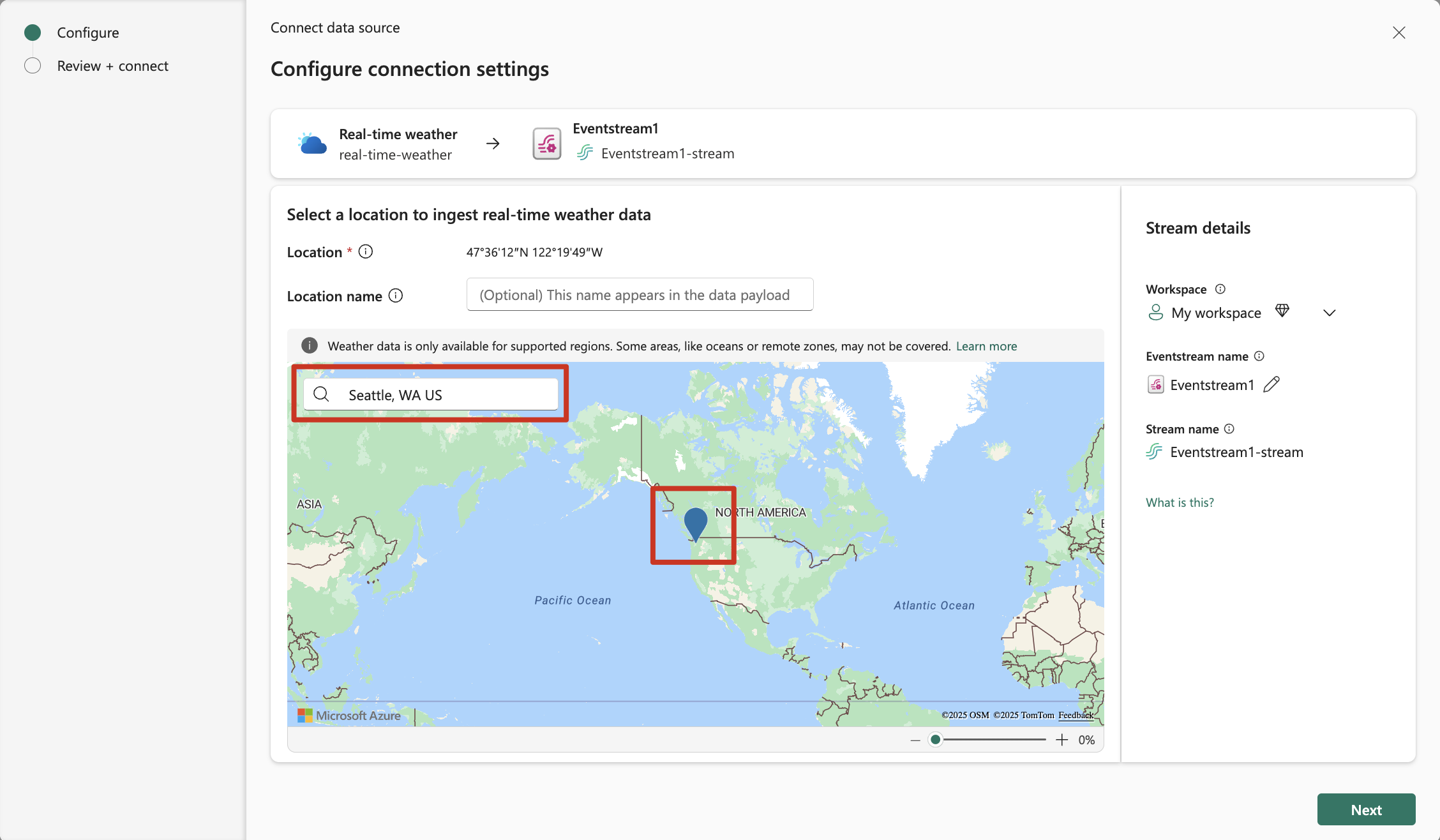
Add a Real-time weather source
Select a location on the map or search for a location to retrieve real-time weather data.
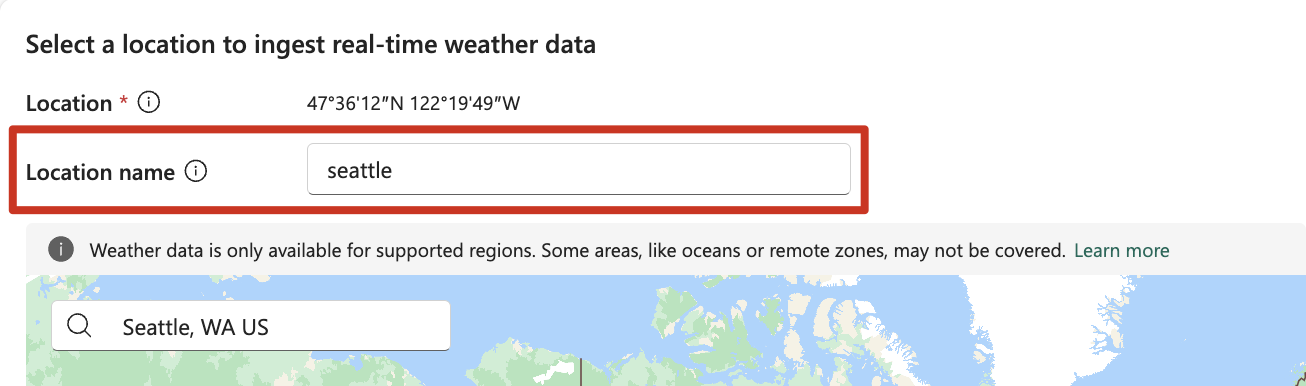
(Optional) Enter a Location name to identify this location’s weather data in your stream. This name appears in the data payload.
Stream or source details
On the Connect page, follow one of these steps based on whether you're using Eventstream or Real-Time hub.
Eventstream:
In the Source details pane to the right, follow these steps:
For Source name, select the Pencil button to change the name.
Notice that Eventstream name and Stream name are read-only.
Real-Time hub:
In the Stream details section to the right, follow these steps:
Select the Fabric workspace where you want to create the eventstream.
For Eventstream name, select the Pencil button, and enter a name for the eventstream.
The Stream name value is automatically generated for you by appending -stream to the name of the eventstream. This stream appears on the real-time hub's All data streams page when the wizard finishes.
Select Next at the bottom of the Configure page.
Review and connect
On the Review + connect screen, review the summary, and select Add (Eventstream) or Connect (Real-Time hub).
Important
By using this connector, you acknowledge and agree that:
- Your use of this connector is subject to the applicable Azure Maps Product Terms and may only be used within Microsoft Fabric only.
- Weather data may not be downloaded, exported, or streamed outside of Fabric.
For more information, see Azure Maps Product Terms
View data stream details
- On the Review + connect page, if you select Open eventstream, the wizard opens the eventstream that it created for you with the selected weather source. To close the wizard, select Close at the bottom of the page.
- You should see the stream in the Recent streaming data section of the Real-Time hub home page. For detailed steps, see View details of data streams in Fabric Real-Time hub.
Weather data fields
The Weather connector retrieves a structured set of fields for each weather update. Here's a description of the key fields:
| Name | Type | Description |
|---|---|---|
| dateTime | string (date-time) | Date and time of the current observation displayed in ISO 8601 format, for example, 2019-10-27T19:39:57-08:00. |
| description | string | Phrase description of the current weather condition. Displayed in specified language. |
| iconCode | IconCode (int32) | Numeric value representing an image that displays the iconPhrase. |
| hasPrecipitation | boolean | Indicates the presence or absence of precipitation. True indicates the presence of precipitation; false indicates the absence of precipitation. |
| temperature | WeatherUnit | Temperature being returned. |
| realFeelTemperature | WeatherUnit | RealFeel™ Temperature being returned. |
| realFeelTemperatureShade | WeatherUnit | RealFeel™ Temperature being returned. Describes what the temperature really feels like in the shade. |
| relativeHumidity | integer (int32) | Relative humidity is the amount of water vapor present in air expressed as a percentage of the amount needed for saturation at the same temperature. |
| dewPoint | WeatherUnit | The dewpoint temperature in specified unit. The dewpoint temperature is the temperature that the air must be cooled to in order to reach saturation. |
| wind | WindDetails | Wind details being returned including speed and direction. |
| windGust | WindDetails | Wind gust. Wind gust is a sudden, brief increase in speed of the wind. |
| uvIndex | integer (int32) | Measure of the strength of the ultraviolet radiation from the sun. |
| uvIndexDescription | WeatherUnit | Description of the strength of the ultraviolet radiation from the sun. |
| visibility | WeatherUnit | Visibility in specified unit. A measure of the distance at which an object or light can be clearly discerned. |
| obstructionsToVisibility | string | Cause of limited visibility. |
| cloudCover | integer (int32) | Percent representing cloud cover. |
| cloudCeiling | WeatherUnit | Cloud ceiling in specified unit. The ceiling is a measurement of the height of the base of the lowest clouds. |
| pressure | WeatherUnit | Atmospheric pressure in specified unit. |
| pressureTendency | PressureTendency | Atmospheric pressure change. |
| pastTwentyFourHourTemperatureDeparture | WeatherUnit | Departure from the temperature observed 24 hours ago in specified unit. |
| apparentTemperature | WeatherUnit | Perceived outdoor temperature caused by the combination of air temperature, relative humidity, and wind speed in specified unit. |
| windChillTemperature | WeatherUnit | Perceived air temperature on exposed skin due to wind. |
| wetBulbTemperature | WeatherUnit | Measures the temperature air can reach when water evaporates into it at constant pressure until it reaches saturation. |
| precipitationSummary | PrecipitationSummary | Summary of precipitation amounts over the past 24 hours. |
| temperatureSummary | TemperatureSummary | Summary of temperature fluctuations over the past 6, 12, and 24 hours. |
| daytime | boolean | Indicates the time of the day. True indicates 'day,' false indicates 'night.' |
To learn more about weather data fields and concepts, check out:
Related content
To learn about consuming data streams, see the following articles: