Share via

Microsoft Project (.mpp) collaboration / sharing

Anonymous
2024-03-07T16:40:34+00:00

Hello,

M365 on Windows 10 at work (large corporation).

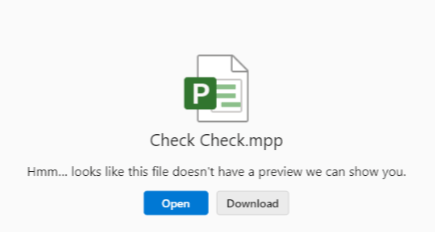
I have a microsoft project file (.mpp) that I want a team of 4 to collaborate on. It does not behave like other microsoft products for collaboration. Using TEAMS to hold the file, or using a work-personal onedrive leads to issue where collaborators trying to OPEN the file to make edits causes ONLY a prompt to download a copy locally.

How do i fix this so that we can work on the same cloud based file? I don't even need simultaneous edits. I just don't want to use the 2008 approach of download, edit, re-upload.

The picture below is an example of what we are seeing when the other guy tries to open a shared project file. Quote - "the open button does nothing" /Quote.

Thank you.

Specific picture below is a onedrive file shared to the team of 4. One of the four tried to open the file and got this screen. this is consistent behavior for other team members.
Microsoft 365 and Office | Project | For business | Other

Locked Question. This question was migrated from the Microsoft Support Community. You can vote on whether it's helpful, but you can't add comments or replies or follow the question.

0 comments No comments

1 answer

Sort by: Most helpful
  1. Anonymous
    2024-03-08T03:26:58+00:00

    Hi BlueWolverine,

    .mpp file doesn't support collaboration and there is no online previewer/editor for this type of file. This is the reason you see it force to download.

    I believe what you want is to let others update the project details/status in a project. In this case, you will need to use Project Online and build up a Project Web App site. See this for more information, Project Online Admin Documentation - ProjectOnline | Microsoft Learn. After the site is created, everyone has necessary permission will be able to Connect to Project Online with the Project Online Desktop Client - ProjectOnline | Microsoft Learn via Project client or simply make changes directly in the site via browser.

    One more thing, depending on how much function you need, you may also think about Project for the web if it matches you. Please note that Project for the web is web-based only. It doesn't support connection to Project client. See this if you would like to know more Project for the web and Project Online desktop client - Microsoft Support.

    Regards,

    Ryan | Community Moderator

    Was this answer helpful?

    0 comments No comments