Share via

Windows Media Player Missing

Anonymous
2019-04-24T00:03:48+00:00

For some context, this has been an issue for quite a while now. SFC and DISM do not detect any corruption for my installation either.

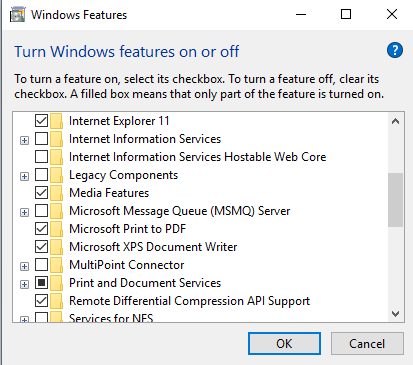
I am unable to access nor install Windows Media Player which is required for certain applications (such as for PS4 Remote Play) to function despite having Media Features enabled under Optional Features (as you can see below, WMP simply does not exist):
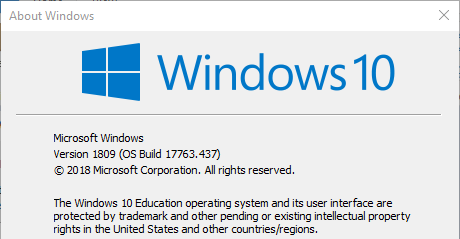
I am running Windows 10 Education x64 v1809.
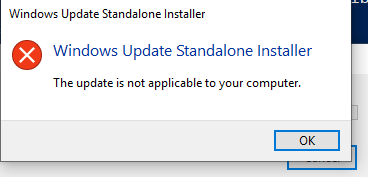
I have also tried installing the Media Features install package (Windows_MediaFeaturePack_x64_1809Oct.msu) but get an error:
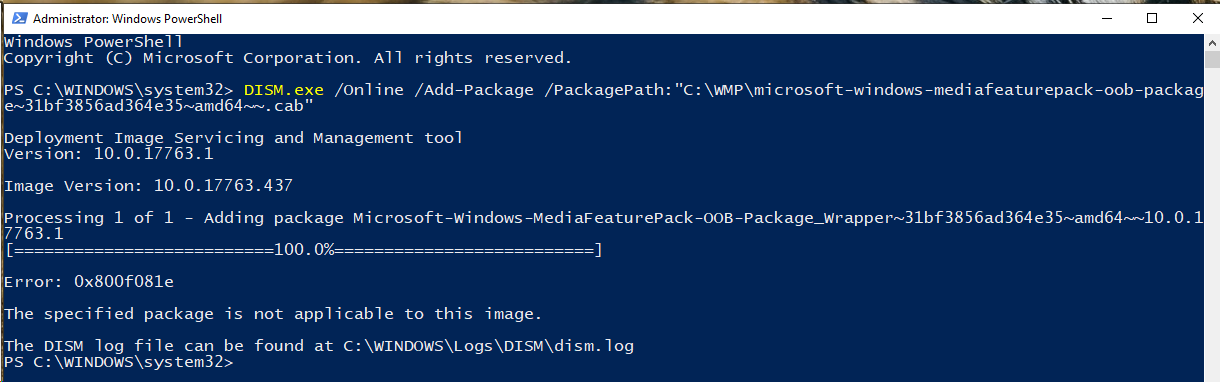
So I tried extracting it and using DISM to try installing it:
I'm running out of ideas and this has been an issue for at least three major content updates for Windows 10. Every update I've been hoping would resolve this issue. It's not high priority hence why I've waited until now to ask about it but it is quite a nuisance.

Does anyone know of any method to install Windows Media Player other than reinstalling from scratch which may or may not even fix the issue?

Windows for home | Windows 10 | Install and upgrade

Locked Question. This question was migrated from the Microsoft Support Community. You can vote on whether it's helpful, but you can't add comments or replies or follow the question.

0 comments No comments

6 answers

Sort by: Most helpful
  1. Anonymous
    2019-04-24T00:29:26+00:00

    Hello Patricia,

    Thanks for your assistance. Your comments gave me an idea and I've managed to resolve the issue after all this time.

    I ran the command:

    dism /online /add-capability /capabilityname:Media.WindowsMediaPlayer~~~~0.0.12.0

    I'm posting this as I'm aware this issue has impacted many other users over the years. Turns out that WMP isn't considered a feature hence why everyone seemed to have missed it (including myself until I thought about it some more).

    Thanks for your time though.

    Was this answer helpful?

    10+ people found this answer helpful.
    0 comments No comments
  2. Anonymous
    2019-04-24T18:03:42+00:00

    Hello,

    Thanks for your answer.

    Regards

    Was this answer helpful?

    1 person found this answer helpful.
    0 comments No comments
  3. Anonymous
    2019-04-24T00:09:04+00:00

    Apologies, my images did not upload correctly originally. I've updated the OP with the screenshots.

    sfc /scannow and dism /online /cleanup-image /restorehealth do not resolve the issue and I've done this periodically since at least 1703.

    In fact, I actually ran those commands prior to creating this post. (With reboots in-between as well).

    Was this answer helpful?

    0 comments No comments
  4. Anonymous
    2019-04-24T00:08:50+00:00

    Then try to reinstall Windows Media Player

    https://www.howtogeek.com/howto/26107/how-to-re...

    Disclaimer: This is a non-Microsoft website. The page appears to be providing accurate, safe information. Watch out for ads on the site that may advertise products frequently classified as a PUP (Potentially Unwanted Products). Thoroughly research any product advertised on the site before you decide to download and install it.

    Hope this helps, and let me know if you have further problems!

    Was this answer helpful?

    0 comments No comments
  5. Anonymous
    2019-04-24T00:07:10+00:00

    Hello,

    My name is Patricia and I am an Independent Advisor. I am here to help you today.

    >So I tried extracting it and using DISM to try installing it:

    And ? what is the result ?

    1- Right click on Start Button, then select "Windows PowerShell (admin)" or "Command Prompt (admin)"

    2- Now repair any damage in the system files, by running this commmand

    sfc /scannow

    3- Then restore the System Health by running this command

    dism /online /cleanup-image /restorehealth

    Was this answer helpful?

    0 comments No comments
