Thanks for the detailed update, C. Saadet! you're doing all the right things so far, and I understand wanting to avoid a reset and preserve your files and settings.
Next Steps to Try
> Run DISM Tool to Repair System Image
> From Command Prompt via the bootable USB (Advanced Options > Command Prompt):
DISM /Image:C:\ /Cleanup-Image /RestoreHealth /Source:D:\sources\install.wim /LimitAccess
Replace:
C: with the drive where Windows is installed (it may appear as D: or E: in WinRE — use dir to find Windows folder).
D:\sources\install.wim with the correct path to the install image on your USB.
If you don’t have install.wim but see install.esd, use this instead:
> DISM /Image:C:\ /Cleanup-Image /RestoreHealth /Source:ESD:D:\sources\install.esd:1 /LimitAccess
> Then re-run: sfc /scannow /offbootdir=C:\ /offwindir=C:\Windows
> Sometimes forcing a clean boot works (still in cmd):
bcdedit /set {default} recoveryenabled No
bcdedit /set {default} bootstatuspolicy ignoreallfailures
Then restart the PC. If the system boots, we can then try repairing or removing the damaged files from within Windows.
Let me know if these following steps helps out.
Best,
Thank you very much for the alternative options.
I put the bootable usb and accessed command prompt (rechanged boot order to usb again and made usb boot enabled).
On bottom there is Administrator: X\windows\SYSTEM32\cmd.exe and prompt comes with X: \Sources>
Whenever I try to switch to C: it says "access is denied"
When I write "dir" it says "Volume in drive X is boot" and I couldn't see anything named "install.wim" or "install.esd"
I tried a few commands by changing the letters however I got error numbers "5" and "87".
When I wrote bcdedit command the device is seen as:
- under windows boot manager
device----------- partition=\Device\HarddiskVolume2
-under windows boot loader
device------------partition=C:
osdevice---------partition=C:
And with DISKPART and LIST VOL commands the ss is like below:
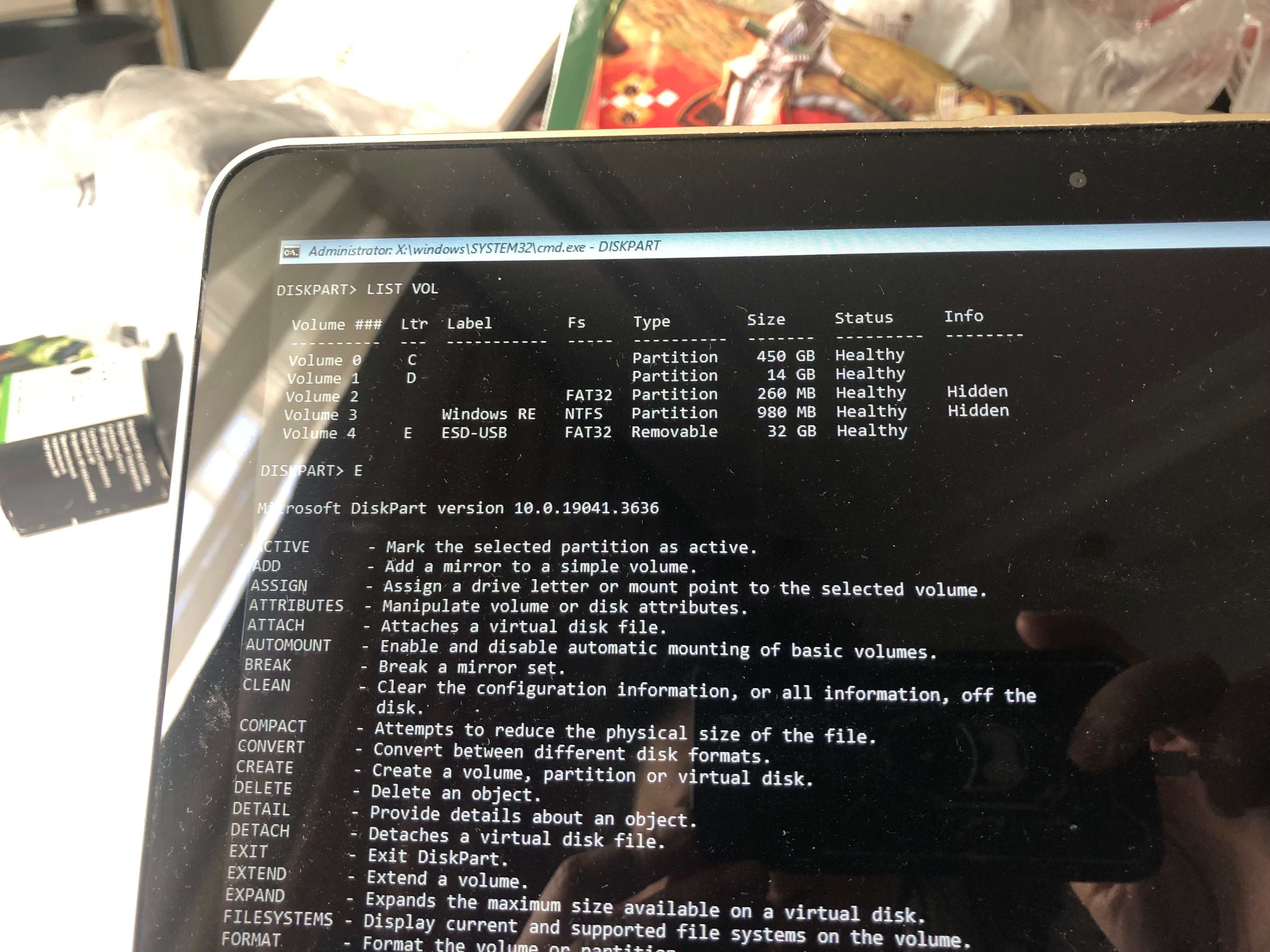
Before plugging USB (a few days ago) it was like below:
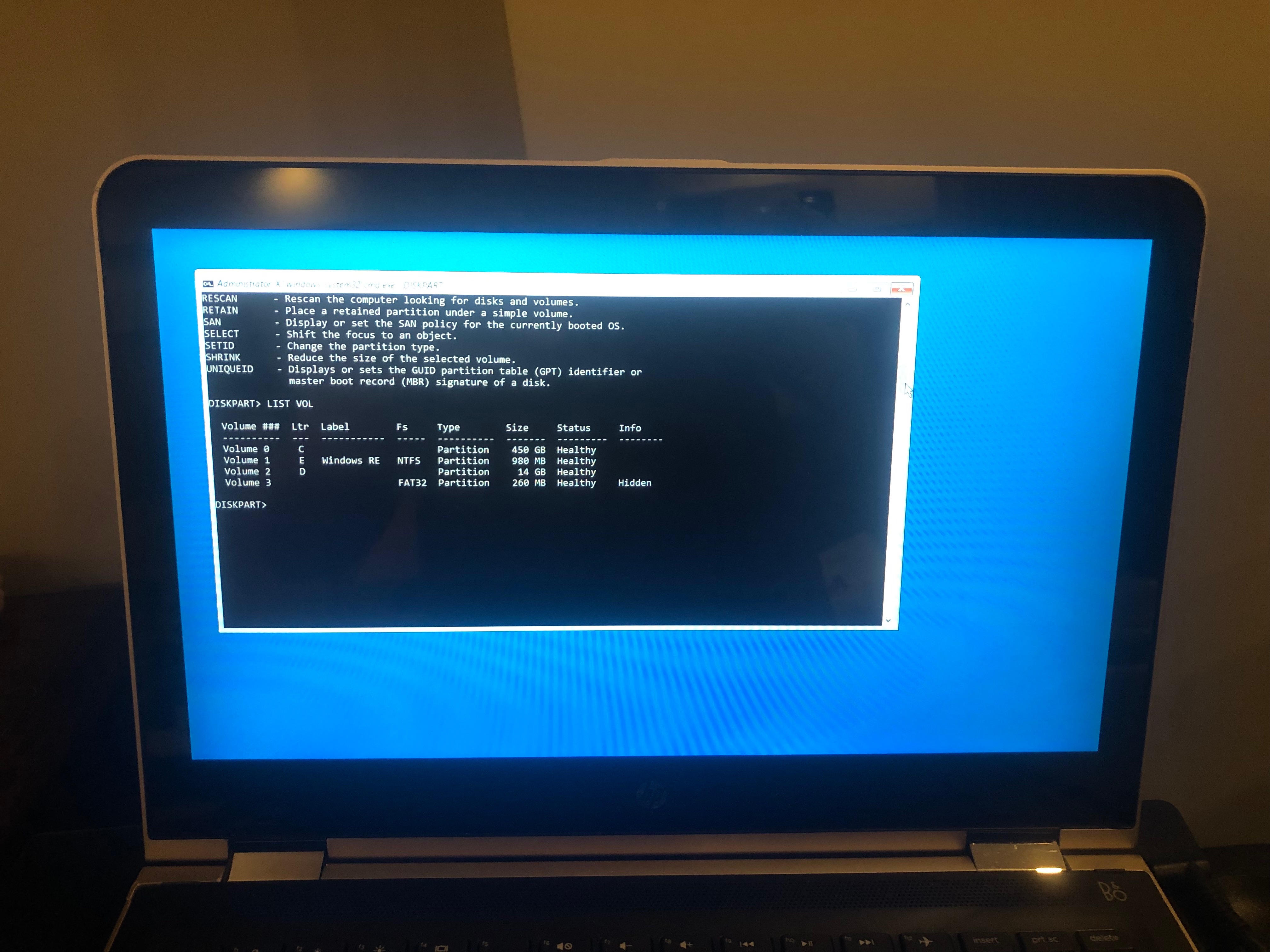
So what should be the exact commands for your suggestions in my case? I would appreciate if you reconsider the ones prior to this if you think that there may be any change with respect to these info I provided lately.
Regards.
CS
' cx='32' cy='32' r='32' /%3E%3Ctext x='50%25' y='55%25' dominant-baseline='middle' text-anchor='middle' fill='%23FFF' %3EA%3C/text%3E%3C/svg%3E)
