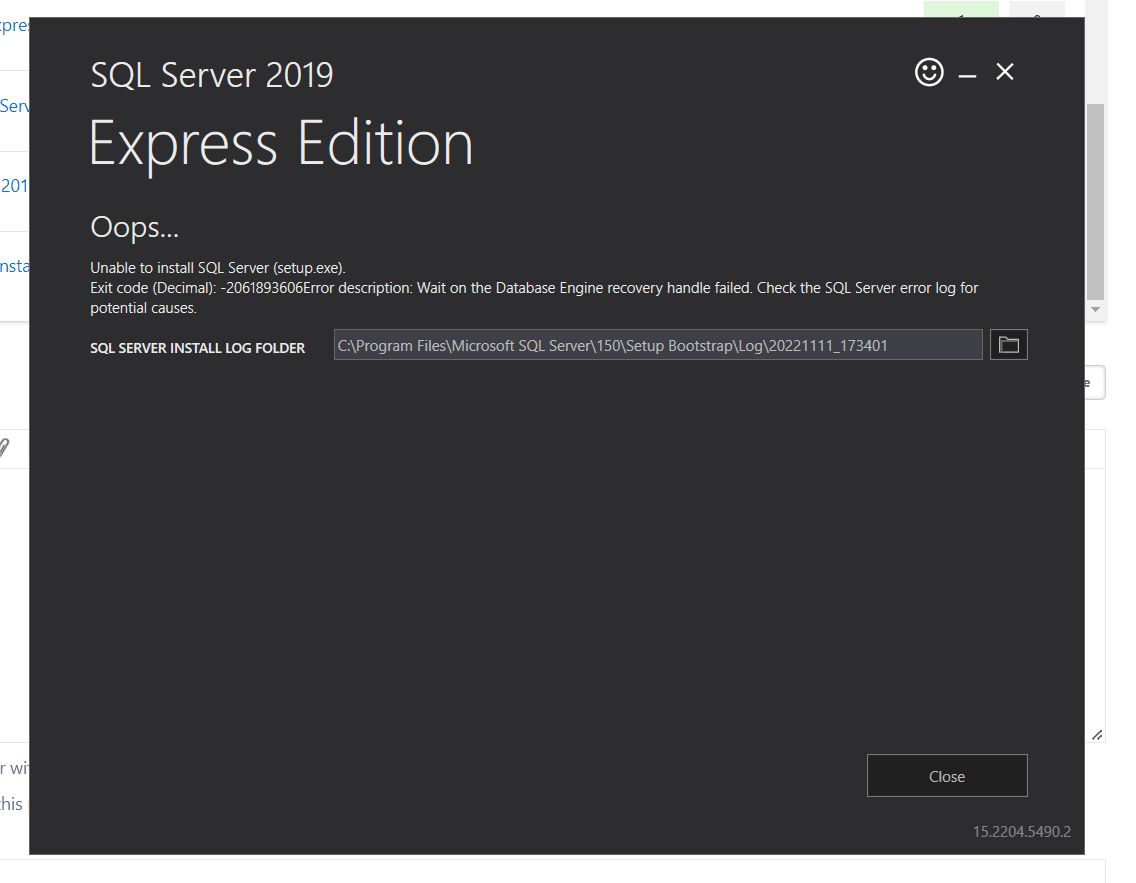
Unable to install SQL Server(setup.exe). Exit Code(Decimal: 2061893606Error description. Wait on the Database Engine recovery handle failed

sandeep garlapati 1 Reputation point
2022-11-11T13:12:03.687+00:00

259592-image.png

I already read an article about this , but I couldn't get that can anybody please explain how to resolve this issue???

SQL Server Integration Services
SQL Server Analysis Services
A Microsoft online analytical data engine used in decision support and business analytics, providing the analytical data for business reports and client applications such as Power BI, Excel, Reporting Services reports, and other data visualization tools.
SQL Server | Other
{count} votes

6 answers

Sort by: Most helpful
  1. Seeya Xi-MSFT 16,676 Reputation points
    2022-11-28T07:40:02.837+00:00

    Hi @sandeep garlapati ,

    Database 'model' cannot be opened due to inaccessible files or insufficient memory or disk space.

    In addition to OS error 3, you can also see this error message.
    You are getting The system cannot find the file specified OS error = 3:

    1. Review the complete path from the error message
    2. Ensure the disk drive and the folder path is visible and accessible from Windows Explorer
    3. Review the Windows Event log to find out if any problems exist with this disk drive
    4. If the path is incorrect and if this database already exists in the system, you can change the database file paths using the methods explained in the topic Move Database Files. You may have to use this procedure, especially for system database files that encounter 17204 or 17207 and you are working through a disaster recovery scenario where the specified disk drives are unavailable. This topic also explains how you can identify the current location of the various system databases [master, model, tempdb, msdb and mssqlsystemresource].
    5. If you see this error because the database files are missing, you have to restore the database from a valid backup.
      If the database file associated with the error belongs to a secondary filegroup, then you can optionally mark that filegroup offline, bring the database online and then perform a restore of that filegroup alone. For more information, refer to the OFFLINE section of the topic ALTER DATABASE File and Filegroup Options (Transact-SQL).
      If the file that produced the error is a transaction log file, review the information under the sections "FOR ATTACH" and "FOR ATTACH_REBUILD_LOG" of the topic CREATE DATABASE (Transact-SQL) to understand how you can recreate the missing transaction log files.
    6. Ensure that any disk or network location [like iSCSI drive] is available before SQL Server attempts to access the database files on these locations. If needed create the required dependencies in Cluster Administrator or Service Control Manager.

    It seems that something is wrong with your disk drive. For more details, please refer to:
    MSSQLSERVER_17204
    MSSQLSERVER_17207

    Best regards,
    Seeya


    If the answer is the right solution, please click "Accept Answer" and kindly upvote it. If you have extra questions about this answer, please click "Comment".
    Note: Please follow the steps in our documentation to enable e-mail notifications if you want to receive the related email notification for this thread.

    0 comments No comments

Your answer

Answers can be marked as 'Accepted' by the question author and 'Recommended' by moderators, which helps users know the answer solved the author's problem.