Microsoft 365 and Office | SharePoint | For business | Windows
A group of Microsoft Products and technologies used for sharing and managing content, knowledge, and applications.

This browser is no longer supported.
Upgrade to Microsoft Edge to take advantage of the latest features, security updates, and technical support.
' cx='32' cy='32' r='32' /%3E%3Ctext x='50%25' y='55%25' dominant-baseline='middle' text-anchor='middle' fill='%23FFF' %3EJJ%3C/text%3E%3C/svg%3E)
We have unchecked this checkbox 3 days ago:-
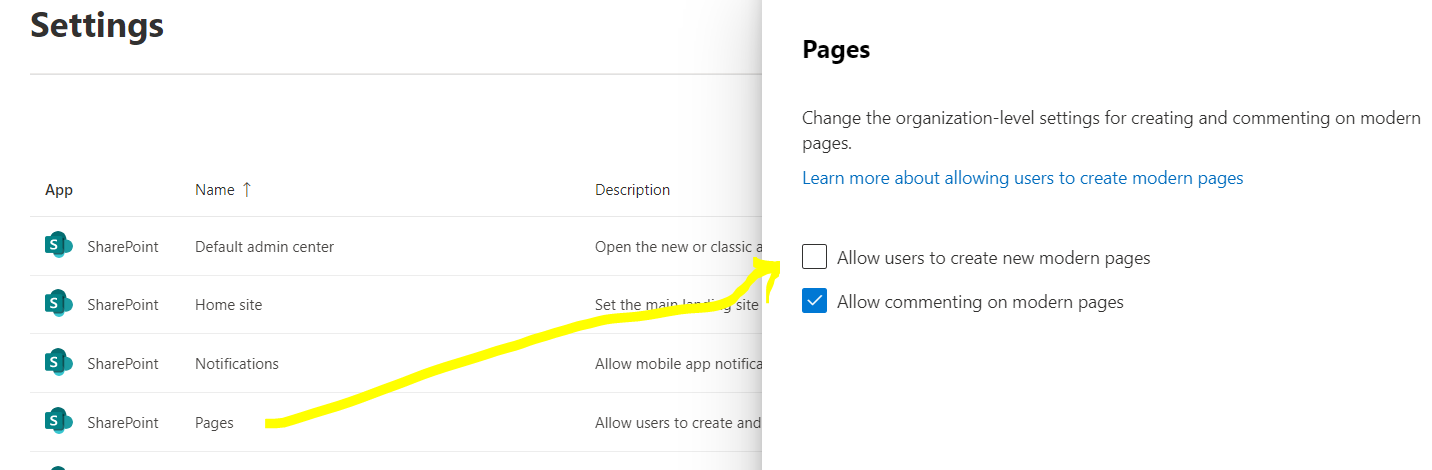
now on classic site >> seems the option to create modern page will be removed:-
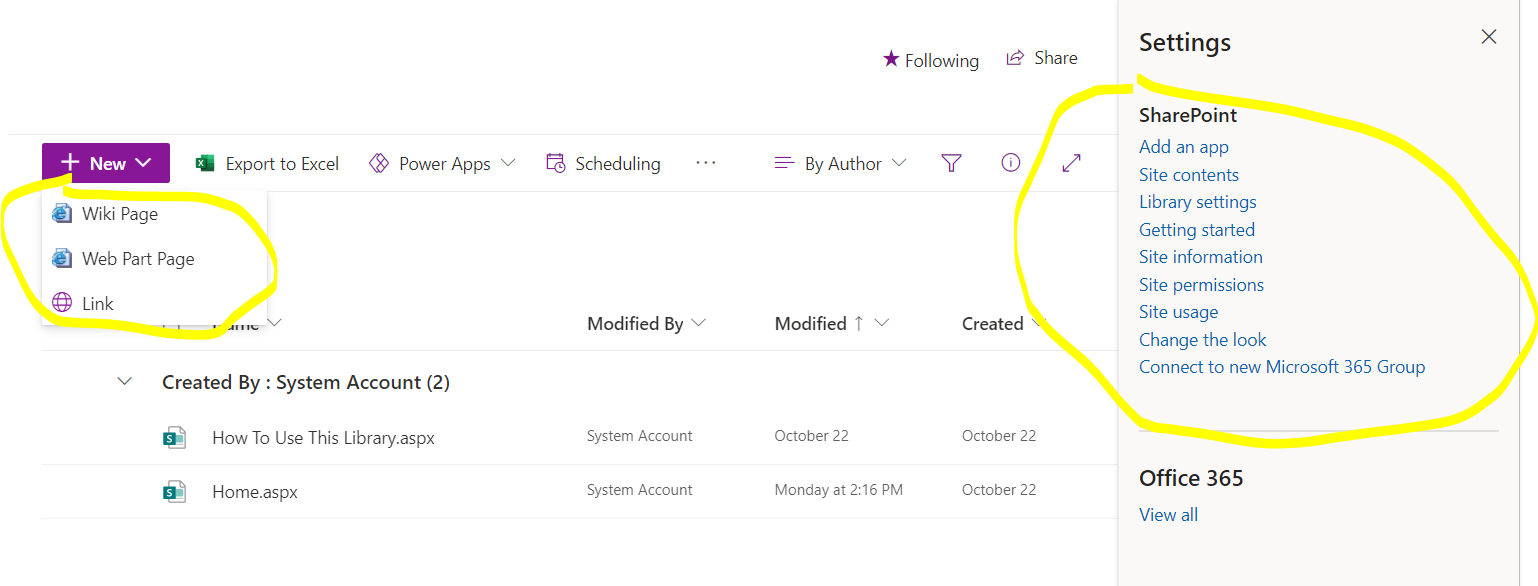
But for modern site the option is still there:-
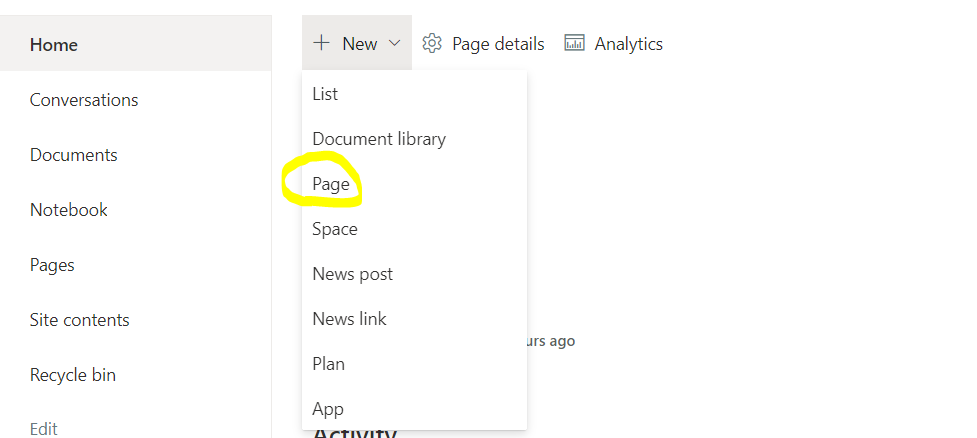
any advice how we can prevent creating modern pages on modern sites?
' cx='32' cy='32' r='32' /%3E%3Ctext x='50%25' y='55%25' dominant-baseline='middle' text-anchor='middle' fill='%23FFF' %3EXX%3C/text%3E%3C/svg%3E)
Hi @john john ,
Note: Clear Allow users to create new modern pages, users can still add pages from other modern pages, either from the New menu or from modern webparts (such as News).
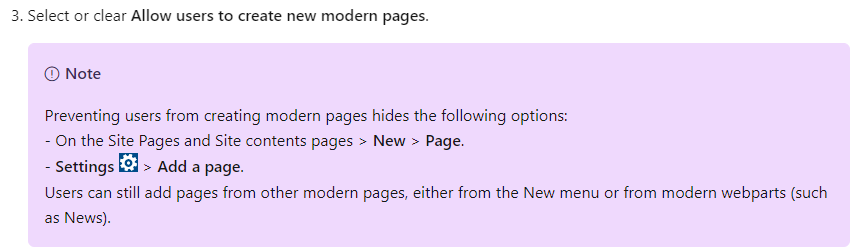
You can prevent users from creating modern pages on a specific site by using PowerShell.
Powershell code:
# Load SharePoint Online Client Components SDK Module
Import-Module 'C:\Program Files\Common Files\microsoft shared\Web Server Extensions\16\ISAPI\Microsoft.SharePoint.Client.dll'

# Set script constants
$sitePagesFeatureIdString = 'B6917CB1-93A0-4B97-A84D-7CF49975D4EC'

# Set up client context
$userName = Read-Host "Username"
$password = Read-Host "Password" -AsSecureString
$siteUrl = Read-Host "Site Url"
$webUrl = Read-Host "Server-Relative Web Url"
$context = New-Object Microsoft.SharePoint.Client.ClientContext($siteUrl)
$credentials = New-Object Microsoft.SharePoint.Client.SharePointOnlineCredentials($userName, $password)
$context.Credentials = $credentials

# Get the list of existing features
$web = $context.Site.OpenWeb($webUrl)
$features = $web.Features
$context.Load($features)
$context.ExecuteQuery()

# Verify that the Site Pages feature is present in the web
if(($features | ? { $_.DefinitionId -eq $sitePagesFeatureIdString }).Count -eq 0)
{
    Write-Host "The Site Pages feature is already disabled in this web"
    return
}

# Remove the Site Pages feature from the web
$features.Remove((new-object 'System.Guid' $sitePagesFeatureIdString), $false)
$context.ExecuteQuery()

# Verify that the Site Pages feature is no longer present in the Web
$web = $context.Site.OpenWeb($webUrl)
$features = $web.Features
$context.Load($features)
$context.ExecuteQuery()
if(($features | ? { $_.DefinitionId -eq $sitePagesFeatureIdString }).Count -eq 0)
{
    Write-Host "The Site Pages feature has been successfully disabled"
}
else
{
    throw "The Site Pages feature failed to be disabled"
}
Please refer to: https://learn.microsoft.com/en-US/sharepoint/let-users-create-modern-site-pages?WT.mc_id=365AdminCSH_spo
If the answer is helpful, please click "Accept Answer" and kindly upvote it. If you have extra questions about this answer, please click "Comment".
Note: Please follow the steps in our documentation to enable e-mail notifications if you want to receive the related email notification for this thread.
Hi @john john ,
I’m checking how the things are going on about this issue. Whether the answer helps you?
If there is any problem with this issue, feel free to let me know.
Hi @john john ,
I am checking the status of this case.
Please let us know if you would like further assistance.
If you have any update about this issue, please feel free to post back.
If the answer is helpful, please click "Accept Answer" and kindly upvote it. If you have extra questions about this answer, please click "Comment".
Hi @john john ,
Did my response answer your question? If I misunderstand something, please let me know!
If there is any other assistance i can provide, please feel free to let me know, i will do our best to help you.
If the answer is helpful, please click "Accept Answer" and kindly upvote it. If you have extra questions about this answer, please click "Comment".