Community Center | Not monitored
Tag not monitored by Microsoft.

This browser is no longer supported.
Upgrade to Microsoft Edge to take advantage of the latest features, security updates, and technical support.
' cx='32' cy='32' r='32' /%3E%3Ctext x='50%25' y='55%25' dominant-baseline='middle' text-anchor='middle' fill='%23FFF' %3EGE%3C/text%3E%3C/svg%3E)
Hi All,
Anyone experience this issue before?
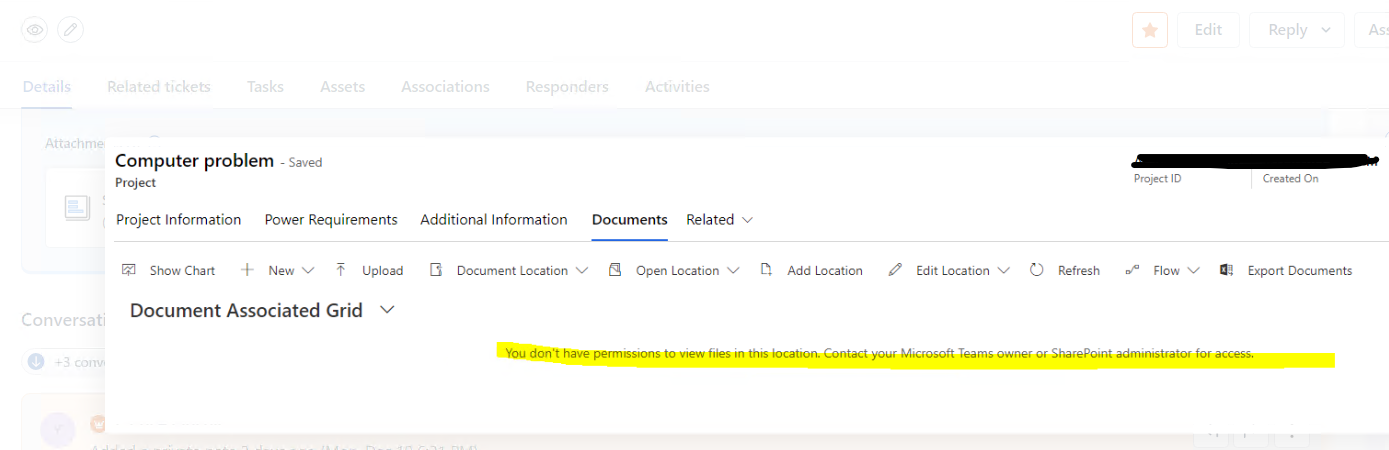
Error: You don’t have permission to view files in this location, Contact your Microsoft team owner or SharePoint administrator for access.
This link below did not resolve the issue
Hoping for your advise.
Thanks,
Glenn

Hi @glennescarayan
Glad to see a fellow Fresh user!
Unfortunately, Dynamics 365 is not support on this forum as they have their own dedicated community support which can be found at https://community.dynamics.com/f
Hope you find the help you need.
---------------------------------------
If this is helpful please accept answer.
Thanks Dillon

From the error message, this issue is about Permission. Please make sure your account has proper permissions on the content that you visit.