' cx='32' cy='32' r='32' /%3E%3Ctext x='50%25' y='55%25' dominant-baseline='middle' text-anchor='middle' fill='%23FFF' %3ESS%3C/text%3E%3C/svg%3E)

' cx='32' cy='32' r='32' /%3E%3Ctext x='50%25' y='55%25' dominant-baseline='middle' text-anchor='middle' fill='%23FFF' %3EA%3C/text%3E%3C/svg%3E)

' cx='32' cy='32' r='32' /%3E%3Ctext x='50%25' y='55%25' dominant-baseline='middle' text-anchor='middle' fill='%23FFF' %3ESF%3C/text%3E%3C/svg%3E)
Hi stephensagayaraj-5258,
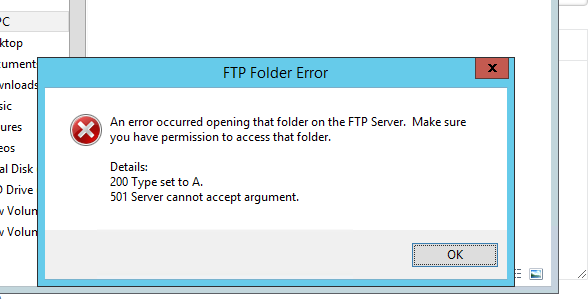
You need to make sure that you have added your FTP service port in firewall to accept the connections from your IP. If you have any restrictions on FTP port then you need to add your local machine IP in allow list of firewall rule under Scope. Secondly make sure FTP user account have necessary permissions on folder you are trying to access. You may try FTP client like FileZilla instead browser as you get better management of folders, files etc. in FileZilla While connecting in FileZilla or any other FTP client, make sure you enter port as 2022 as otherwise it may try to connect on default port. If you have any anti virus or firewall on your local machine then make sure you allow incoming connections from your server IP and also connection on port 2022
Regards, Sam https://www.storminternet.co.uk/ Managed Cloud Hosting