Azure Logic Apps
An Azure service that automates the access and use of data across clouds without writing code.
This browser is no longer supported.
Upgrade to Microsoft Edge to take advantage of the latest features, security updates, and technical support.
' cx='32' cy='32' r='32' /%3E%3Ctext x='50%25' y='55%25' dominant-baseline='middle' text-anchor='middle' fill='%23FFF' %3ERI%3C/text%3E%3C/svg%3E)
I'm working on a logic app where the trigger is when events are available in Event Hub. I have confirmed that I have sent events to the Event Hub by checking the metrics from the portal under the specific Event Hub Instance. However, the logic app doesn't get triggered even when event has been sent. There is no record error or warning so I don't know where else to check.
I followed this https://learn.microsoft.com/en-us/azure/connectors/connectors-create-api-azure-event-hubs regarding permission and connection string.
Would you know what else I am missing or anything else I should check? Do I need an event subscription?
' cx='32' cy='32' r='32' /%3E%3Ctext x='50%25' y='55%25' dominant-baseline='middle' text-anchor='middle' fill='%23FFF' %3EBL%3C/text%3E%3C/svg%3E)
Hi @Rachel I
What did you use to send message to the hub.
have you tried this tool? This tool allows you to send and also view the message inside the hub
https://github.com/paolosalvatori/ServiceBusExplorer
Can you share how you've set the trigger?
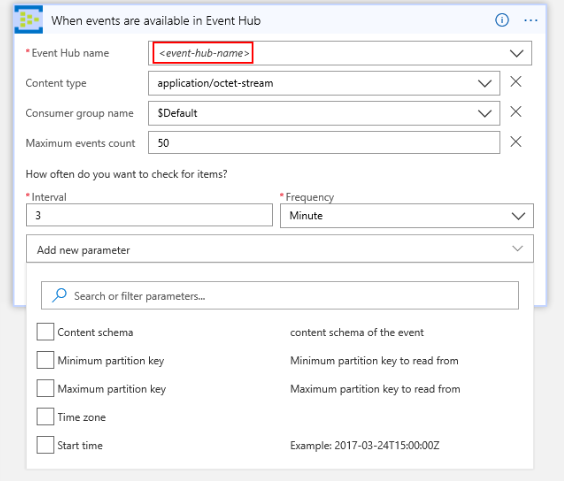

@Rachel I Thanks for reaching put. Can you please navigate to the trigger history of your workflow and verify if there was any error while triggering your workflow. It might be a configuration issue if there is any error. In case if you see the skipped in the trigger history then there would be no events to be consumed for the configure event hub that you have configured on your trigger.
I used Send Event action. I will try that ServiceBusExplorer. Thank you for sharing.
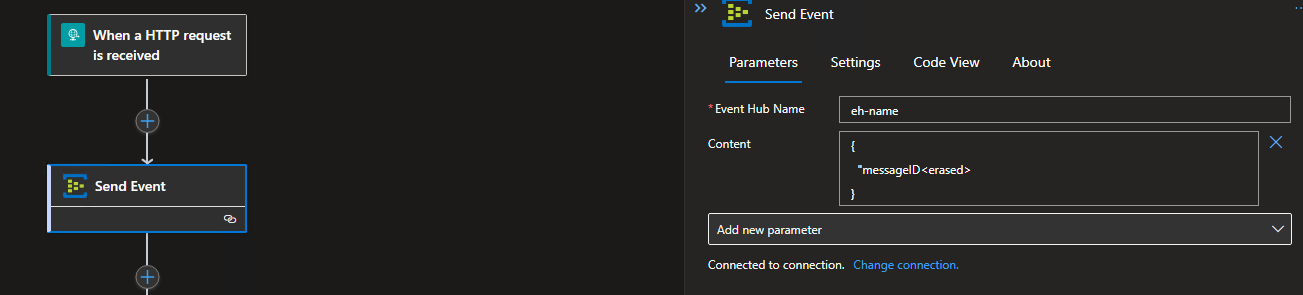
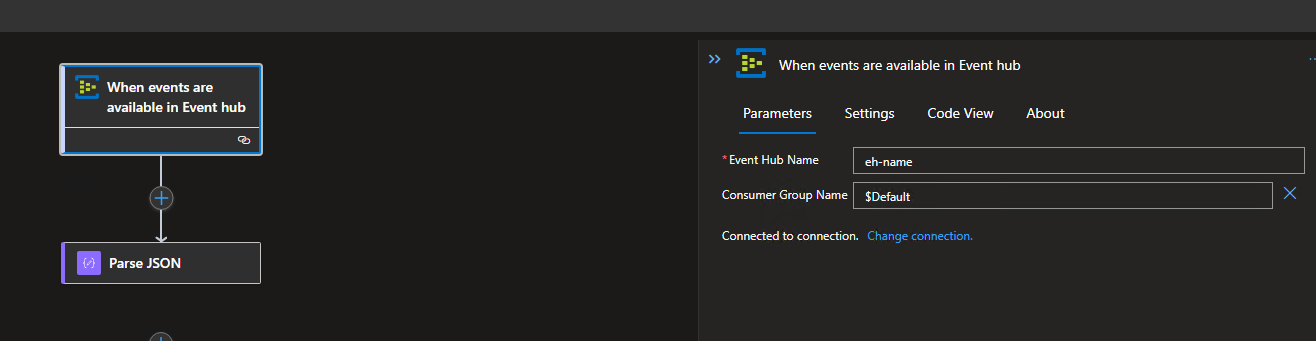
I only have VSCode code so I don't have the same UI. For the Event Hub Name, I used the event hub name instance under the event hub namespace. For the connection, I used the Event hub namespace's RootManagementSharedAccessKey connection string-primary key.
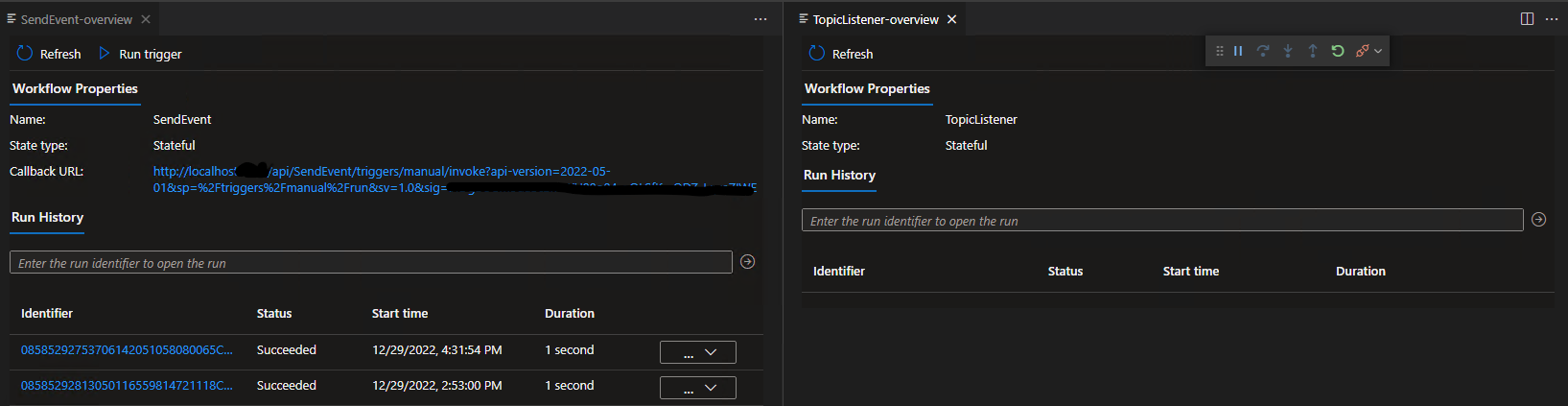
Screenshot shows the left is the SendEvent where I would submit events and the right is empty trigger history of the workflow that should be triggered when there is event
Hi @Rachel I ,
Did you use this add on for vs code? https://marketplace.visualstudio.com/items?itemName=ms-azuretools.vscode-logicapps
I see your vs code looks a bit different from mine. Wondering if this could be a VS code add-on failure. I tried on the azure portal designer editor, and it works fine for me. Sometimes people get confused with namespace connection string and hub connection string, but I see on your screen shot you have the hub name. wrong connection string wouldn't let it show the hub name.
Few suggestions:
Start over in the azure portal designer to see if this could be a VS code problem. Or try to edit the same in the portal. I've seen sometimes in the past connections getting corrupted. may be worthy delete the logic app and start from zero in the portal.
Check if the trigger has any setting that could be a problem. you may need to go to the logic app in the portal to see that. I can see in VS code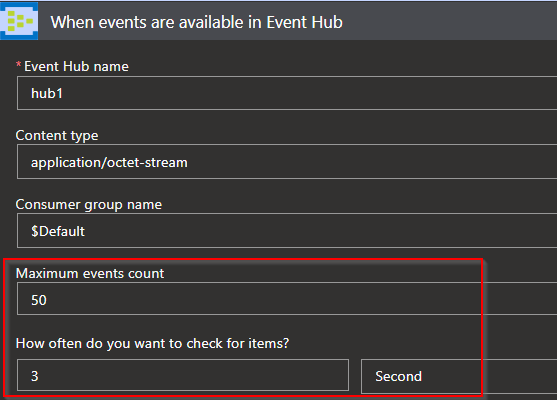
That tool I recommended helps making sure messages are sent and you can see the messages in the hub once it is delivered. the event hub "Instance" (not namespace) can also tell if any message is there 
Also, worthy confirm the receiving LA is enabled:

Hi @Rachel I ,
You mentioned "I used the Event hub namespace's RootManagementSharedAccessKey connection string-primary key"
Did you change the policy permissions? Do you have "manage"?

I didnt change the policy permission of RootManagementSharedAccessKey and yes, it has manage just like your screenshot
We're using logic apps(Standard). Is it ok to apply Azure Logic Apps (Consumption) extension even if my logic apps are standard?
Sadly, our environment is quite tight that I can't work in the portal. I can only view. So I will start over and see. Thank you
Is this your blog? https://brunolucas.blog/2022/02/27/code-and-test-azure-service-bus-and-azure-event-hub-triggers-locally/
I didn't have same error message but given how tight the environment, I asked for firewall exception on those ports and logic app started to get the events.
Hi @Rachel I
yes, that is my post. However, that is about azure functions. I haven't used VS code with Logic Apps but I don't think that uses an emulator like the one for Azure Functions. VS code on this case just interacts with Azure Portal. When running Logic Apps in VS code or Visual Studio, I believe it is just a view of what is running in the Cloud. The emulator for Azure Functions is different. I think your case is either a connector or VS code add-on for logic apps playing games.
Hi @Rachel I
I had a play with VS code add on for "standard" logic apps and found a few differences that may be the cause of your problem.
Can you check if you r workflow is "stateful" and try the hub instance connection string. I manage to get that working building that direct in the portal. look like my VS code lost the designer view after I changed a few things in the portal.
Today is new year's eve on my region, not sure If I'll have more time to check it all the way through, but I'll get back to it.
Hi @Rachel I
Just went through this again to confirm my findings:
On your post you mentioned this tutorial: https://learn.microsoft.com/en-us/azure/connectors/connectors-create-api-azure-event-hubs
if you check that tutorial, the trigger screen shot is what you get on a "consumption" logic app (Documentation don't mention but you can check when creating one of each type.) : https://learn.microsoft.com/en-us/azure/connectors/connectors-create-api-azure-event-hubs#add-event-hubs-trigger
The "Standard" version is a bit different and more limited:
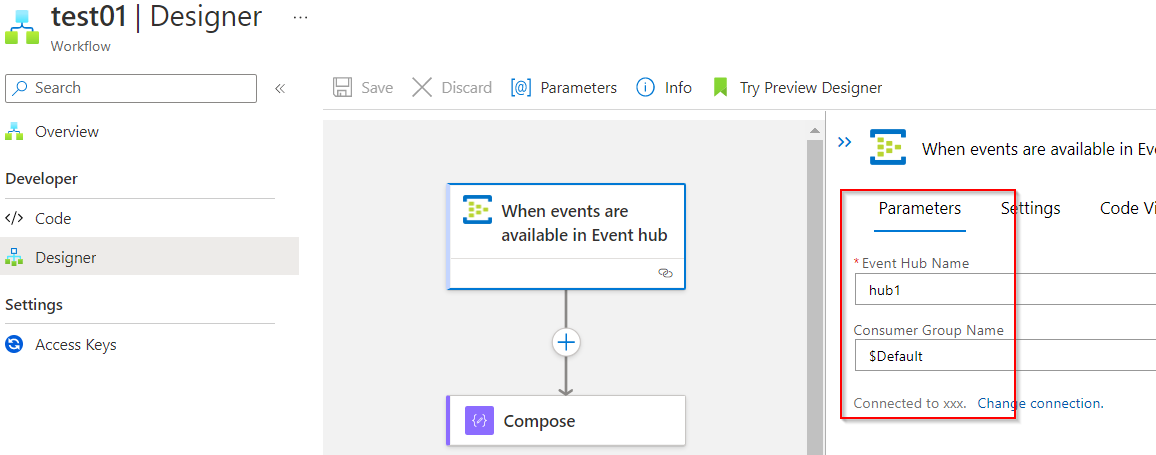
I have managed to get this working in portal with both the namespace connection and the hub connection. But I have had some trouble doing the whole process using VS Code.
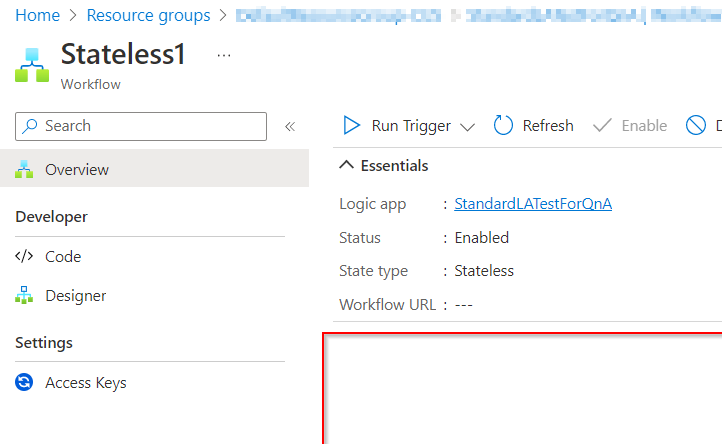
Another important detail, the workflow must be stateful (I believe this is so when the trigger pull the event, it can set the checkpoint). if you try to add the trigger to a stateless Workflow though VS code you may not see this error:
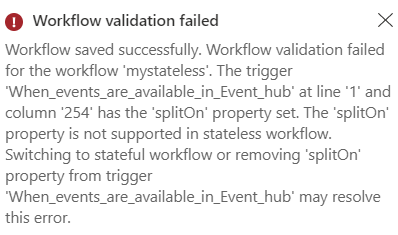
In VS Code I created as "stateless" and managed to deploy without errors. What is different from portal:
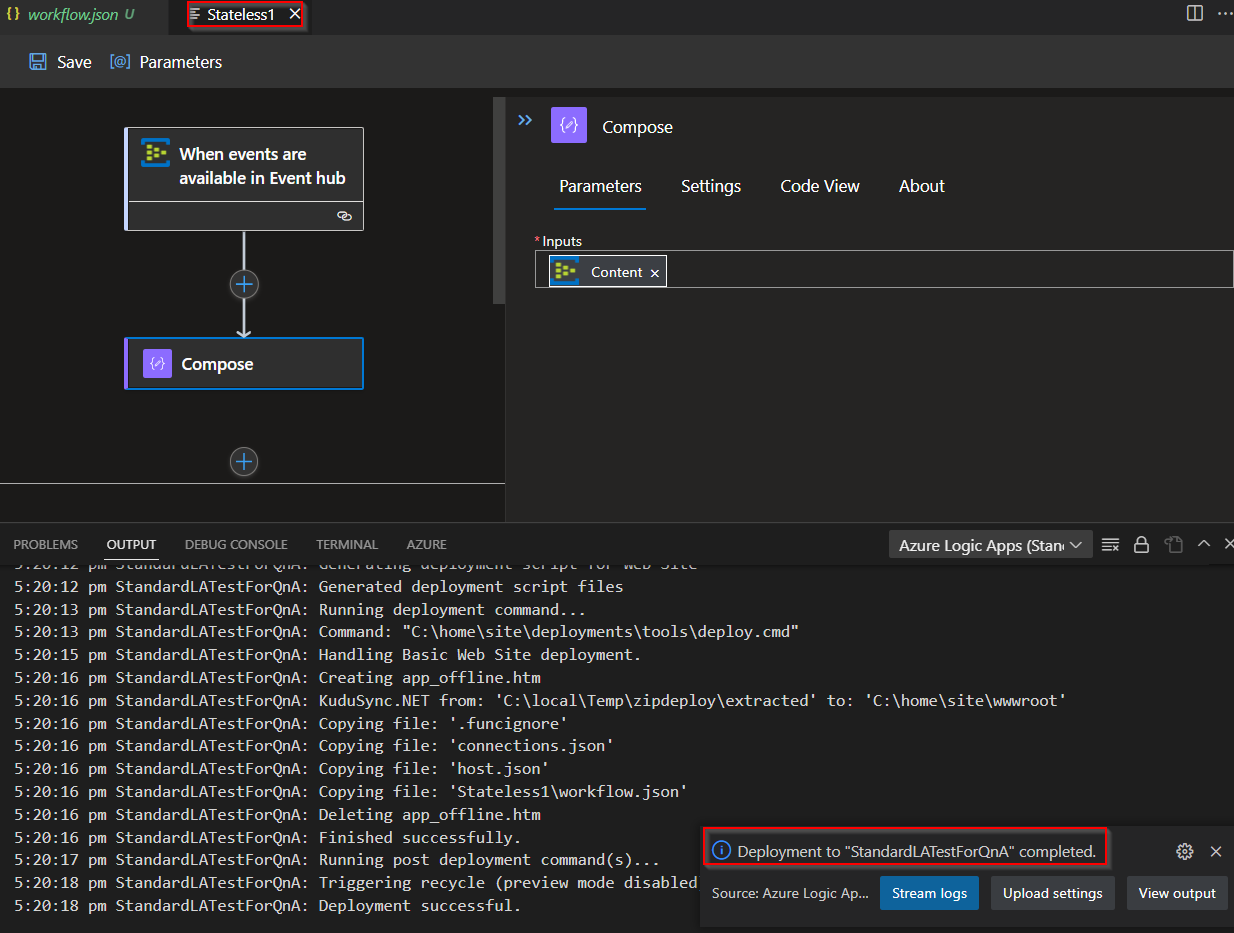
but it does not run:
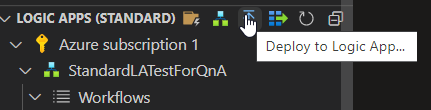
After that I created a stateful in VS code and redeployed:
it run as expected:
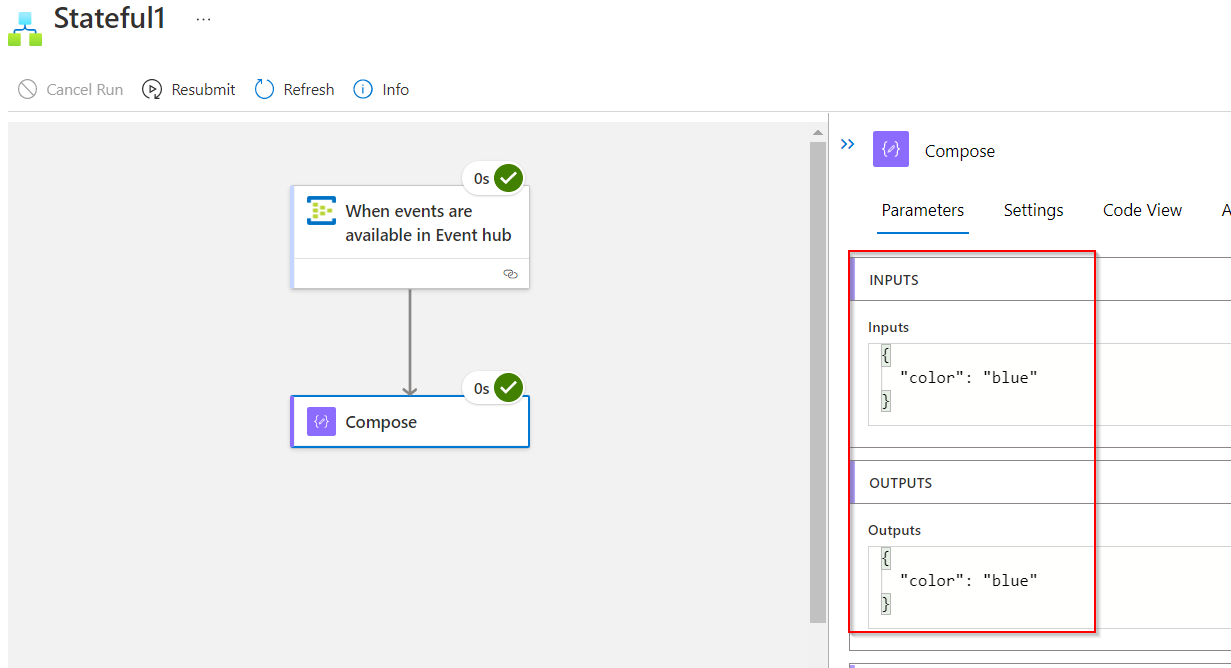
look like depending on the sequence of actions during development/design, some actions are not validated like when doing direct in the portal. like adding an event hub trigger to a stateless flow. that should inform the invalid action but won't happen in VS code
2 suggestions:
Case that information helps, don't forget to vote or mark as Answer to help the community. Cheers!