Azure Data Factory
An Azure service for ingesting, preparing, and transforming data at scale.
This browser is no longer supported.
Upgrade to Microsoft Edge to take advantage of the latest features, security updates, and technical support.
' cx='32' cy='32' r='32' /%3E%3Ctext x='50%25' y='55%25' dominant-baseline='middle' text-anchor='middle' fill='%23FFF' %3ER%3C/text%3E%3C/svg%3E)
Hello,
I am using a web activity & want to connect to storage account using "System assigned Managed Identity" Authentication.
The web activity requires resource as shown in the below image
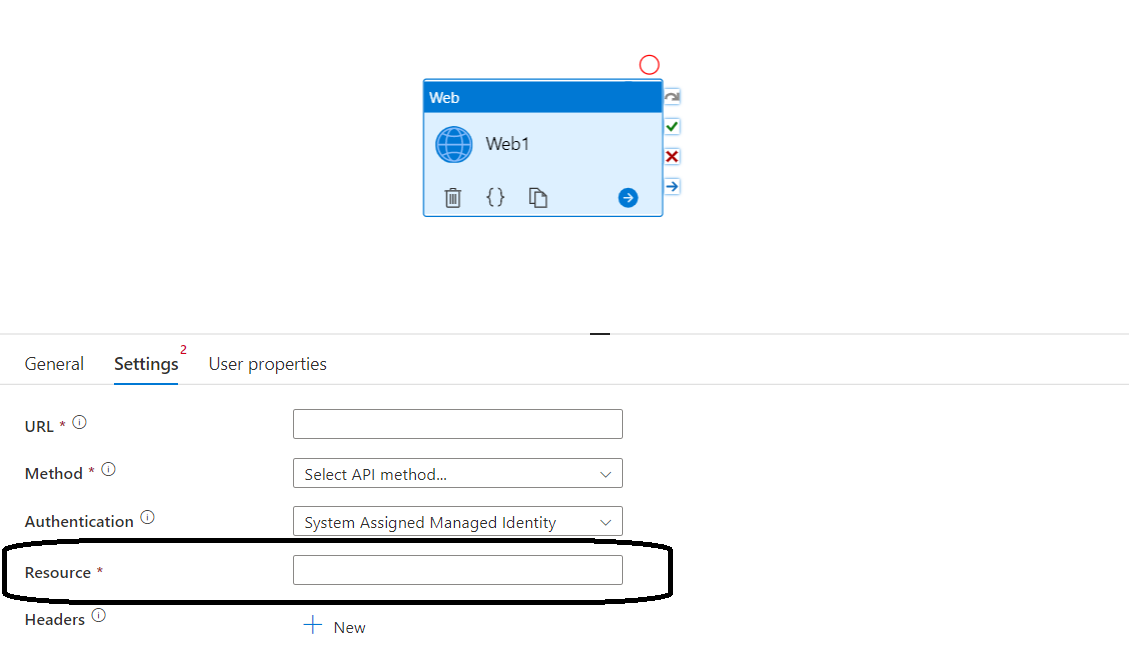
Can some help me with the URL that is to be entered here ?
Also it would be really helpful for the list of resource URL's / id's for all azure offerings.

Hello @Rohit ,
Thanks for the question and using MS Q&A platform.
> To connect to a storage account using a system-assigned managed identity, you need to specify the resource URL for the storage account in the web activity. The resource URL for the storage account will be in the following format: https://storage.azure.com/
In your storage account,
In Azure data factory web activity:
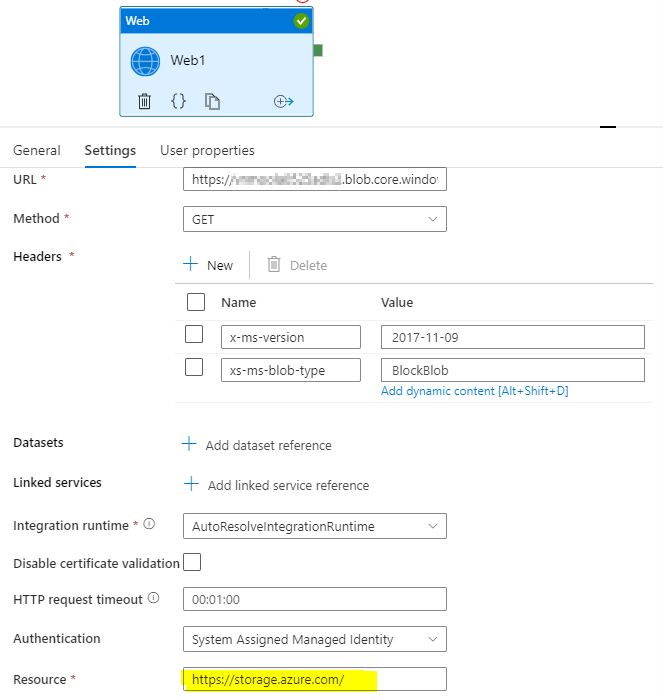
Note: The resource url changes from service to service.
For more details, refer to Web activity in Azure Data Factory and Azure Synapse Analytics, Using Azure Data Factory to call Azure REST API of Azure API Management and How to Read File from Blob Storage and Save Contents in Variable in ADF Azure Data Factory Tutorial.
Hope this will help. Please let us know if any further queries.
 or upvote
  button whenever the information provided helps you. Original posters help the community find answers faster by identifying the correct answer. Here is how
Hello @PRADEEPCHEEKATLA
Thankyou for your reply.
As you mentioned that the URL Changes from Service to Service, can you let me know where did you find these details, is there a common place where we can find the list of URL for the services for my future reference ? I need to do this for multiple offerings/services, so the dictionary/list would be really helpful.
Hello @Rohit,
I could not find a single document which clearly mentions all the list of resource URL for all the Azure Services. I think you have to check the official documentation for REST API individually for every service to get the resource URL.
Hello @PRADEEPCHEEKATLA ,
Ok, so from where did you get the resource URL for blob?
Can you help me get the resource URL for AAS, PowerBI , App service and Azure synapse ?
Hello @Rohit,
For most of the Azure Services: https://management.azure.com
Storage account: https://storage.azure.com**/**
Synapse Analytics: https://dev.azuresynapse.net/
Hope this helps. Do let us know if you any further queries.
Please don’t forget to Accept Answer wherever the information provided helps you, this can be beneficial to other community members.
Can you help me with the Resource URL for Azure DevOps release pipeline ?
I am not able to find it in docs.