Azure Functions
An Azure service that provides an event-driven serverless compute platform.
This browser is no longer supported.
Upgrade to Microsoft Edge to take advantage of the latest features, security updates, and technical support.
' cx='32' cy='32' r='32' /%3E%3Ctext x='50%25' y='55%25' dominant-baseline='middle' text-anchor='middle' fill='%23FFF' %3EA%3C/text%3E%3C/svg%3E)
Hi , I am trying to work on below example , by changing it to JDK 11.
https://learn.microsoft.com/en-us/azure/azure-functions/functions-event-hub-cosmos-db
But i keep getting below warning
[WARNING] Azure Functions only support JDK 8, which is lower than local JDK version 11.0.8.).
Also i am getting below issue while deploying
Also while deploying i am getting below error.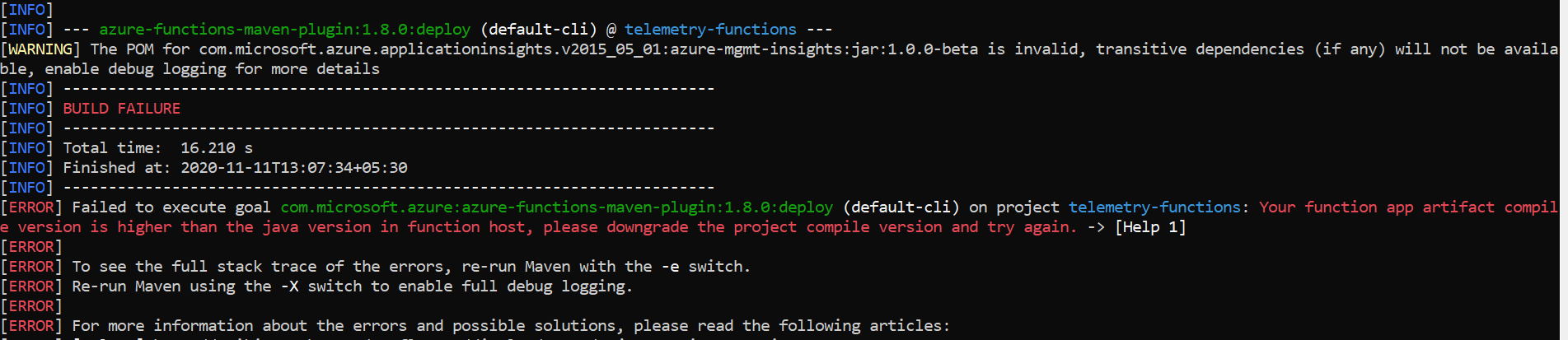
' cx='32' cy='32' r='32' /%3E%3Ctext x='50%25' y='55%25' dominant-baseline='middle' text-anchor='middle' fill='%23FFF' %3EJM%3C/text%3E%3C/svg%3E)
@Anonymous azure function supports java 11, but you need function v3 for that:
Also , please check the solution mentioned in here
Also i am getting one more issue.
to read cosmos DB connection string in local.setting.json i am facing issue
my connection string is like below
mongodb://icldb-4492:7iJlzqW8Y5Pdg3Pta15KSfKKpE2Ign72fLmI5VqogQoDCCghABAKi1TaA==@iclldb-492.documents.azure.com:10255/?ssl=true
but while putting in local.setting.jso it is expecting me https. can you please let me know how should i place it?
can you reply for this one as well?
Also i am getting one more issue.
to read cosmos DB connection string in local.setting.json i am facing issue
my connection string is like below
mongodb://icldb-4492:7iJlzqW8Y5Pdg3Pta15KSfKKpE2Ign72fLmI5VqogQoDCCghABAKi1TaA==@iclldb-492.documents.azure.com:10255/?ssl=true
but while putting in local.setting.json it is expecting me https or http. can you please let me know how should i place it?
@Anonymous To get the connection string , go to the azure portal, navigate to the cosmos db resource, go to keys and copy the primary string as shown below:
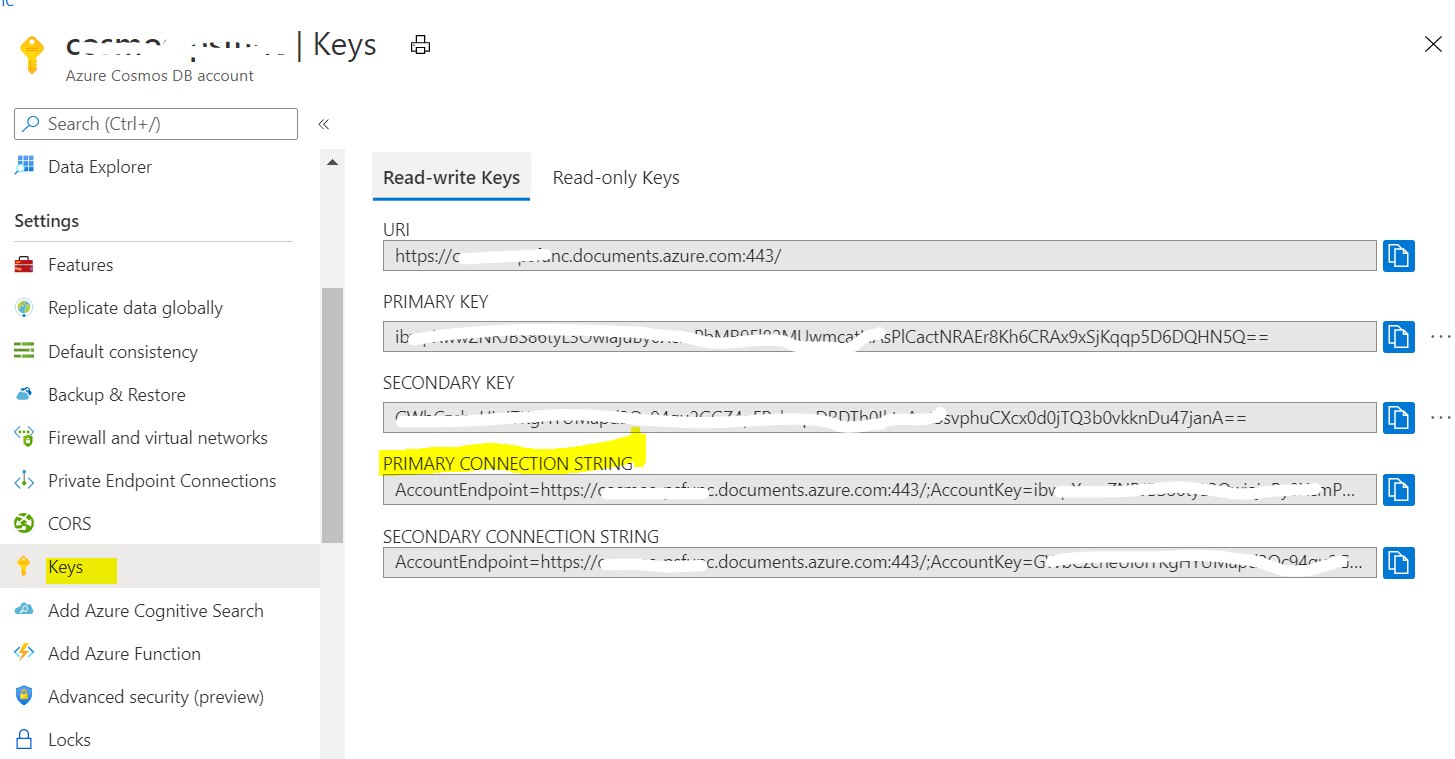
Then you can put the value in local.settings.json as key value pair: "settingsName" : "settingsValue."
Please refer to functions-run-local
functions-bindings-cosmosdb-v2-output - For cosmosDB output binding.
Let me know if this helps.
Please see this is not how my cosmos DB endpoints are shown. Please see attached screenshot. Also i have mentioned the endpoint in above comments.
Can you help me for below endpoints?
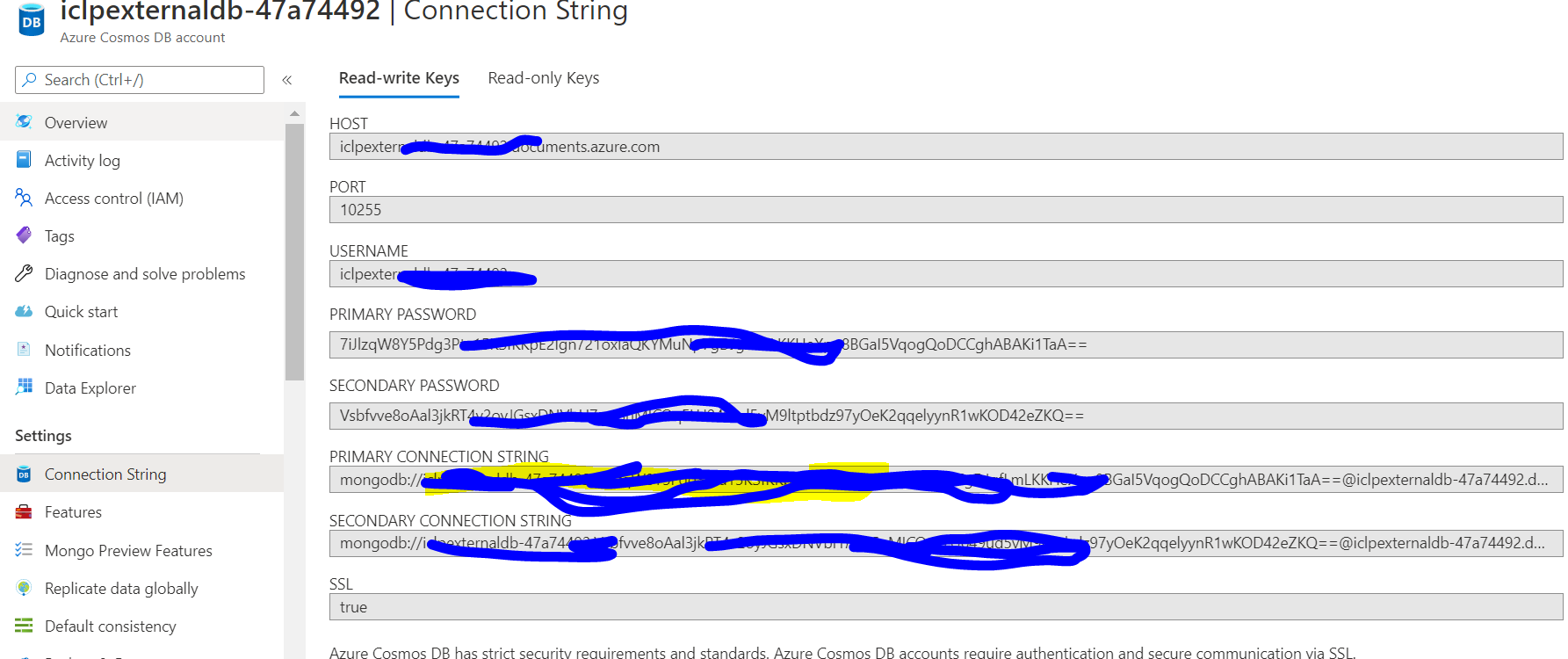
Please see i am using above example only. https://learn.microsoft.com/en-us/azure/azure-functions/functions-event-hub-cosmos-db
Hi i am able to work for JDK 11 by making below changes :
<property>
<name>FUNCTIONS_EXTENSION_VERSION</name>
<value>~3</value>
</property>
and
<runtime>
<!-- runtime os, could be windows, linux or docker-->
<os>windows</os>
<javaVersion>11</javaVersion>
But when i am giving in host.json version as 3 it is failing with below error
{
"version": "3.0",
"extensionBundle": {
"id": "Microsoft.Azure.Functions.ExtensionBundle",
"version": "[1.*, 3.0.0)"
}
}
But as per the articles we should make keep it 3.x
@Anonymous Could you please share the error/exception you are encountering?
'3.0' is an invalid value for host.json 'version' property. We recommend you set the 'version' property to '2.0'. This does not correspond to the function runtime version, only to the schema version of the host.json file. See https://aka.ms/functions-hostjson for more information on this configuration file.
[ERROR]
[ERROR] Failed to run Azure Functions. Please checkout console output
Above error
Hello @Anonymous It is mentioned in the document https://aka.ms/functions-hostjson that
"version": "2.0" is still the valid schema for Azure Functions v3.
However, you have already updated the FUNCTIONS_EXTENSION_VERSION correctly in the configuration.
Also i need one more detail, For above example i am using Cosmos Db, so in local.settings.json it not taking endpoint and expecting it to be http or https.
Could you suggest me for below endpoint and how to pass
?
I am posting it 3rd time..i don't know why my questions related to cosmos Db is getting hidden.
I am trying to connect to cosmos DB but not able to as it is unable to read below end point.
It is expecting it to be http or https.
Could you please some example that how to pass below end point in local.settings.json
"ConnectionStrings": {
"CONNECTION": "AccountEndpoint=mongodb://iclpexternaldb-47a74492:7iJlzqW8Y5Pdg3Pta15KSfKKpE2Ign721oxIaQKYMuNp7gDJgfLmLKKHeXpq8BGaI5VqogQoDCCghABAKi1TaA==@iclpexternaldb-47a74492.documents.azure.com:10255/?ssl=true;AccountKey=7iJlzqW8Y5Pdg3Pta15KSfKKpE2Ign721oxIaQKYMuNp7gDJgfLmLKKHeXpq8BGaI5VqogQoDCCghABAKi1TaA=="
}