SW_HIDE does not hide controls

David Gustavson 0 Reputation points
2024-03-19T14:45:12.8666667+00:00

I have a Dialog Box app in MFC. I am trying to hide several controls using ShowWindow(SW_HIDE). I can change which control is on top, but I cannot make the controls invisible.

Clue: The background of my Dialog box is white. I don't know how it got this way. If I use ON_WM_CTLCOLOR() to change the background color, it only changes the background inside Edit boxes. It is as though the white banner normally at the top of the Dialog box is covering the whole Dialog box. How is the size of this banner controlled?

Developer technologies | C++
A high-level, general-purpose programming language, created as an extension of the C programming language, that has object-oriented, generic, and functional features in addition to facilities for low-level memory manipulation.
{count} votes

1 answer

Sort by: Most helpful
  1. RLWA32 51,361 Reputation points
    2024-03-19T15:53:59.65+00:00

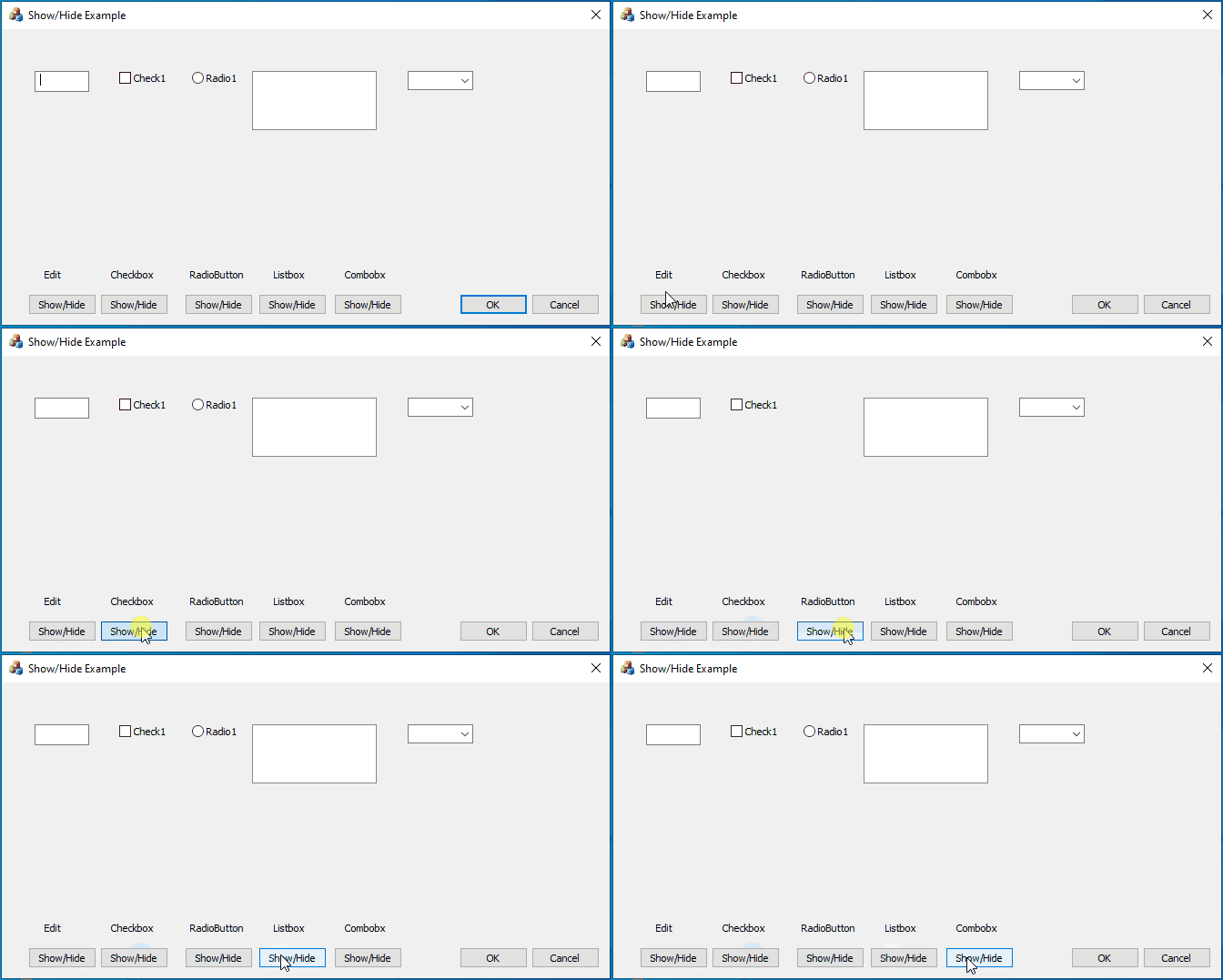
    ShowHide

    As you can see there is nothing to prevent an MFC dialog-based app from hiding controls. For example, an event handler for the BN_CLICK message from one of the Show/Hide buttons looks like this -

    void CMFCHideCtlDlg::OnBnClickedEditsh()
    {
        m_Edit.ShowWindow(m_Edit.IsWindowVisible() ? SW_HIDE : SW_SHOW);
    
        // or if dialog controls are not bound to dialog box member variables
    
        //CWnd* pWnd = GetDlgItem(IDC_EDIT1);
        //pWnd->ShowWindow(pWnd->IsWindowVisible() ? SW_HIDE : SW_SHOW);
    }
    

    So if you share your code with us we can point out why it doesn't function as you intend. Otherwise, we are left to guess at what your code is doing (that doesn't work).

    0 comments No comments

Your answer

Answers can be marked as 'Accepted' by the question author and 'Recommended' by moderators, which helps users know the answer solved the author's problem.

