Hi tdehan,
Thanks for your supplementary information, I understand the particularity of the QR code, please allow me to apologize for the unauthorized claim of letting you share the QR code without knowing the specific situation.
I shared the screenshot to prove that this feature was originally built into the Surface. If the QR code only function fails now, please allow me to recommend that you manually download and install the driver and firmware package for the Surface Pro 8:
Download Surface Pro 8 Drivers and Firmware from Official Microsoft Download Center ****
After manual installation, restart your Surface and verify that the camera's ability to scan the QR code is restored.
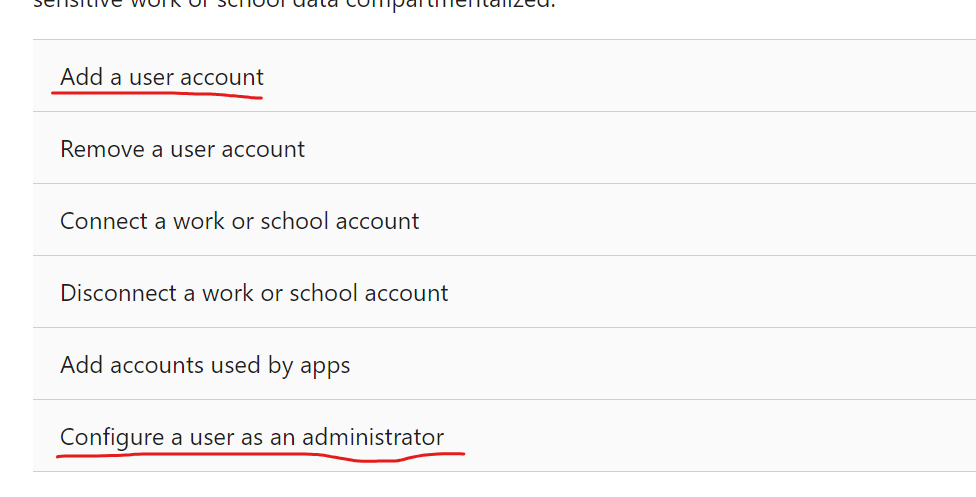
If the problem persists, you need to check whether the problem is from the system or from the current computer installed some application that will map the camera feature. Try creating a local account with administrator rights, and then use that account to log in and access the system. You will see a blank desktop, this is because the new account profile is enabled, please test the camera's QR code scanning function at this time:
Manage User Accounts in Windows - Microsoft Support
If there is no exception at this time, it means that the previous problem may be caused by other software installed in the system. I recommend trying a clean boot which starts Windows with a minimal set of drivers and startup programs. It can be used to determine whether a background service or program is interfering or causing a problem.
These steps of "clean boot" might look complicated at first glance. However, to avoid any trouble for you, please follow them in order and step-by-step.
After the clean boot is complete, check the temporarily disabled processes according to the follow-up process in the link.
But one thing that makes me very concerned is that this situation has occurred on all three of your surfaces, right? So I have to wonder if this problem is caused by the particularity of the QR code. After all, the probability that all three Surfaces will fail is not high.
Maybe the QR code is special, so it can't be recognized by the Surface camera. In order to confirm this, you can test whether these three surfaces can scan other QR codes through the camera, and if it is convenient, please share the three Surface models with us.
Best Regards,
Mitchell | Microsoft Community Support Specialist
' cx='32' cy='32' r='32' /%3E%3Ctext x='50%25' y='55%25' dominant-baseline='middle' text-anchor='middle' fill='%23FFF' %3EA%3C/text%3E%3C/svg%3E)
