Developer technologies | .NET | .NET Runtime
.NET: Microsoft Technologies based on the .NET software framework. Runtime: An environment required to run apps that aren't compiled to machine language.
This browser is no longer supported.
Upgrade to Microsoft Edge to take advantage of the latest features, security updates, and technical support.
' cx='32' cy='32' r='32' /%3E%3Ctext x='50%25' y='55%25' dominant-baseline='middle' text-anchor='middle' fill='%23FFF' %3EP%3C/text%3E%3C/svg%3E)
I am trying to install .NET Framework 4.8 on my Windows server 2019 but I get this message:
".NET Framework 4.8 has not been installed because: An attempt was made to create more links on a file than the file system supports."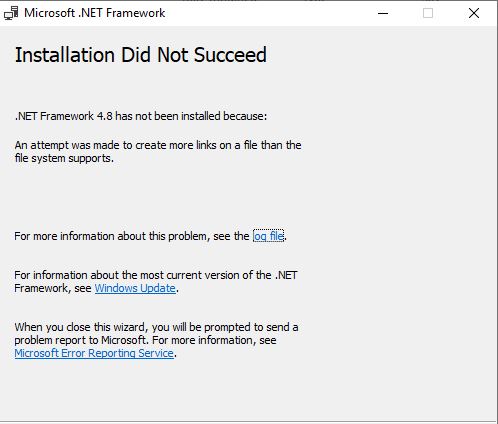
Hello,
It finally worked. I had to use the Repair Tool... And then I ran the .NET 4.8 installer again without closing the Repair Tool window. (I did not catch this detail in the instructions).

Hi @PittPeter ,
Are you attempting to install this on a Windows Server 2019 with Desktop Experience or Server Core?
May I suggest you to check the log file for any more information, you could also attach the log file here so we can take a look at it.
Another thing to try is the Microsoft .NET Framework Repair Tool:
https://support.microsoft.com/en-us/topic/microsoft-net-framework-repair-tool-is-available-942a01e3-5b8b-7abb-c166-c34a2f4b612a
----------
(If the reply was helpful please don't forget to upvote and/or accept as answer, thank you)
Best regards,
Leon
Hi @Leon Laude
I am using Server 2019 with Desktop Experience. I also tried with the Repair Tool, but nothing happened. This is the log I get.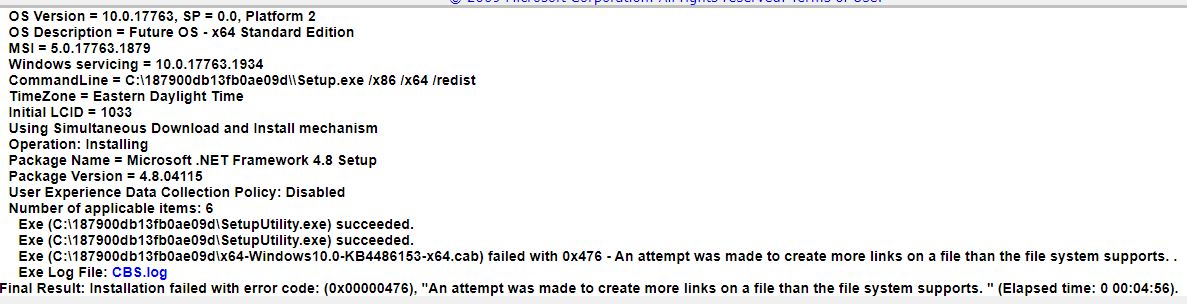 95609-cbs1.txt
Did you use the Web or Offline installer?
' cx='32' cy='32' r='32' /%3E%3Ctext x='50%25' y='55%25' dominant-baseline='middle' text-anchor='middle' fill='%23FFF' %3EJS%3C/text%3E%3C/svg%3E)
I had the same error. Log shows failing on KB4486153. I tried installing the Offline and Web .NET 4.8 installers and both failed. I downloaded them on 5/12/2021.
What worked for me was finding and installing an earlier version of the .NET 4.8 installer, linked on https://www.howto-connect.com/kb4486129-kb4486153-net-framework-4-8-build-3761-windows-10/. That version is from approx. Feb. 2019. While the Offline installer has the file filename (ndp48-x86-x64-allos-enu.exe), it is 71MB vs the 118MB of the more recent version.
The older version installed without error. After rebooting, it then updated .NET to the latest versions via Windows Update.
' cx='32' cy='32' r='32' /%3E%3Ctext x='50%25' y='55%25' dominant-baseline='middle' text-anchor='middle' fill='%23FFF' %3EHL%3C/text%3E%3C/svg%3E)
Hi, JamesSimmons-5401
Just to let you know that your resolution worked like a charm!
I couldn't install .Net 4.8 with the latest version (118MB). Tried out the older one (71MB), success.
Thank you for sharing your resolution.
I'm grateful.
Regards.
~EDIT: MS Repair tool didn't help.

This worked like a charm, looks like latest version have this issue
