Hello Billyboy,
Good to see you in Microsoft Community.
Based on your current situation, you can enter winRE to try to repair the system.↳
**Steps to enter winRE (From a black or blank screen)**↳
- Hold down the power button for 10 seconds to turn off your device.↳
- Press the power button again to turn on your device.↳
- On the first sign that Windows has started (for example, some devices show the manufacturer’s logo when restarting) hold down the power button for 10 seconds to turn off your device.↳
- Press the power button again to turn on your device.↳
- When Windows restarts, hold down the power button for 10 seconds to turn off your device.↳
- Press the power button again to turn on your device.↳
- Allow your device to restart into Automatic Repair, and select Advanced optionsto enter WinRe.↳
- On the Choose an optionscreen, select Troubleshoot> Advanced options. Visit Start your PC in safe mode in Windows (microsoft.com) to view the specific operation steps.
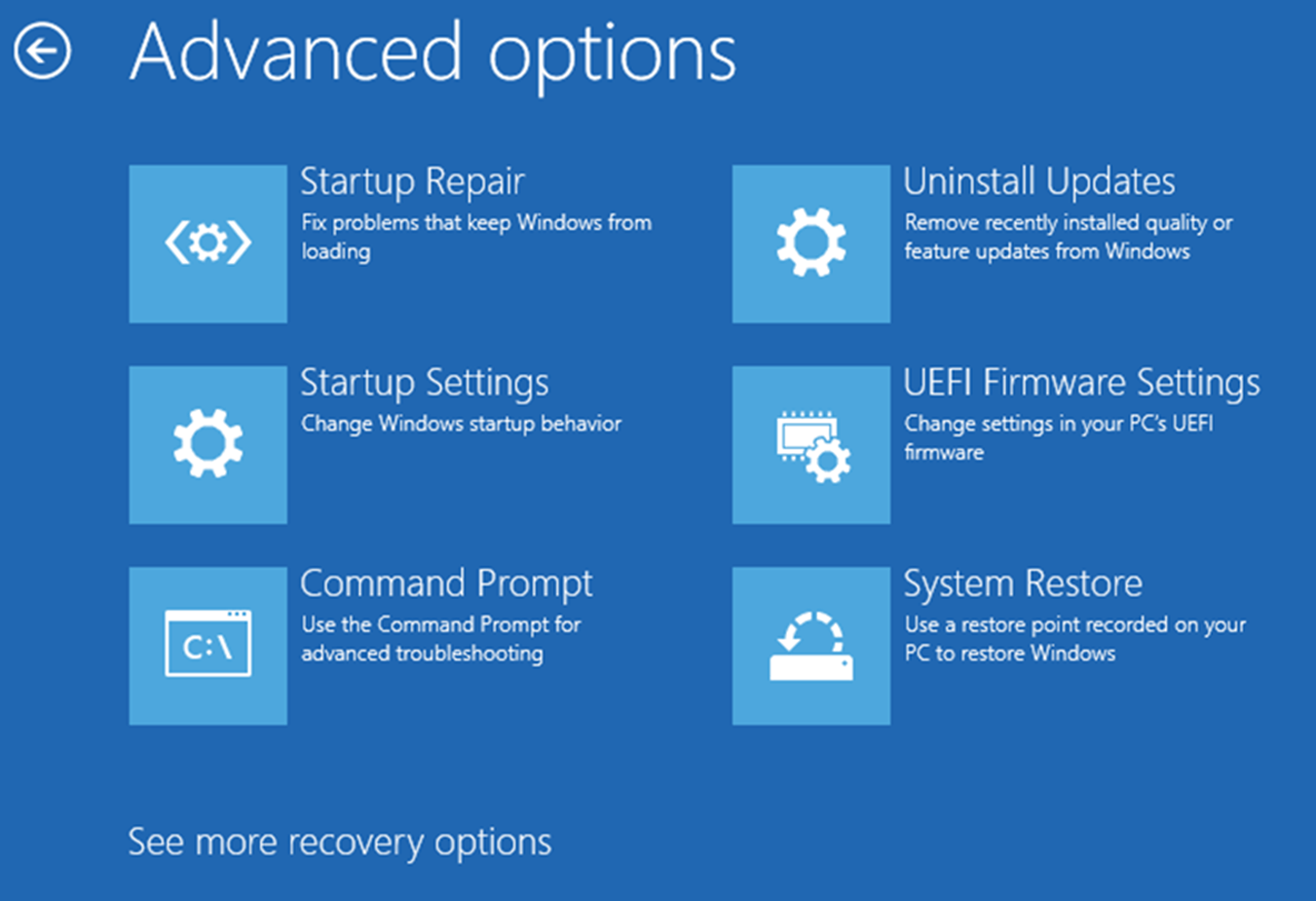
- Choose "Startup Repair" to try the system automatic repair;
- Select "Command Prompt", then log in with your account, and run the commands below.
 sfc /scannow

 chkdsk X: /f

 bootrec /fixmbr

 bootrec /fixboot

 bootrec /scanos

 bootrec /rebuildbcd
- If you installed the system update before the system is abnormal, you can use "Uninstall Updates" to uninstall recent updates (which include Quality updates and Feature updates, try both).
- "Startup Settings" > "Restart", after the restart, you'll see a list of options. Select 4 or press F4 to start your PC in Safe Mode. Or if you'll need to use the internet, select 5 or press F5 for Safe Mode with Networking. Then try to log in normally.↳ If you can successfully enter safe mode, run the commands in step 2 to repair possibly corrupted system files.↳ Then check if there are .dmp files in the C:\Windows\Minidump directory.
- If you have created a system restore point before, you can restore it to that state using the "System Restore", but the data since the establishment of the restore point will be lost, please operate with caution.↳
If anything is unclear, please do not hesitate to let me know.
Best Regards,
Mosken_L - MSFT | Microsoft Community Support Specialist↳
' cx='32' cy='32' r='32' /%3E%3Ctext x='50%25' y='55%25' dominant-baseline='middle' text-anchor='middle' fill='%23FFF' %3EA%3C/text%3E%3C/svg%3E)
