Azure Data Factory
An Azure service for ingesting, preparing, and transforming data at scale.
This browser is no longer supported.
Upgrade to Microsoft Edge to take advantage of the latest features, security updates, and technical support.
' cx='32' cy='32' r='32' /%3E%3Ctext x='50%25' y='55%25' dominant-baseline='middle' text-anchor='middle' fill='%23FFF' %3EKJ%3C/text%3E%3C/svg%3E)
I am not able to update the column name while grouping by a column in aggregate command in data flow in azure data factory. 
' cx='32' cy='32' r='32' /%3E%3Ctext x='50%25' y='55%25' dominant-baseline='middle' text-anchor='middle' fill='%23FFF' %3EKM%3C/text%3E%3C/svg%3E)
Hi @kshitijjain-2208,
Welcome to Microsoft Q&A forum and thank you for posting your query.
If you would like to update the column name, you can click on Open expression builder and provided the new column name you want to give and then select expression value column from your input schema in the Expression box.
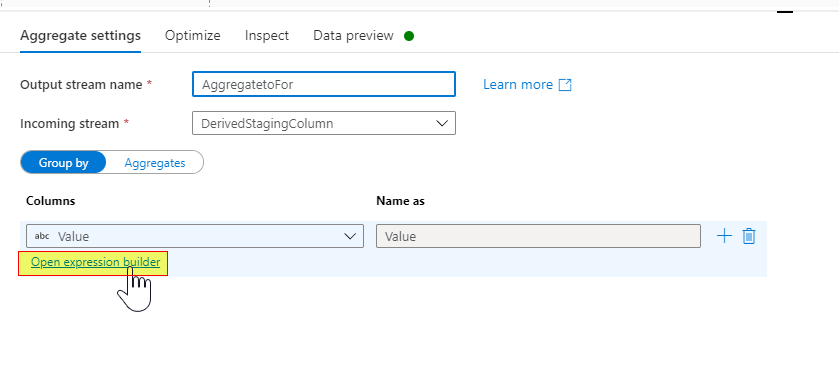
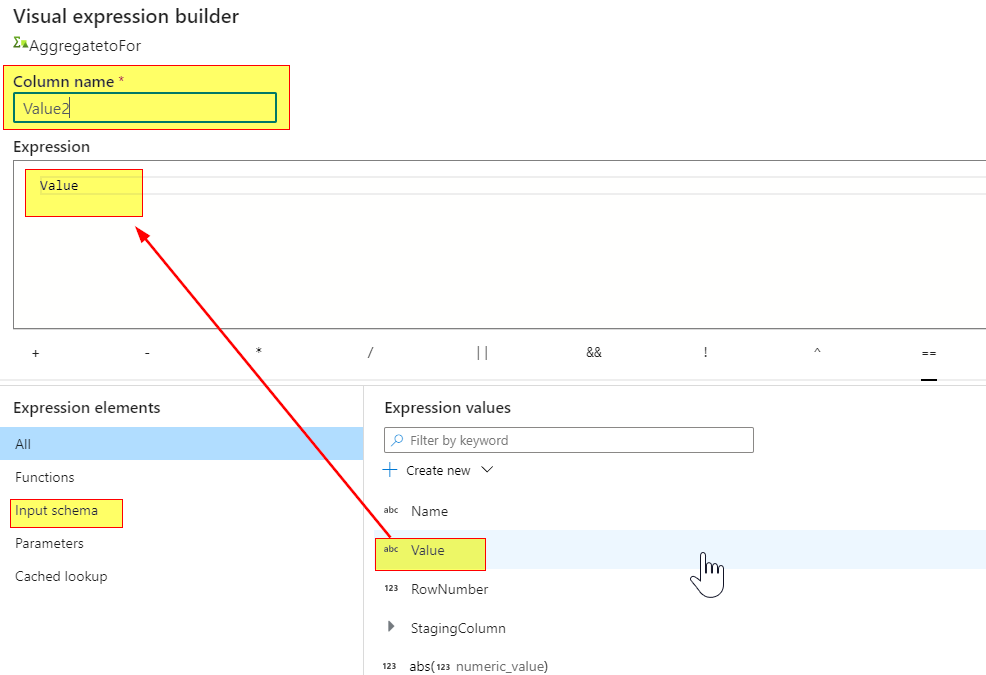
Please see below GIF:
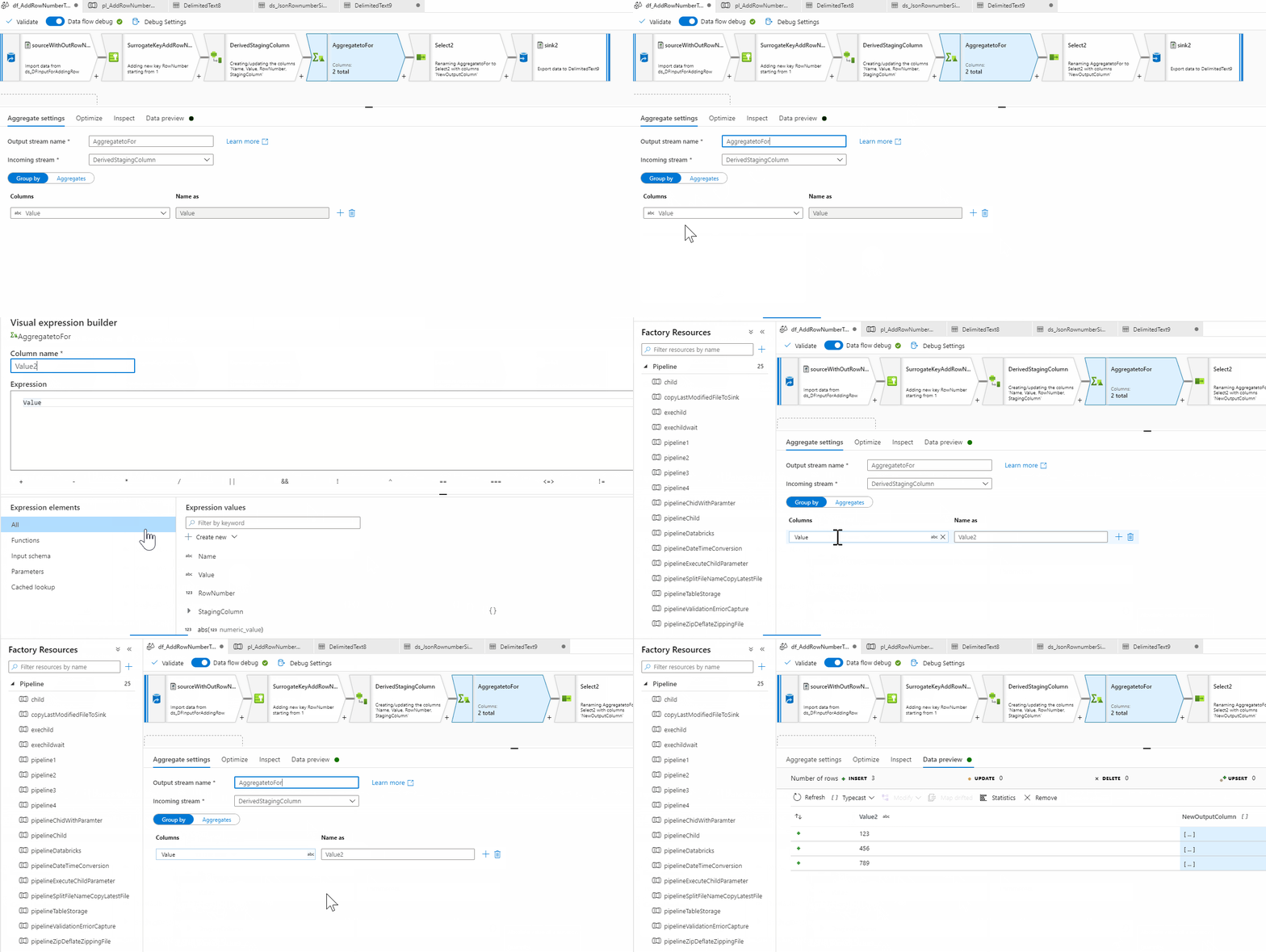
Hope this helps. Do let us know if you have further query.
----------
Please don’t forget to Accept Answer and Up-Vote wherever the information provided helps you, this can be beneficial to other community members.
Hi @kshitijjain-2208,
Just checking in to see if the above suggestion was helpful. If it answers your query, please do click “Accept Answer” and/or Up-Vote, as it might be beneficial to other community members reading this thread. And, if you have any further query do let us know.
Hi @kshitijjain-2208,
We still have not heard back from you. Just wanted to check if the above suggestion was helpful? If it answers your query, please do click “Accept Answer” and/or Up-Vote, as it might be beneficial to other community members reading this thread. And, if you have any further query do let us know.