SQL Server Integration Services
A Microsoft platform for building enterprise-level data integration and data transformations solutions.
This browser is no longer supported.
Upgrade to Microsoft Edge to take advantage of the latest features, security updates, and technical support.
' cx='32' cy='32' r='32' /%3E%3Ctext x='50%25' y='55%25' dominant-baseline='middle' text-anchor='middle' fill='%23FFF' %3EMM%3C/text%3E%3C/svg%3E)
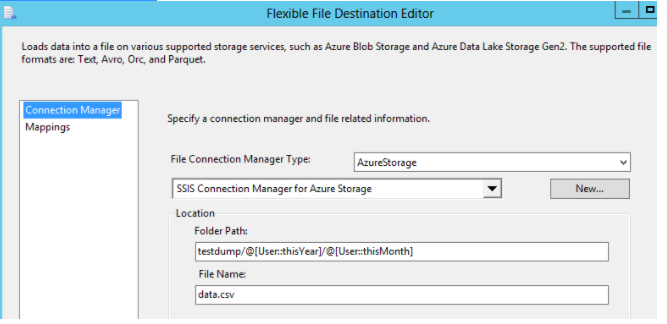
I am trying to dump data into Azure Datalake Gen2 using SSIS. I found about Flexible File Destination Editor but I am stuck at setting the Folder Path dynamically. I have set the variables thisYear and thisMonth but how do I use them in my Folder Path?
I tried as below but it wouldnt give me the expected value of testdump/2021/08. Am I missing something? Please help.
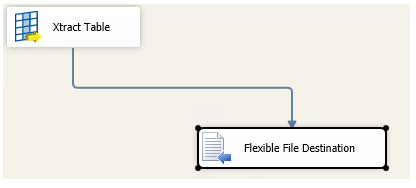
My full data flow as below. The output in my Datalake is testdump/@[User::thisYear]/@[User::thisMonth] instead of testdump/2021/08.

Hi @Muhammad Mukhtar , For the time being, I don't have the azure environment and I'm trying to build the environment.
I will inform you in time if there is an update, and let us know if you have any updates.