I’m encountering an issue with the Remote Desktop Connection app on Windows 11 and Windows Server 2025.
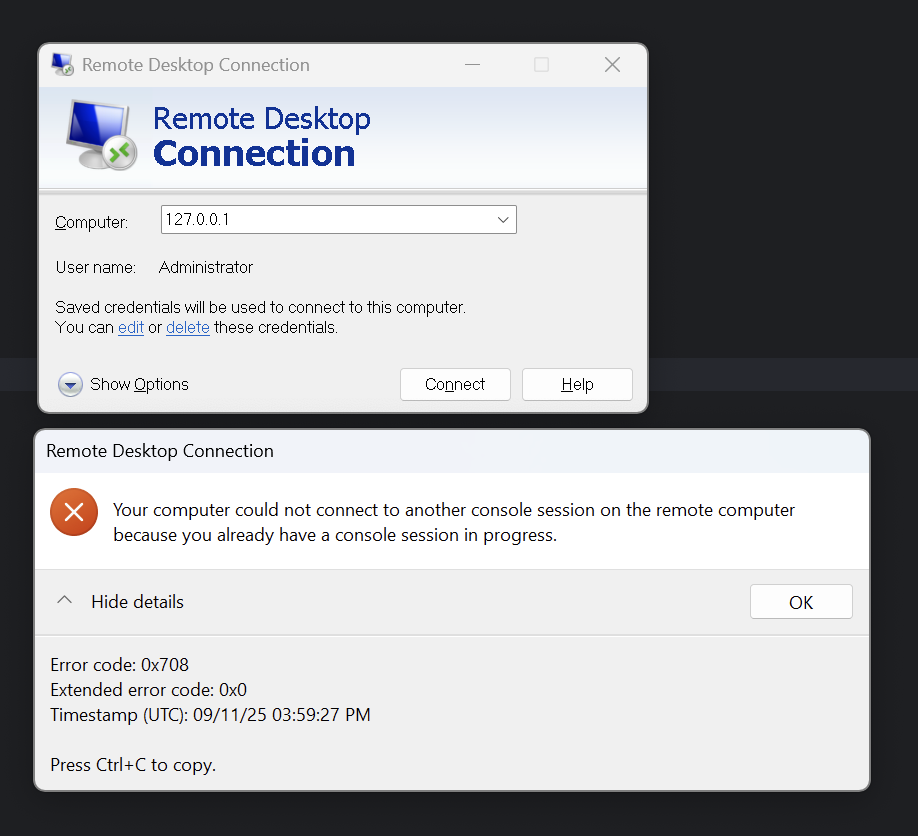
When attempting to connect to RDP through any IP that resolves to the loopback adapter (e.g., 127.0.0.1 or other loopback routes using the default RDP port), the client fails with the error:
Your computer could not connect to another console session on the remote computer because you already have a console session in progress.
On localhost:3389, I create a local TCP proxy to my actual RDP instance. For certain purposes, I need to use local resources for this, either through the loopback address, a local IP bound to an interface such as Ethernet, or another interface with its own assigned IP.
Observations
- On Windows Server 2022, the error does not occur under the same conditions. I can successfully connect via RDP.
- The issue only arises when using the default RDP port (3389) with an address that routes through the loopback interface (e.g., Software Loopback Interface 1) (i.e.
127.0.0.1, ::1, etc).
- If I bind an IP (i.e.,
100.x.x.x, lan_ip) to the Ethernet Adapter, this also gives the same error because it also routes through Loopback Adapter.
- A Wireshark trace shows that no packet is actually transmitted; the Remote Desktop client seems to detect that the connection would traverse the loopback interface and immediately emits the error instead.
- I tested this on 3 machines; nearly all exhibited the issue. However, one machine with the same Windows 11 version and the same Remote Desktop Client version worked without any problems.
- The error is emitted irrespective of whether the Remote Desktop service is active.
Why does this happen on Windows 11, and is there any known workaround to allow RDP over loopback addresses? If Remote Desktop Connection has introduced this as a security check, is there a way to bypass or override it, for example, by using a bridged interface, Docker, a hypervisor, WSL2, etc.?
' cx='32' cy='32' r='32' /%3E%3Ctext x='50%25' y='55%25' dominant-baseline='middle' text-anchor='middle' fill='%23FFF' %3EMK%3C/text%3E%3C/svg%3E)

' cx='32' cy='32' r='32' /%3E%3Ctext x='50%25' y='55%25' dominant-baseline='middle' text-anchor='middle' fill='%23FFF' %3EQQ%3C/text%3E%3C/svg%3E)