Share via

Hybrid. Can't move the mailbox to EXO

Андрей Михалевский 3,471 Reputation points
2021-09-21T14:44:28.33+00:00

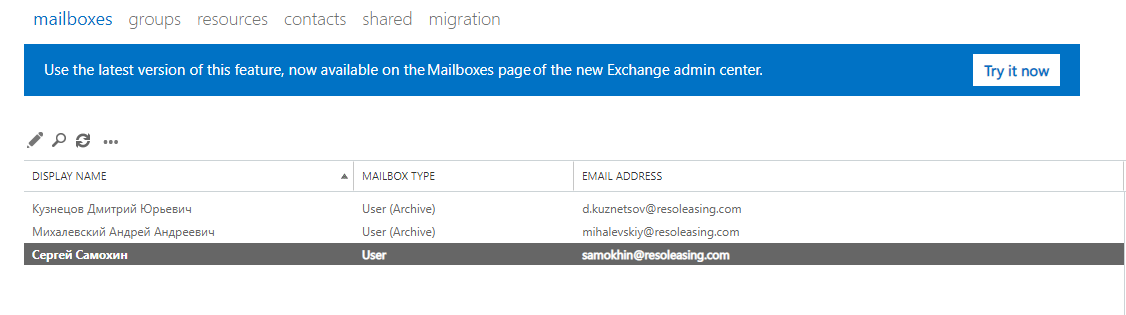
Hello. The creator of the tenant has a mailbox in EXO before setting up the hybrid configuration.

134061-screenshot-1.png

It is exactly the same as on the local server.
133909-screenshot-2.png

Therefore, when moving from local server to EXO, I can't do it. What to do ?

Exchange Online
Exchange Online

A cloud-based service included in Microsoft 365, delivering scalable messaging and collaboration features with simplified management and automatic updates.


Answer accepted by question author

  1. Andy David - MVP 160.2K Reputation points MVP Volunteer Moderator
    2021-09-21T15:06:48.39+00:00

    OK, but its the same user, yes?

    If so, then remove the Exchange License in Azure.
    Then run this:
    Set-User <user> -PermanentlyClearPreviousMailboxInfo

    https://techcommunity.microsoft.com/t5/exchange-team-blog/permanently-clear-previous-mailbox-info/ba-p/607619

    Warning: This will remove the mailbox in 365 forever!!

    Was this answer helpful?

    0 comments No comments

1 additional answer

Sort by: Most helpful
  1. Андрей Михалевский 3,471 Reputation points
    2021-09-22T07:43:33.527+00:00

    The box is deleted, but now when I send an email from EXO to a local server, to this recipient, I get a bounce back that the recipient is not found.

    I found that because of this local account in Office365, the account in Active Directory is not synchronized in AAD.

    Was this answer helpful?

    0 comments No comments

Your answer

Answers can be marked as 'Accepted' by the question author and 'Recommended' by moderators, which helps users know the answer solved the author's problem.