Azure Data Factory
An Azure service for ingesting, preparing, and transforming data at scale.
This browser is no longer supported.
Upgrade to Microsoft Edge to take advantage of the latest features, security updates, and technical support.
' cx='32' cy='32' r='32' /%3E%3Ctext x='50%25' y='55%25' dominant-baseline='middle' text-anchor='middle' fill='%23FFF' %3EVD%3C/text%3E%3C/svg%3E)
Hello,
I'm trying to do a DEV deployment to STG environment.
This is the structure I've run for the release deployment:
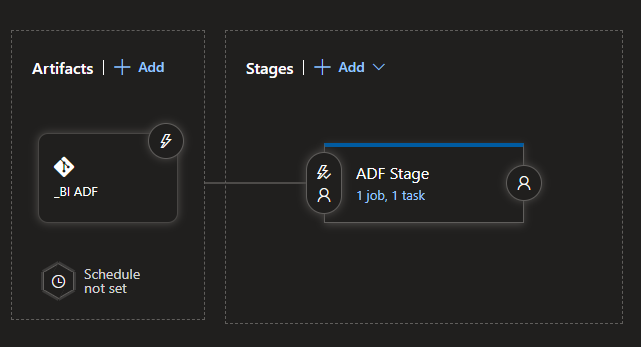
The first issue I had was a resources limit exceeded:

Then I decided to move to LinkedTemplate format, with one master file referencing 48 child files.
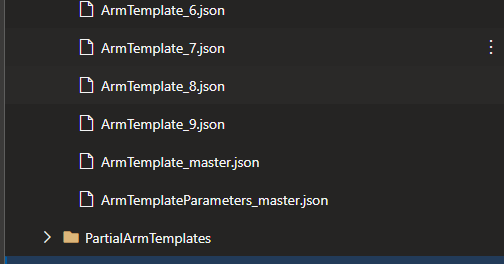
Templates path:

With this approach, this error occurred:

Does anyone have any idea how to solve this?
Thank you in advance.
' cx='32' cy='32' r='32' /%3E%3Ctext x='50%25' y='55%25' dominant-baseline='middle' text-anchor='middle' fill='%23FFF' %3EMM%3C/text%3E%3C/svg%3E)
Did my response help? If so please mark as accepted answer, otherwise please provide more information.
I tried it without using the parameter file and an absolute path readable by azure and it didn't work either. So finally I used the Azure PowerShell task to deploy from DEV to STG and then with a trigger to PRD. The script reads all existing ARMTemplate in the working folder, it overrides the factoryName to the higher environment , and then deploys them in order following the dependencies from 0 to max. AzurePS_deployment_script
for ($num = 0; $num -lt $max_value; $num++ ){
    Write-Host "Deploying ArmTemplate_$num.json"
    $deploymentFilePath = "$scriptPath\ArmTemplate_$num.json"
    #Read json template, override the previous dataFactoryName and write into the same json template file
    (Get-Content $deploymentFilePath).Replace("bi-dev-datafactory", $dataFactoryName) | Set-Content $deploymentFilePath
    #Deploy command
    New-AzResourceGroupDeployment -Name $dataFactoryName -ResourceGroupName $resourceGroupName -TemplateFile $deploymentFilePath -verbose
}
Hello @Vicent Dolz and welcome to Microsoft Q&A.
That last message is saying you need to write out the path explicitly without parameters, I think.