Azure Data Factory
An Azure service for ingesting, preparing, and transforming data at scale.
This browser is no longer supported.
Upgrade to Microsoft Edge to take advantage of the latest features, security updates, and technical support.
' cx='32' cy='32' r='32' /%3E%3Ctext x='50%25' y='55%25' dominant-baseline='middle' text-anchor='middle' fill='%23FFF' %3EA%3C/text%3E%3C/svg%3E)
Hi,
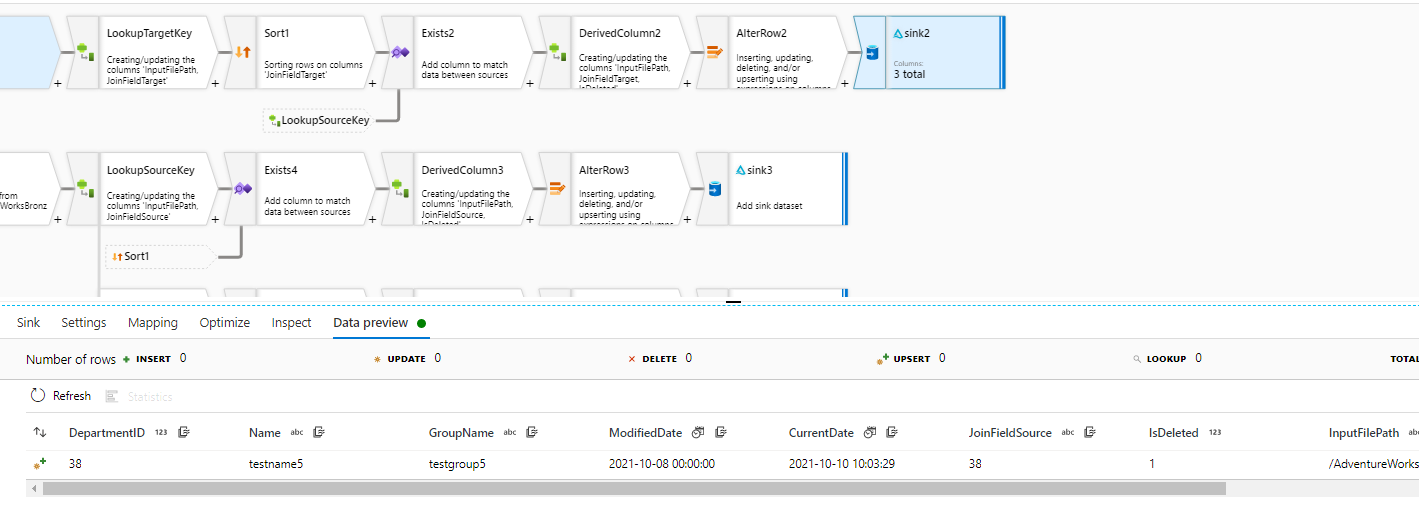
in sink delta parquet file, I would like to remove the unwanted column i.e.JoinFieldTarget
This field is there because I added a derivedColumn transformation and called the field JoinFieldTarget, however the sink delta file does not have this field and so I get an error in sink transformation. I believe if I can remove this column then error will be fixed.
The columns are auto mapping as the data flow is dynamic and should work for any table from source.
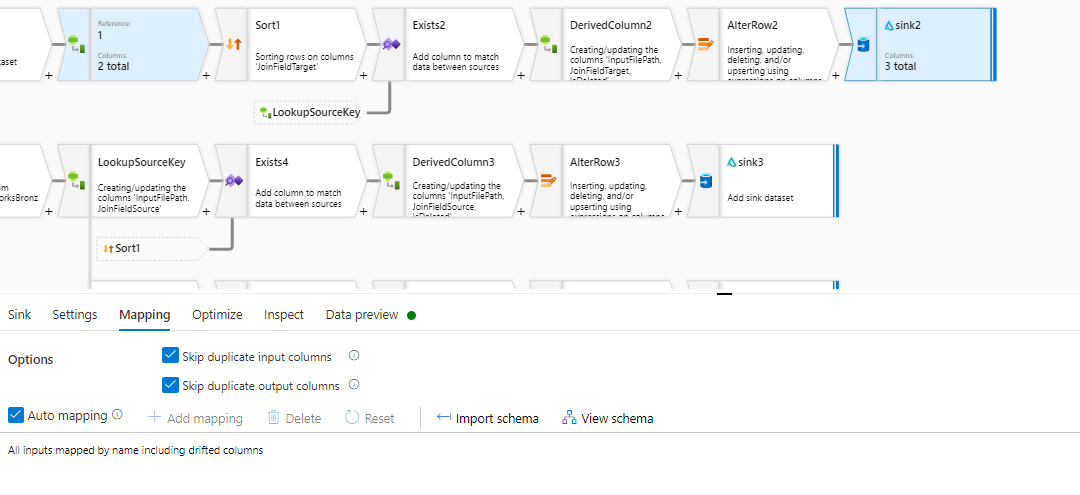
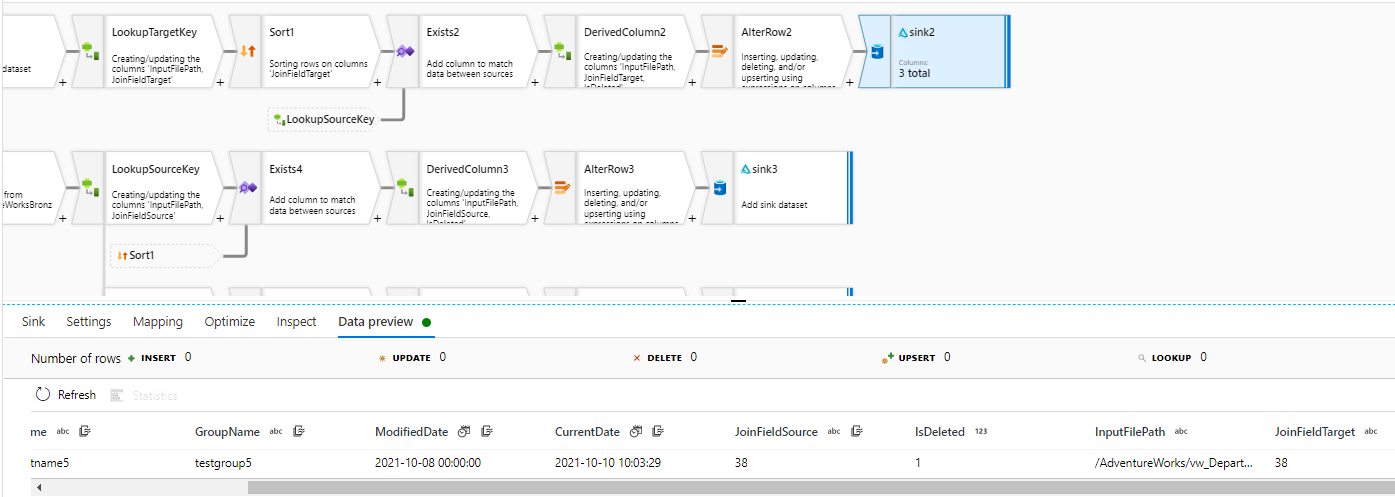
Because you are using schema drift with dynamic schemas, you'll need to use a rule-based mapping. Deselect "auto mapping" in the sink and create a new rule-based mapping. The rule will be name != 'JoinFieldTarget' and the output columns will be just '$$' for all other fields.

Here is an example from the sink mapping
I finally managed to crack it.
Many thanks
' cx='32' cy='32' r='32' /%3E%3Ctext x='50%25' y='55%25' dominant-baseline='middle' text-anchor='middle' fill='%23FFF' %3ESG%3C/text%3E%3C/svg%3E)
I have followed the above steps which you have mentioned ,still I am facing the same issue.
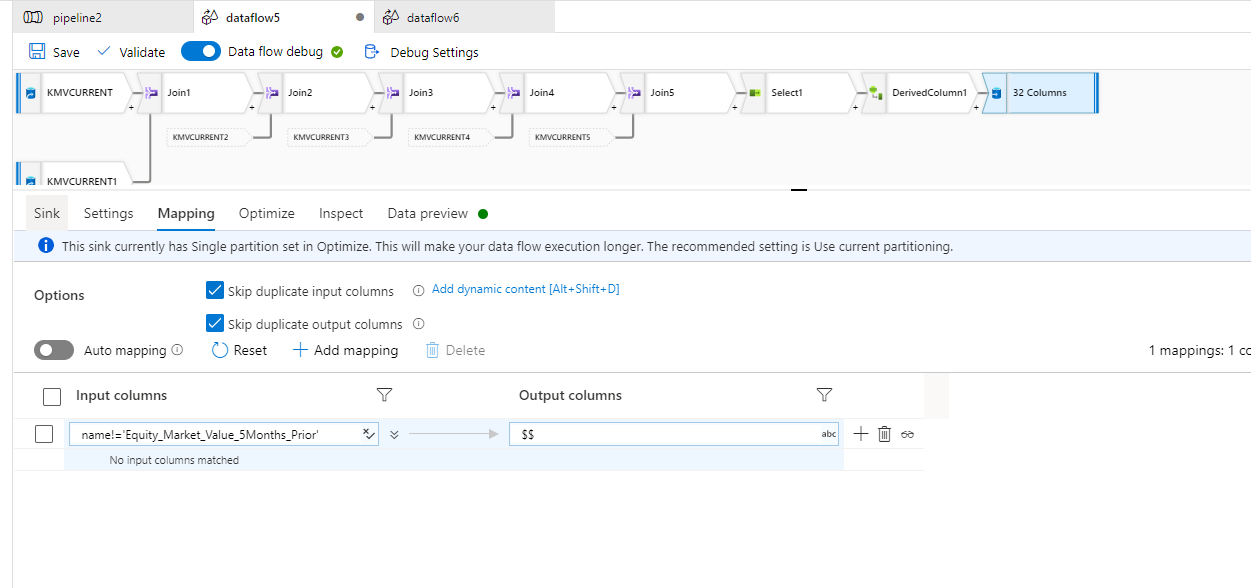
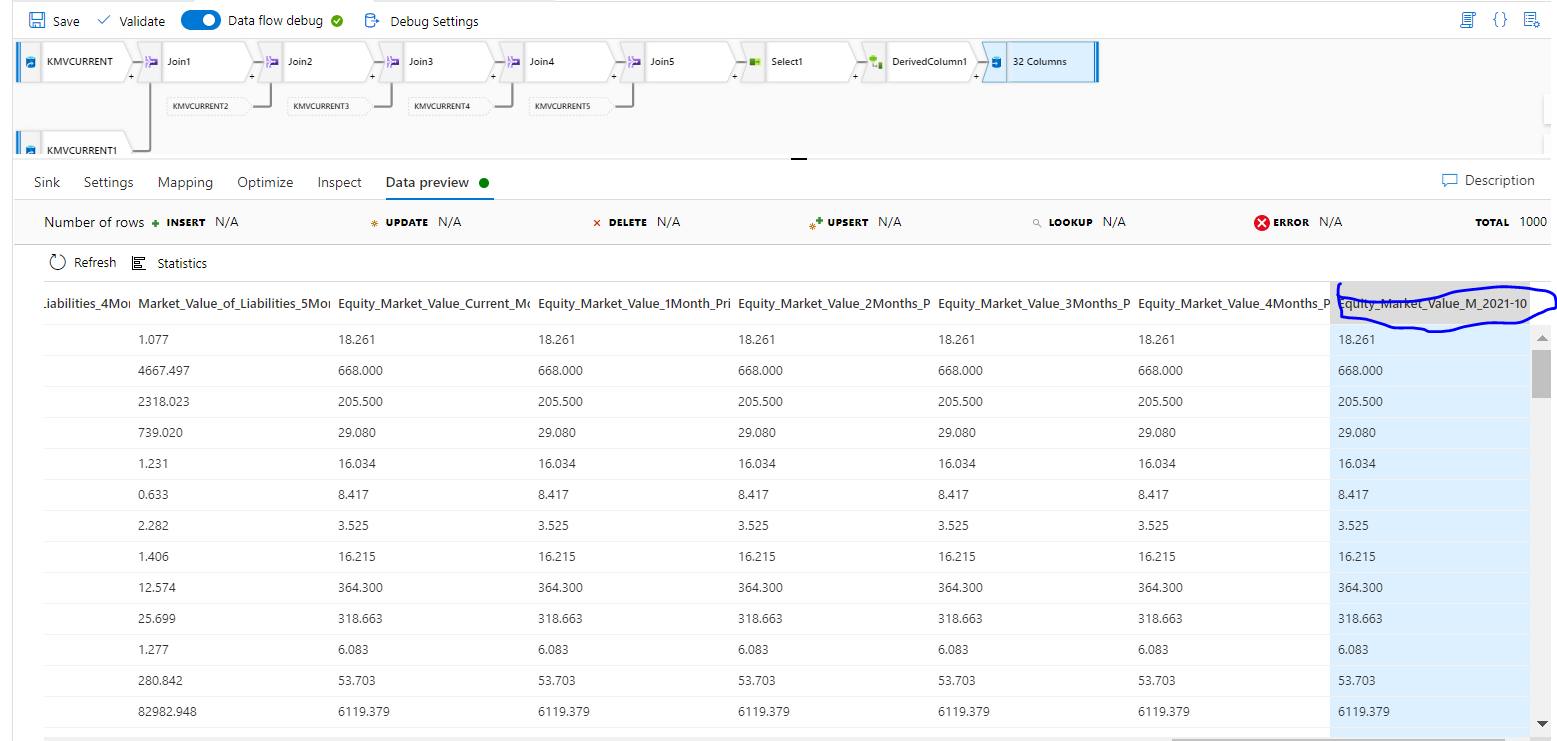
I derived a column name which matches the column 'Equity_Market_Value_5Months_Prior' ,later I need to remove the column 'Equity_Market_Value_5Months_Prior' .
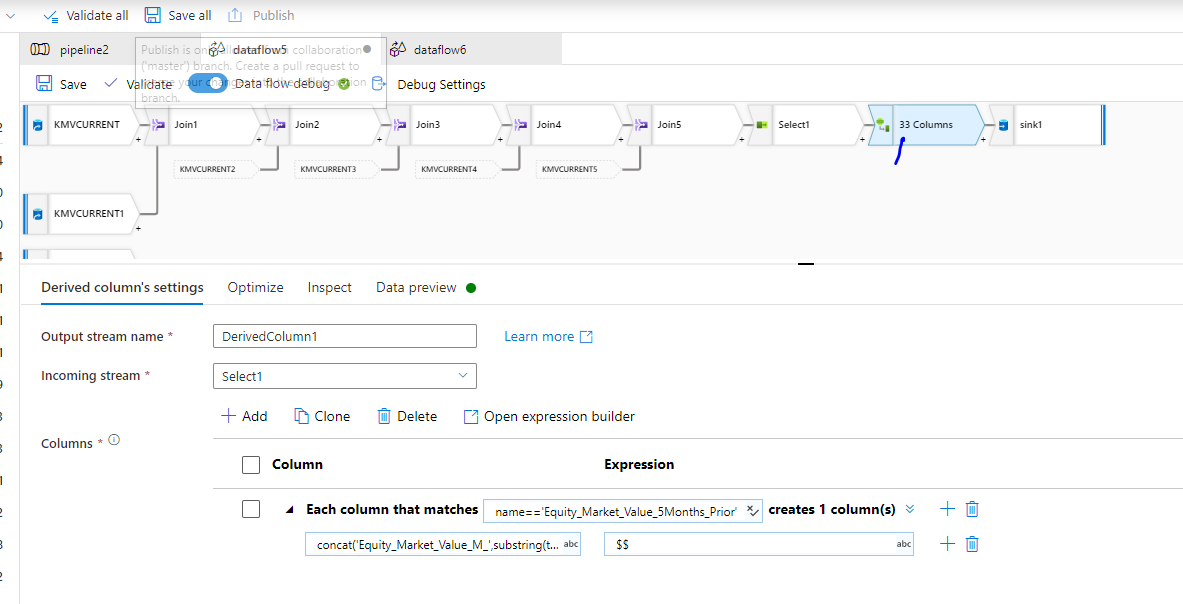
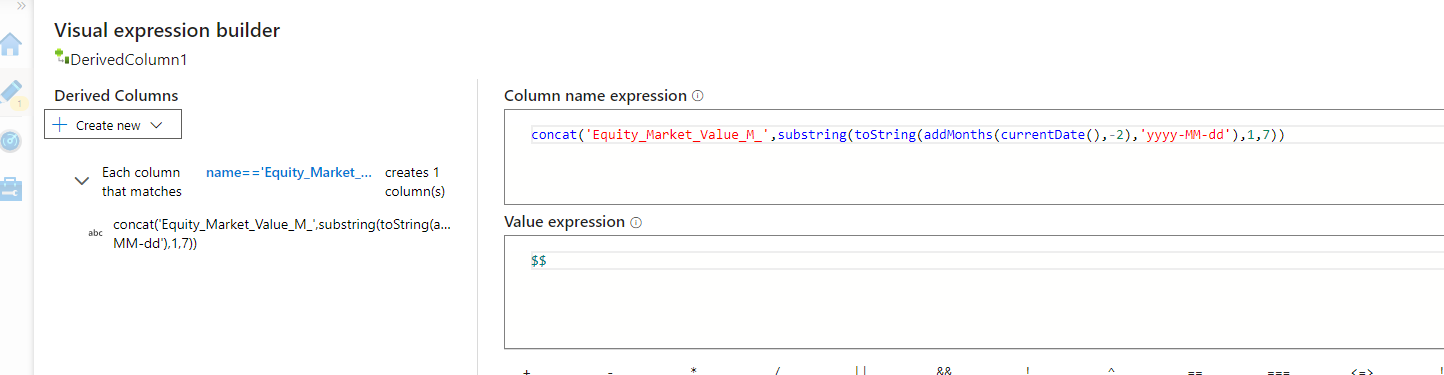
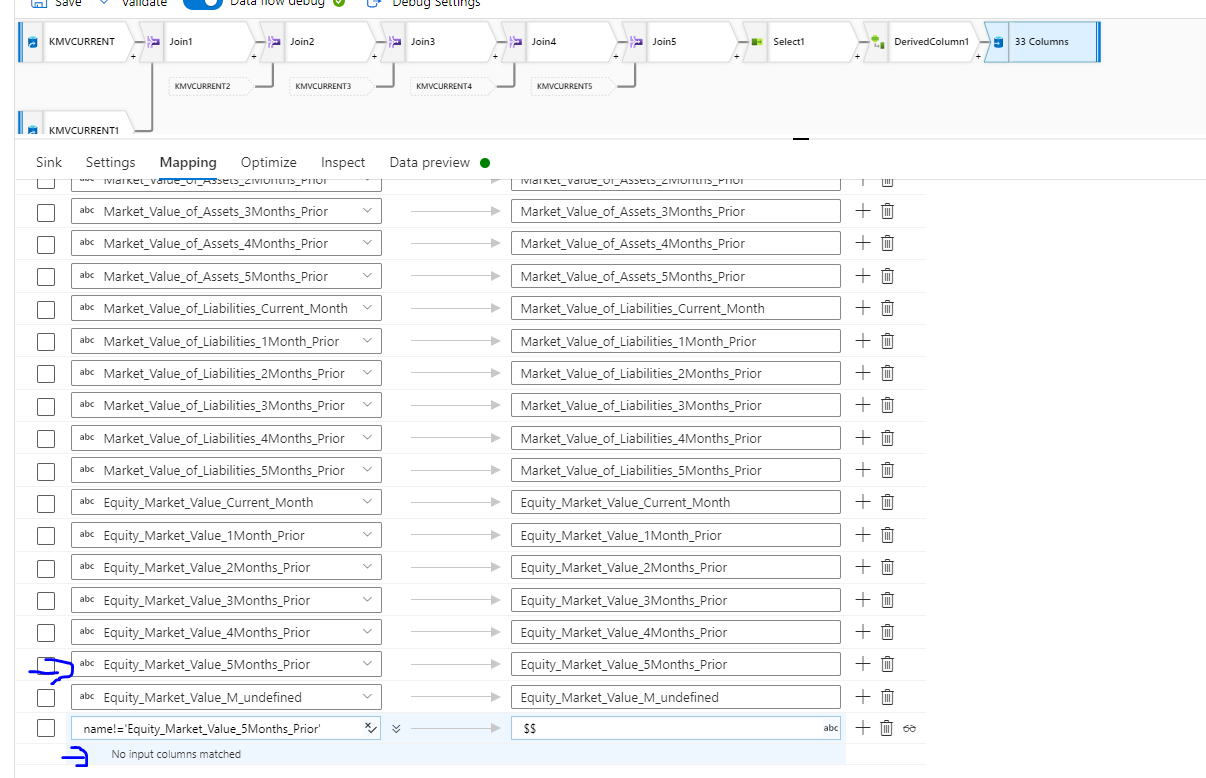
Error Screenshot

Appreciate you for taking time to look into this.Thanks
Waiting for you answer
' cx='32' cy='32' r='32' /%3E%3Ctext x='50%25' y='55%25' dominant-baseline='middle' text-anchor='middle' fill='%23FFF' %3EMK%3C/text%3E%3C/svg%3E)
Does it work if you remove all of the fixed mappings and only add just that rule, the last row in your mapping above?
Awesome !! It is working absolutely fine .
Much Thanks Mark !!
Really Appreciate.