Microsoft 365 and Office | SharePoint | For business | Windows
A group of Microsoft Products and technologies used for sharing and managing content, knowledge, and applications.

This browser is no longer supported.
Upgrade to Microsoft Edge to take advantage of the latest features, security updates, and technical support.
' cx='32' cy='32' r='32' /%3E%3Ctext x='50%25' y='55%25' dominant-baseline='middle' text-anchor='middle' fill='%23FFF' %3ESA%3C/text%3E%3C/svg%3E)
Hi All,
Using SharePoint Modern list. Have a scenario like below. Here 'Completed' & 'Active' are list columns.
If Active !=1 then don't apply any color to entire row but for 'Completed' column values (Yes or No) apply formatting as choice pills CSS.
If Active ==1 then format entire row with yellow color & in this scenario, 'Completed' column should not have any color applied.
I can apply column formatting to 'Completed' column but not able to remove this formatting for the rows where Active=1. Want to remove column formatting if row formatting is applied.
Can anyone help?
Thanks,
Sanjay

Per my test, we can not remove column formatting if row formatting is applied where Active ==1.
These two are independent and do not interfere with each other.
As a workaround, we can edit the default Choice pills in advanced mode:
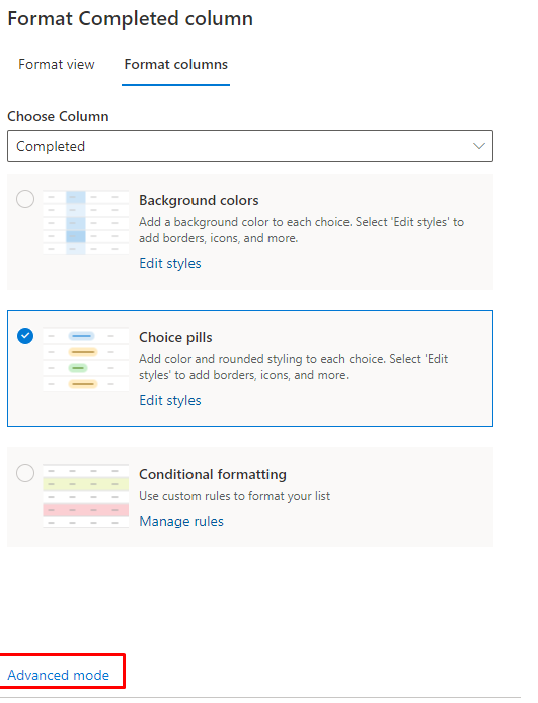
Then change the column color to be the same as the row color:

Result for your reference:
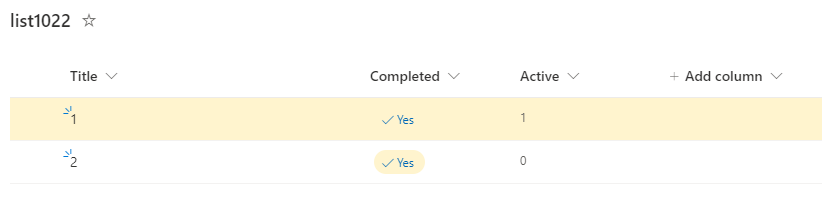
If the answer is helpful, please click "Accept Answer" and kindly upvote it. If you have extra questions about this answer, please click "Comment".
Note: Please follow the steps in our documentation to enable e-mail notifications if you want to receive the related email notification for this thread.
Thank you very much @JulieWang-MSFT for your reply.
I'm kind of stuck here. Do you see any other option to accomplish this?
Thanks,
Sanjay
The short answer is "NO", as I said before, there is no related property or function to combine them.
I’m checking how the things are going on about this issue.
Please feel free to reply if there is any update.
Hi @JulieWang-MSFT ,
Sorry for late reply. I will be checking this option & update here.
Thanks,
Sanjay
A few days have passed, if you have any updates or need further help, please feel free to reply.