Azure Logic Apps
An Azure service that automates the access and use of data across clouds without writing code.
This browser is no longer supported.
Upgrade to Microsoft Edge to take advantage of the latest features, security updates, and technical support.
' cx='32' cy='32' r='32' /%3E%3Ctext x='50%25' y='55%25' dominant-baseline='middle' text-anchor='middle' fill='%23FFF' %3EMP%3C/text%3E%3C/svg%3E)
Hi currently I have a Logic app which is triggered when a file is created in a OneDrive folder, I will use that file to do some process, when I finished, I move the file to another OneDrive folder to mark its completion.
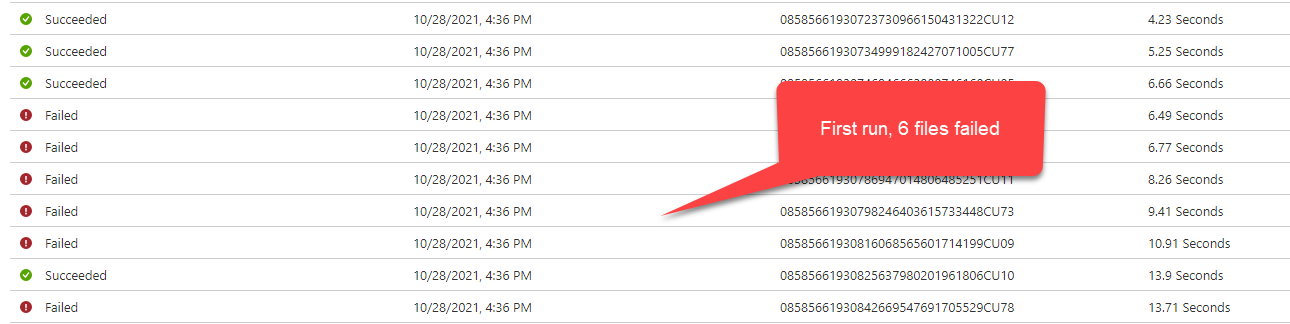
I am doing performance test and try to upload multiple files at once, when I tested with 10 files, I saw multiple failed and they all failed at the "Move or rename a file" from OneDrive for Business connector. The error says that "The specified item name already exists" but I am confident that all my file names are different, and I also set Overwrite to Yes.
I have tested multiple times and see that this happened randomly, I used the same 10 files for 2 try, each try NOT the same file failed. I clear the OneDrive folder between each test.




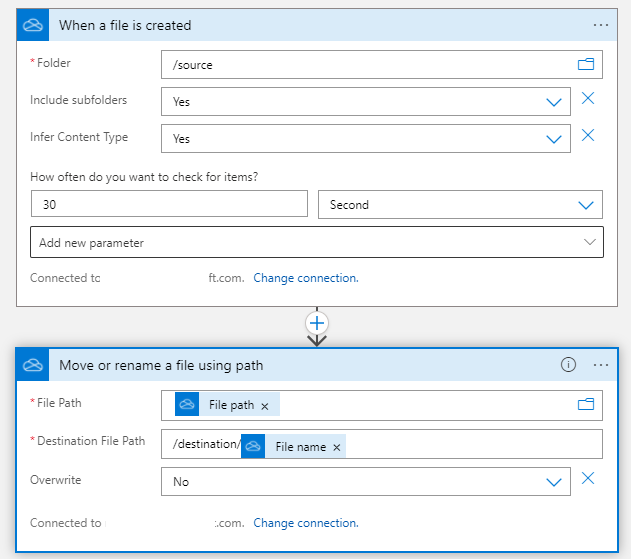
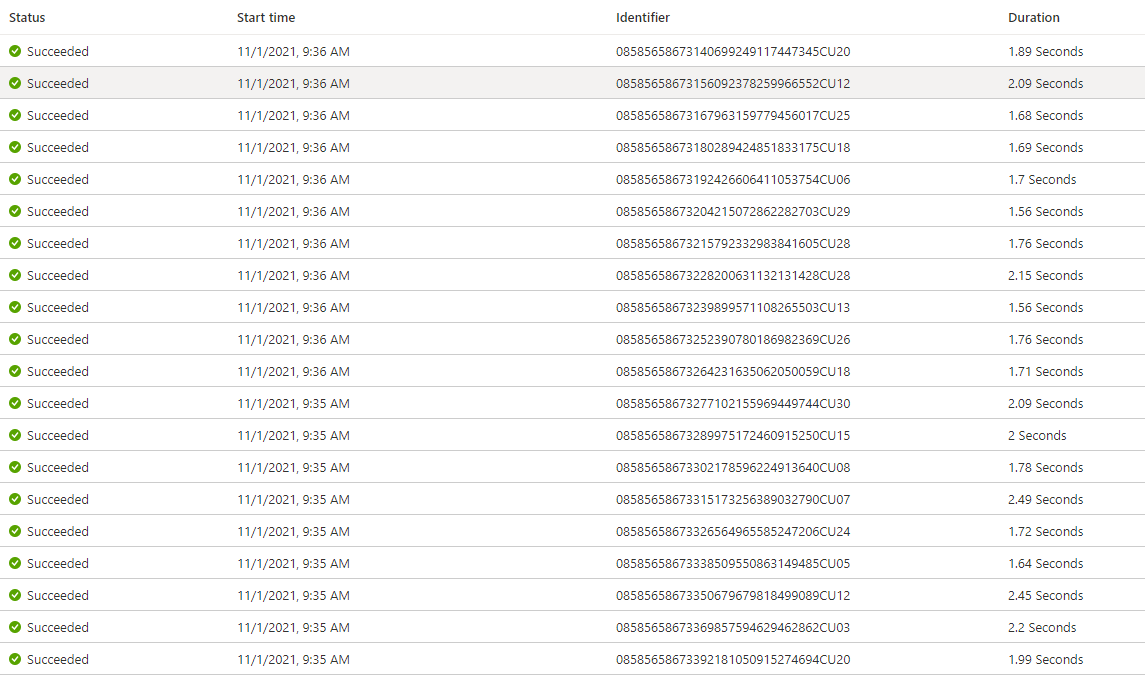
@Minh Pham I have created the simple workflow and tested but I couldn't observe the same behavior as you have mentioned. I have tested with 20 files and couldn't observe that any run getting failed.
I would need the full workflow screenshot and code view so I can reproduce the issue at my end. Can you try the simple workflow as below and confirm if it is the same behavior.