I'm having trouble running my program. It shows the following dialog:
The procedure entry point nlopt_add_equality_constraint could not be located in the dynamic link library G:\WorkDir\Projects\xxxxxxx\x64\Debug\xxxxxxx.exe.
nlopt_add_equality_constraint should be in libnlopt.dll, and I checked it, the export is ok. So I turned on "Show loader Snaps" flag and got some log:
https://pastebin.com/p381nCXg
Line 1153
DebugString: "10afc:2818 @ 197842421 - LdrpNameToOrdinal - WARNING: Procedure "nlopt_add_equality_constraint" could not be located in DLL at base 0x000000006D7C0000."
Line 578 and 579
DLL Loaded: 000000006D7C0000 G:\WorkDir\Projects\xxxxxxx\x64\Debug\libopenblas.dll
DLL Loaded: 000000006A740000 G:\WorkDir\Projects\xxxxxxx\x64\Debug\libnlopt.dll
The log shows that it tries to load nlopt_add_equality_constraint from the wrong DLL. libnlopt was compiled with 64bit mingw. It was working, and the problem happened for some unknown reason.
I tried to recompile nlopt and update the lib and dll, the problem is still there. Is there any other cause?
Update:
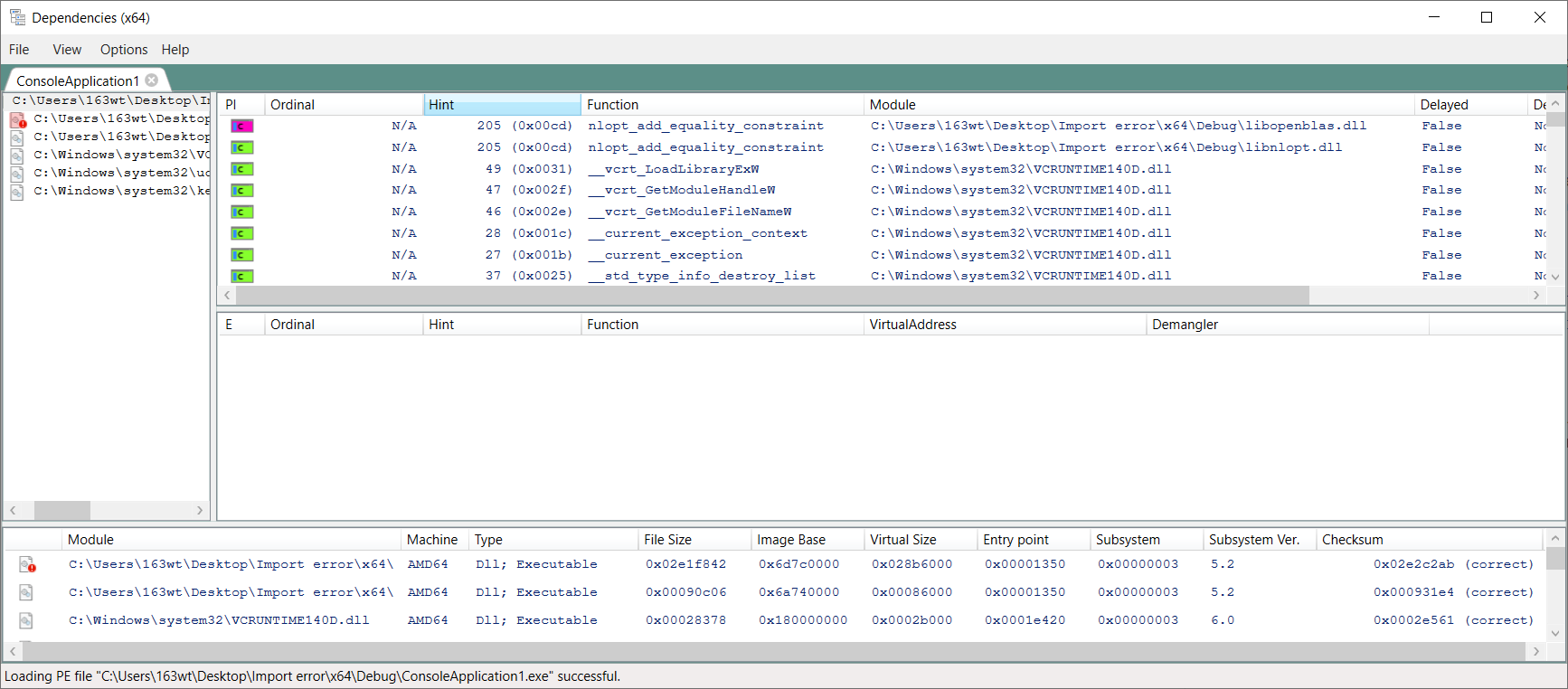
Seems that if I enable one of them(nlopt/openblas), it works, but if both are enabled, the imports get messed up.
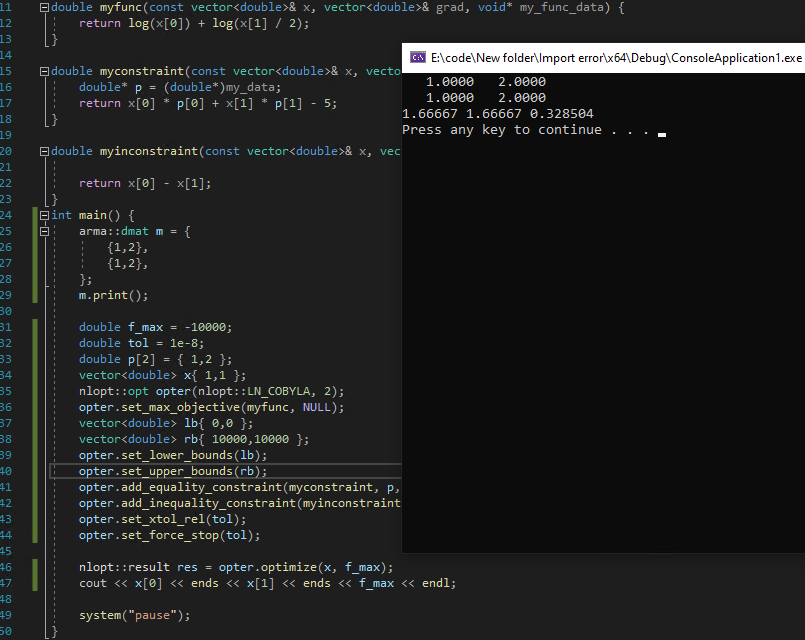
I made a minimum example, use x64 Debug to compile.
https://1drv.ms/u/s!AkqxTizATCPayWNinQzbqmlu2UIS?e=bl9bKx
Update2
I removed the c++ code and calls openblas/nlopt's C api directly. Note the changes sometimes needs "rebuild" to take effect.
https://1drv.ms/u/s!AkqxTizATCPayWT3LjElc5e7zltX?e=2rJgIB
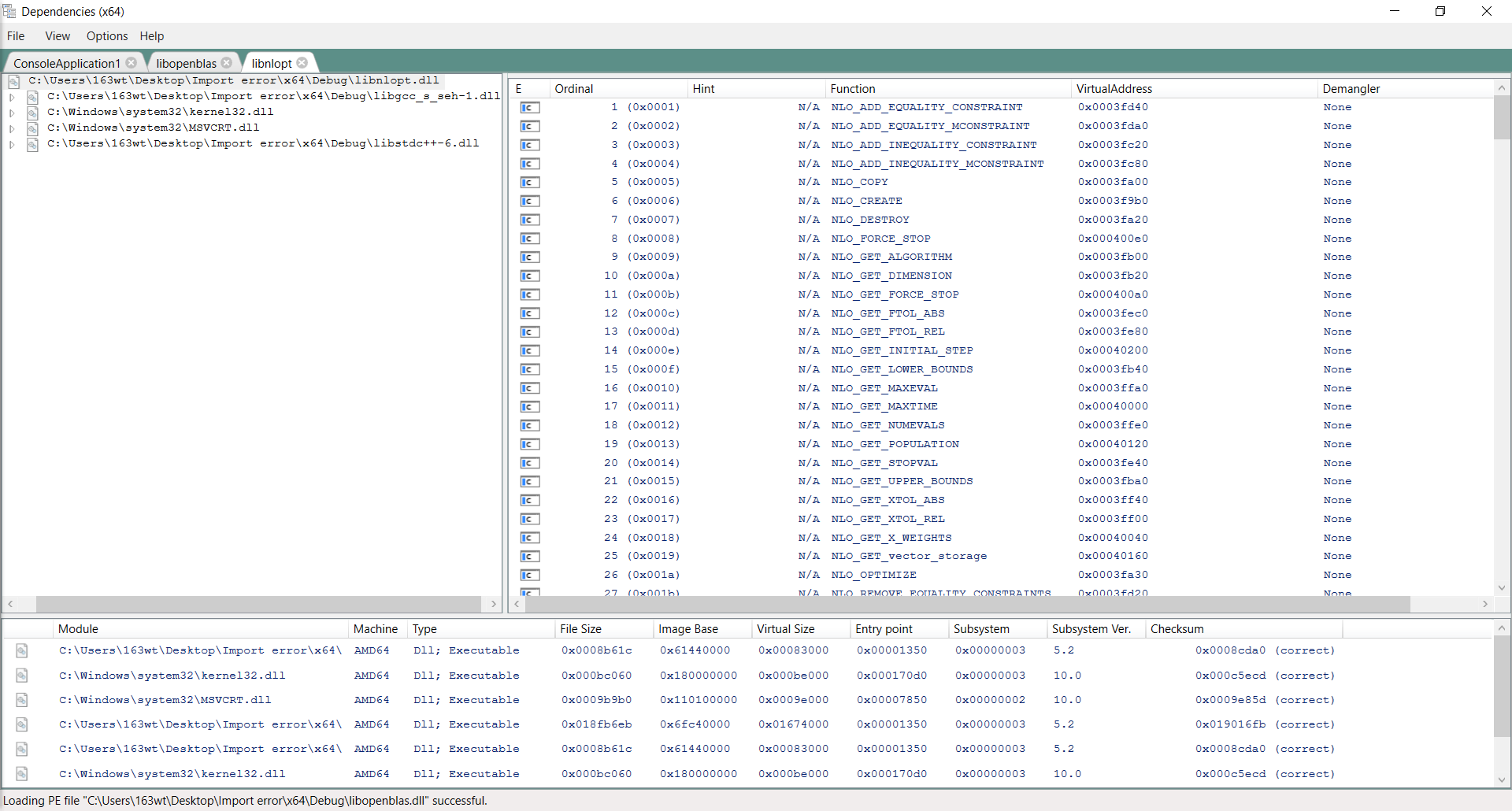
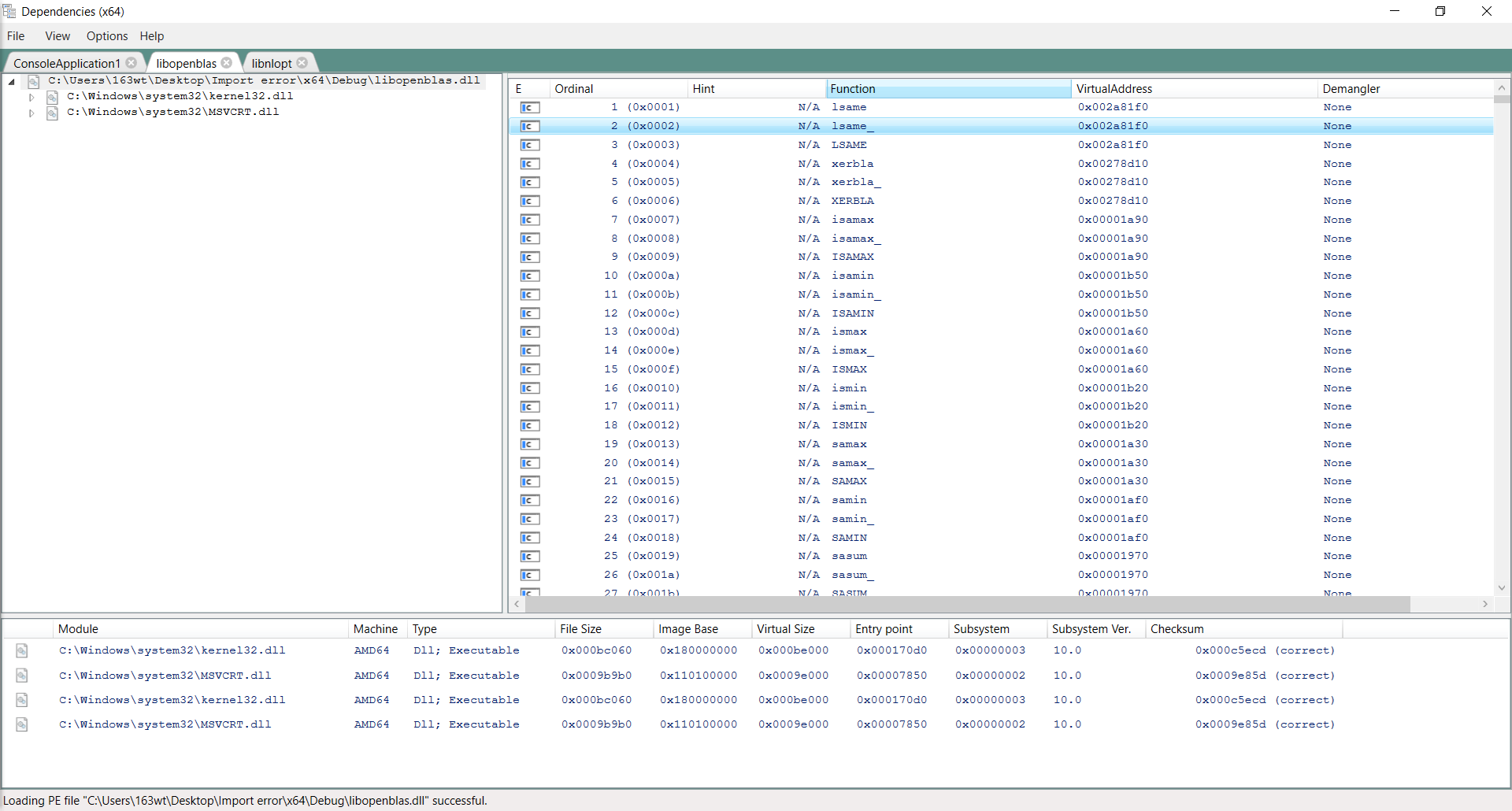
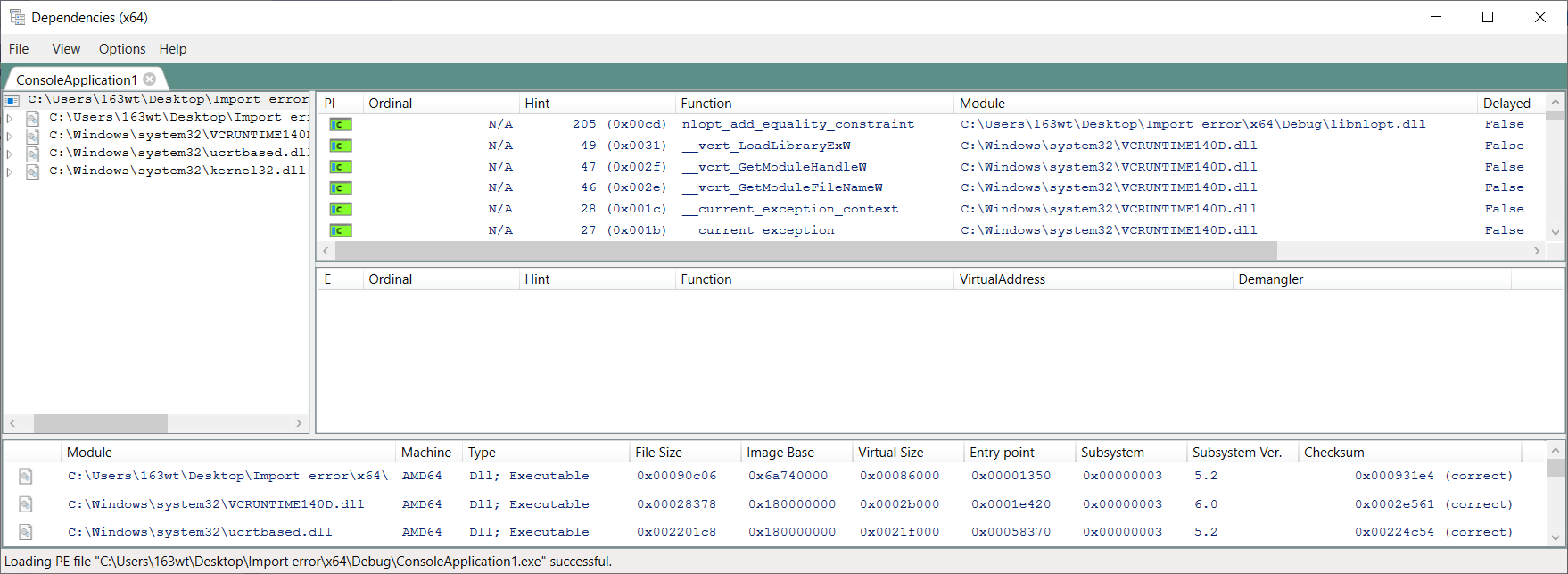
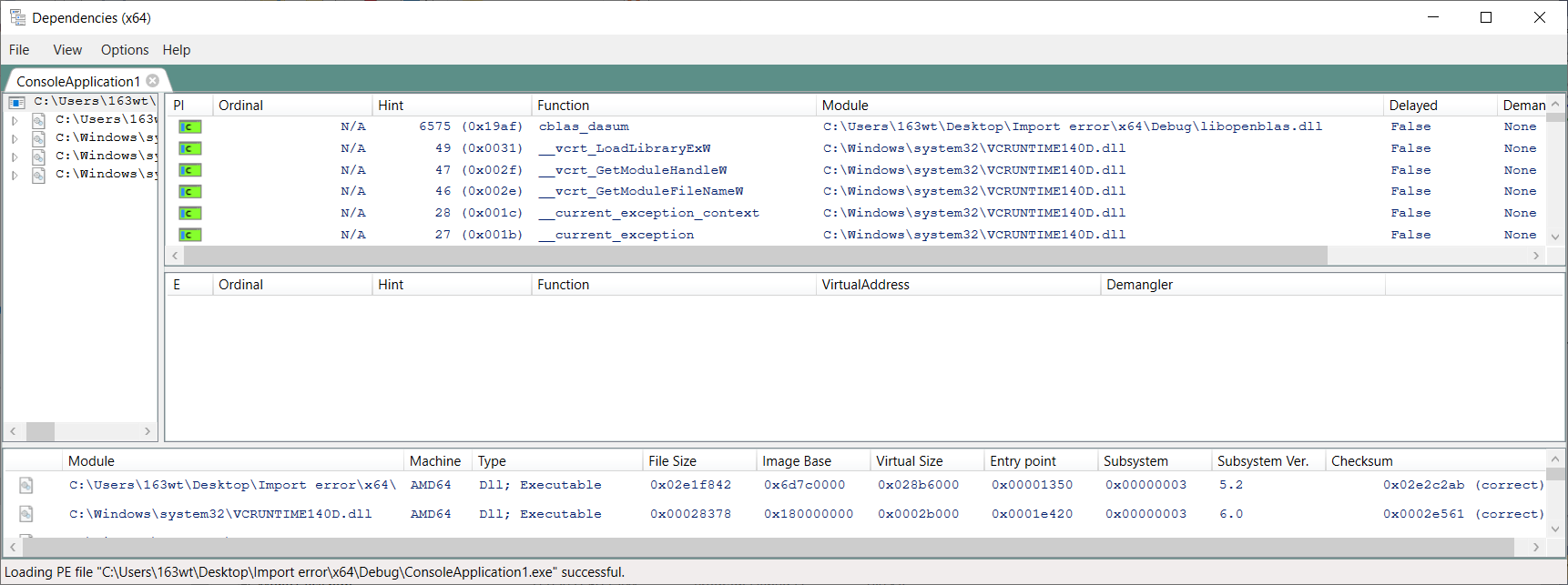
Also here's the import shown by Dependencies
only nlopt used, working
only openblas used, working, note the import name is correct.
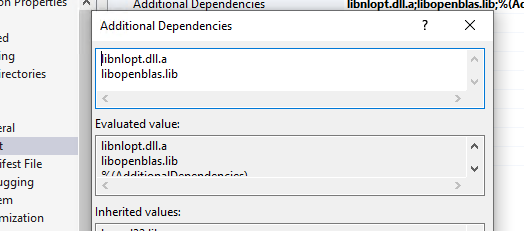
both used, not working, the import of openblas is the same as nlopt (overwritten?).
Thanks
' cx='32' cy='32' r='32' /%3E%3Ctext x='50%25' y='55%25' dominant-baseline='middle' text-anchor='middle' fill='%23FFF' %3ETW%3C/text%3E%3C/svg%3E)
' cx='32' cy='32' r='32' /%3E%3Ctext x='50%25' y='55%25' dominant-baseline='middle' text-anchor='middle' fill='%23FFF' %3EMY%3C/text%3E%3C/svg%3E)