Exchange Online
A cloud-based service included in Microsoft 365, delivering scalable messaging and collaboration features with simplified management and automatic updates.
This browser is no longer supported.
Upgrade to Microsoft Edge to take advantage of the latest features, security updates, and technical support.
' cx='32' cy='32' r='32' /%3E%3Ctext x='50%25' y='55%25' dominant-baseline='middle' text-anchor='middle' fill='%23FFF' %3ERT%3C/text%3E%3C/svg%3E)
Hi,
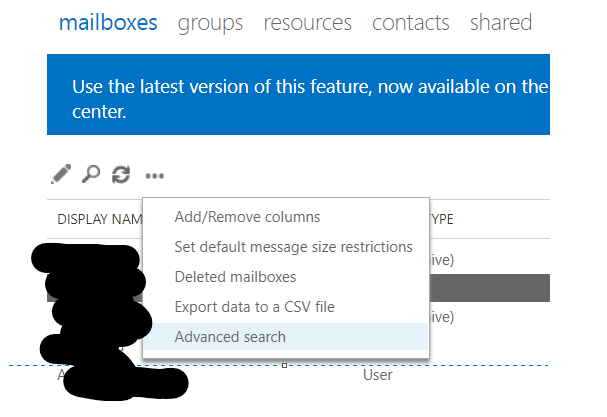
I have 4 different users already offboarded and converted to their shared mailboxes.
Will like to export the 4x shared mailboxes and import them to a new shared mailbox
Qns:
A cloud-based service included in Microsoft 365, delivering scalable messaging and collaboration features with simplified management and automatic updates.

anonymous user-2701
I am writing here to confirm with you any update about this thread now.
If the suggestion below helps, please feel free to accept it as an answer to help more people.
' cx='32' cy='32' r='32' /%3E%3Ctext x='50%25' y='55%25' dominant-baseline='middle' text-anchor='middle' fill='%23FFF' %3EAS%3C/text%3E%3C/svg%3E)
You can do it by navigating the Permissions < e-Discovery Manager role group by adding your account to the eDiscovery Administrator list. So, eDiscovery Content Search is the only manual approach available to export Office 365 mailboxes to PST.
For your question - PST file consists of a calendar as well? If I can import to the new shared mailbox, will it send a calendar invite again which previously exists in any of the 4 users mailboxes?
It will not send the meeting invite again, and the last invite will continue.
I hope it will help.
Please mark as "Accept the answer" if the above steps helps you. Your suggestion will help others also !
anonymous user-2701
The import (New-MailboxImportRequest)/export (New-MailboxExportRequest) function only works for Exchange on-premises. It doesn't work for Exchange online.
For Exchange online, you could export and import data from Outlook client:
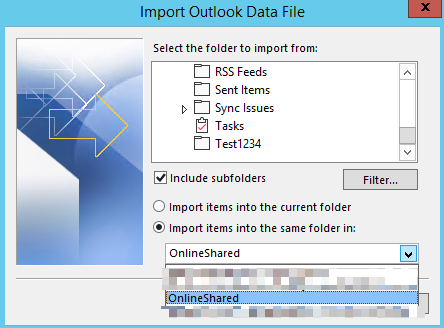
Give those four shared mailboxes full access permission to your mailbox, you could open those mailboxes and export/import data for them.
PST file consists of calendar as well? If I can import to the new shared mailbox, will it send calendar invite again which previously exists in any of the 4 users mailboxes?
It could also export/import Calendar folder, meetings will show in the new shared mailbox Calendar. It will not send invite again.
If the answer is helpful, please click "Accept Answer" and kindly upvote it. If you have extra questions about this answer, please click "Comment".
Note: Please follow the steps in our documentation to enable e-mail notifications if you want to receive the related email notification for this thread.

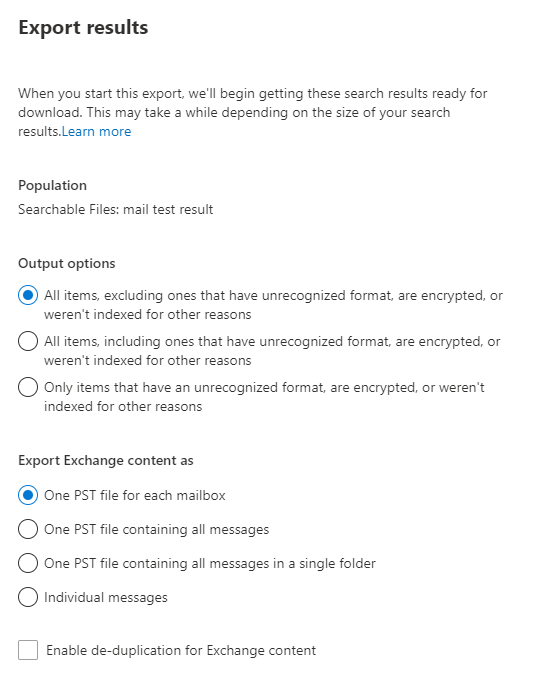
Here are the ways you can procced in Exchange Online. You have to use eDiscovery feature to search the data files and can be exported as pst file. The same file can be imported to the new shared mailbox
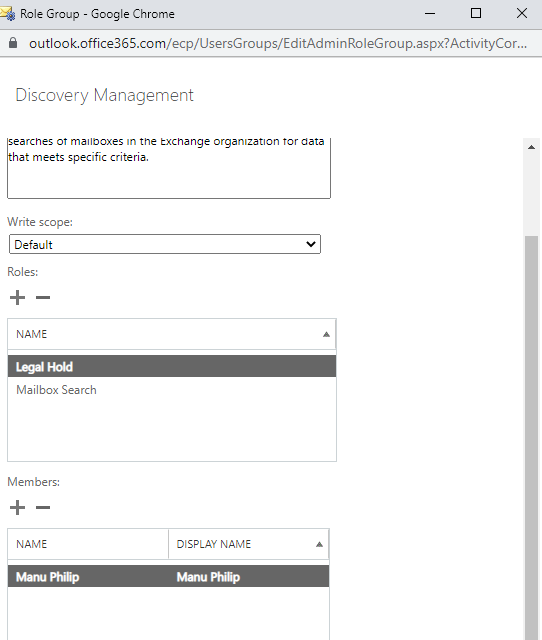
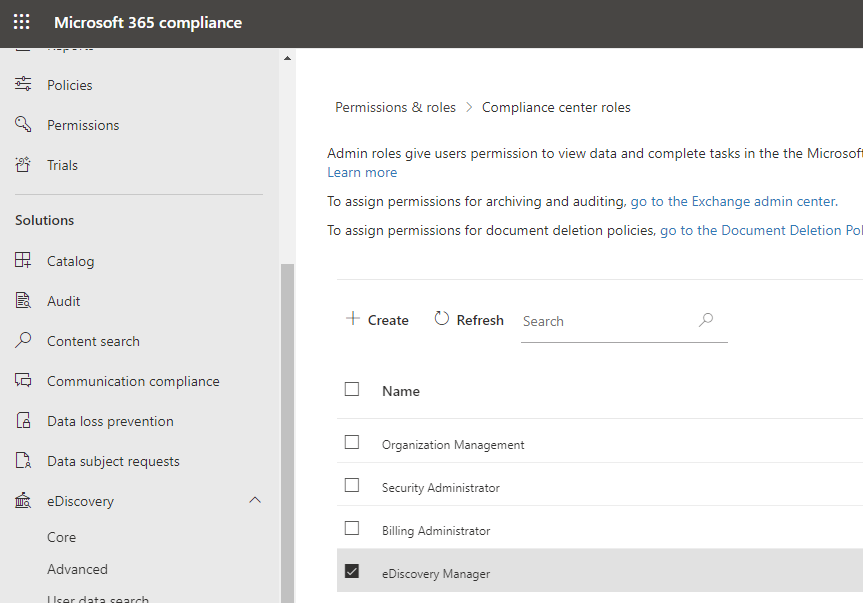
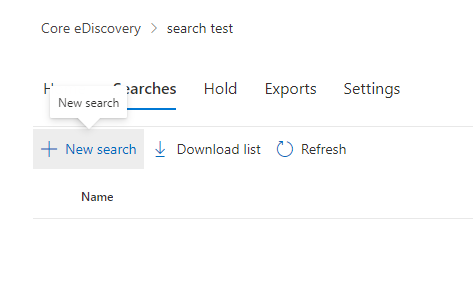
5. Specify Location as Exchange Mailboxes, Add search condition as dates (or any other preferred fields)
6. A success query will be indicated as below:

7. Export the search result as follows
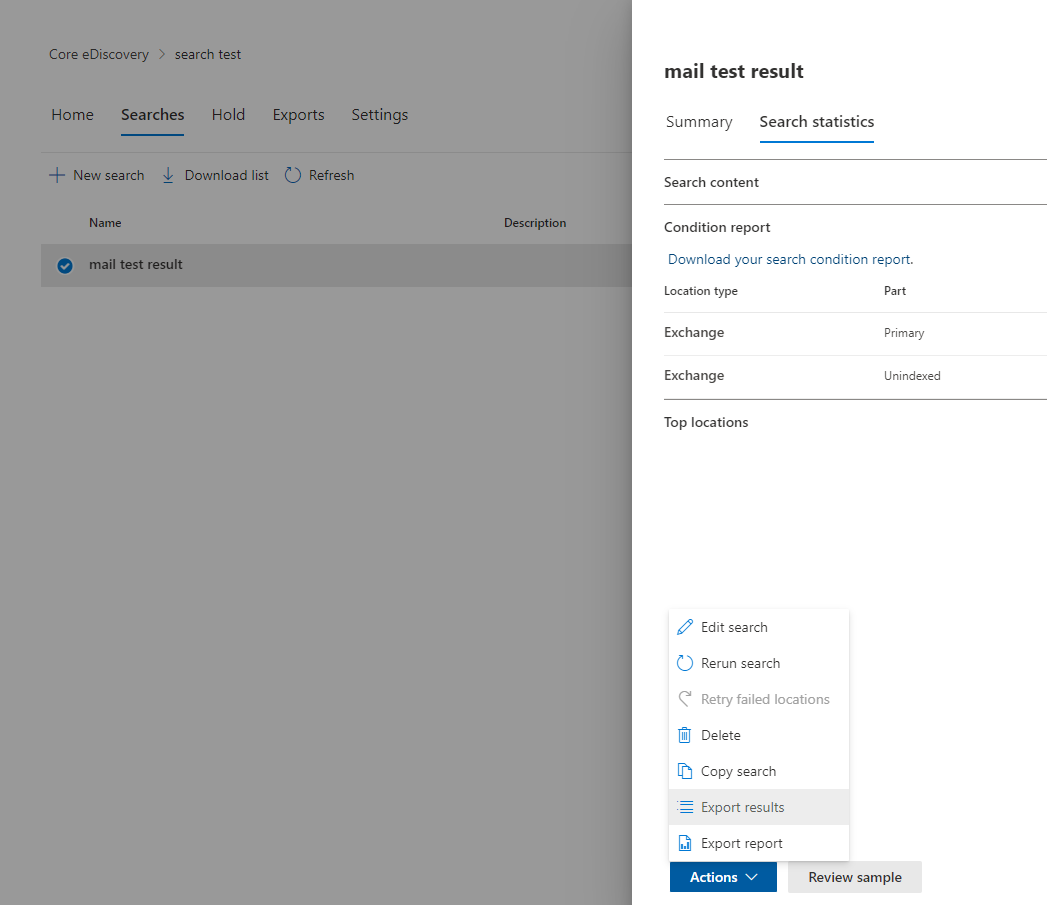
8. You may select the preferred way of export and will have a pst file ready with that

Hi anonymous user-2701
Refer this link of Procedures for mailbox imports from .pst files in Exchange Server
Please mark as "Accept the answer" if the above steps helps you.