Developer technologies | Windows Presentation Foundation
A part of the .NET Framework that provides a unified programming model for building line-of-business desktop applications on Windows.
This browser is no longer supported.
Upgrade to Microsoft Edge to take advantage of the latest features, security updates, and technical support.
' cx='32' cy='32' r='32' /%3E%3Ctext x='50%25' y='55%25' dominant-baseline='middle' text-anchor='middle' fill='%23FFF' %3ER7%3C/text%3E%3C/svg%3E)
I'm working on a simulation model that uses the following iterative loop:
Private Sub RunScenario(sender As Object, e As RoutedEventArgs) Handles btnRun.Click
Do
    DisplaySegment()
    GenerateNextSegment()
    Loop Until Halt
End Sub
where Halt is a Boolean that GenerateNextSegment sets to True when certain conditions are met.
DisplaySegment displays the current Segment by adding various shapes to a canvas. At the present time, that loop runs in the UI thread. As a result the canvas is not updated until the loop is Halted. I would like to actually display the result of each iteration so I can manually stop the loop if things start to go South.
Note that GenerateNextSegment obliterates the CurrentSegment in the process of creating the next one with the result that DisplaySegment has to finish its work before GenerateNextSegment begins; as well, GenerateNextSegment has to finish before DisplaySegment can be called. How can I implement the main loop yet have the canvas actually updated on the monitor at each iteration.

Is it a .NET Framework or .NET Core (.NET 6) application?
.NET 5

And if you're talking about RoutedEventArgs or Canvas, it seems to be WPF...
.NET 5
Then you probably cannot use the Dispatcher class, which was suggested in the past and is available in .NET Framework. Although you can try a modern adjustment:
Dispatcher.CurrentDispatcher.Invoke(Sub()
                                                End Sub, DispatcherPriority.Background)
It should update the canvas inside the loop.
Maybe you can start a timer instead of loops:
Dim t = New DispatcherTimer With {.Interval = TimeSpan.FromMilliseconds(300)}
AddHandler t.Tick, AddressOf MyHandler
t.Start()
. . .
Sub MyHandler(sender As Object, e As EventArgs)
    Generate next segment
    Add the segment to canvas
    Or stop the timer
End Sub
It will not block the window, the segments will be displayed during this process, and you can control the segment generation.

I can't tell from the small snippet you posted or from your
description exactly what kind of control is being used for
the display. Therefore I can only offer a general observation.
It is common for displays to be "tardy" in showing changes,
especially in tight loops or during pauses (such as Sleep).
When you make a change to the contents of a visual control,
actual updating occurs according to the activities of the
control and Windows itself. Therefore it is customary to
force an immediate visible change in the control by explicitly
calling the Update() or Refresh() method/function of the
control after every change to its contents.

Hi,
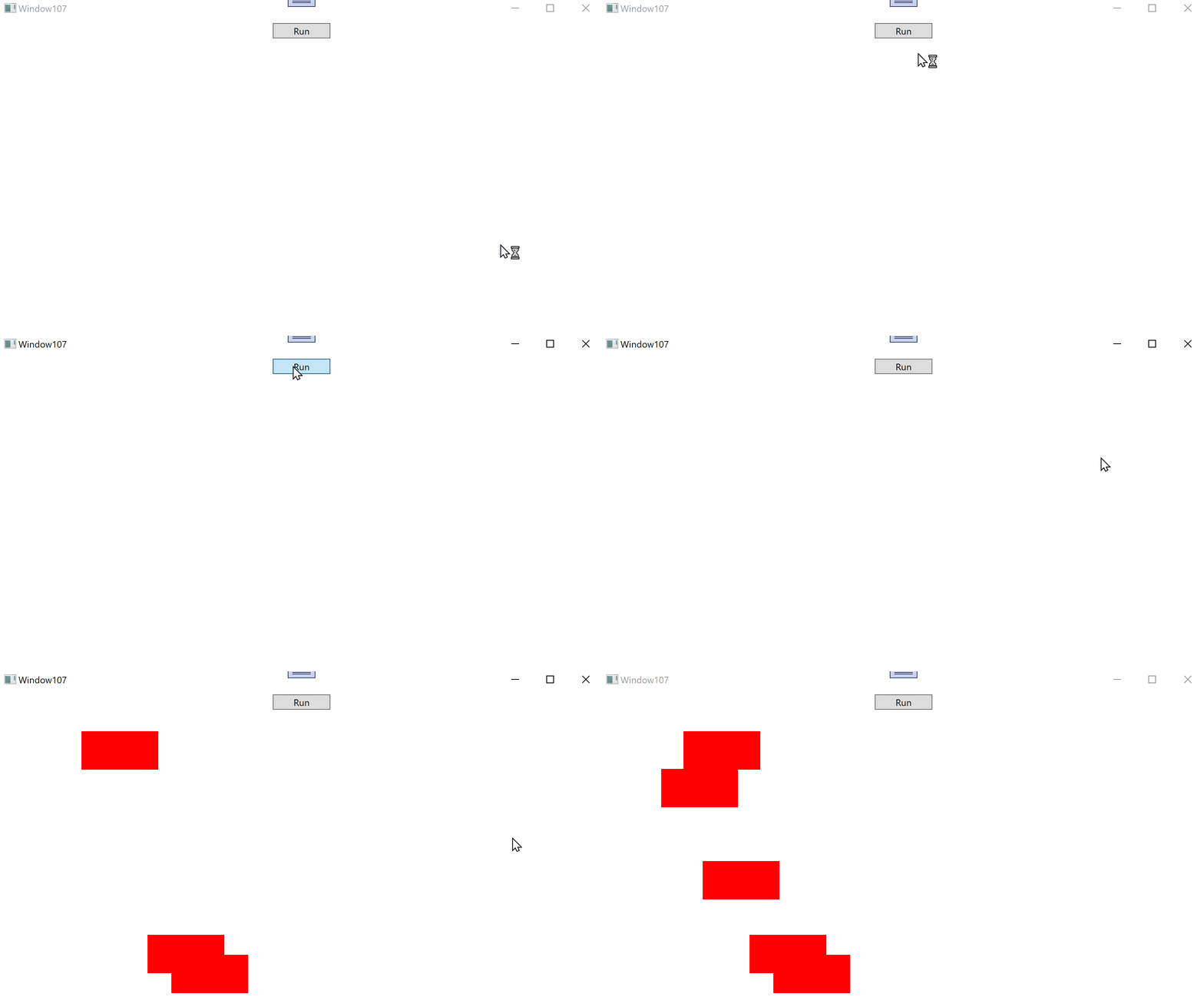
you can use Await and Dispatcher in second thread like in following demo.
Because it's impossible to post code ("WAF v2 has determined your request exceeded the normal web request and has blocked your request.") see attached txt.
Result: