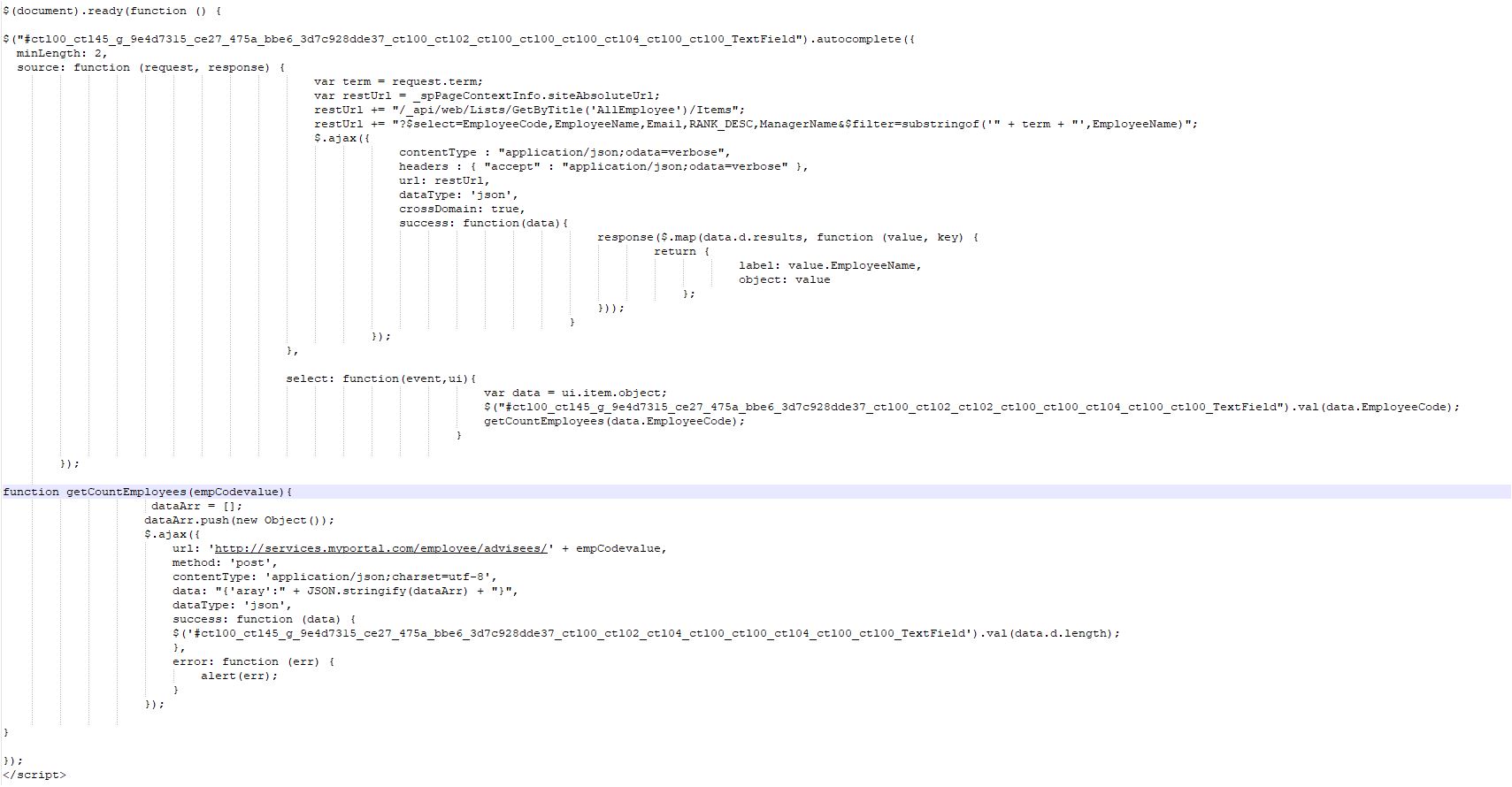
SP List Ajax call web service return value assign to SP list textbox

Shri Shankran 1 Reputation point
2020-08-18T05:48:53.237+00:00

Test help ajax call web service to assign return value into Textbox

Microsoft 365 and Office | SharePoint Server | Development
{count} votes

2 answers

Sort by: Most helpful
  1. ZhengyuGuo 10,591 Reputation points Moderator
    2020-08-19T02:51:11.55+00:00

    Hi @Shri Shankran ,

    Per my understanding, "http://services.myportal.com/employee/advisees" should be an external domain custom web service which is outside SharePoint Online.

    Then it's necessary to add Access-Control-Allow-Origin header in your custom web service, for example here is a demo to add custom header in .NET Web API Web.Conig:

    Access-Control-Allow-Origin Header and the ASP.NET Web API

    SharePoint CORS fix

    Here is a similiar question for your reference:

    AJAX POST REST call generates CORS error


    If the response is helpful, please click "Accept Answer" and upvote it.


  2. ZhengyuGuo 10,591 Reputation points Moderator
    2020-08-20T03:58:05.307+00:00

    Hi @ShridharHegde-2034,

    The total count of array data can be got from the data in function(data), you can try to log it to browser Developer Tool using console.log(data) so that it's available to
    check the detailed struct for data object.

    It should be data.d.results.length similar as SharePoint Rest API. (maybe no d/results in data object as it's a custom web service)

    In additional, I found your account is different with the account which post the original question, you can switch to the original account rather than use another account to response ther reply.


    If the response is helpful, please click "Accept Answer" and upvote it.


Your answer

Answers can be marked as 'Accepted' by the question author and 'Recommended' by moderators, which helps users know the answer solved the author's problem.