Azure Functions
An Azure service that provides an event-driven serverless compute platform.
This browser is no longer supported.
Upgrade to Microsoft Edge to take advantage of the latest features, security updates, and technical support.
' cx='32' cy='32' r='32' /%3E%3Ctext x='50%25' y='55%25' dominant-baseline='middle' text-anchor='middle' fill='%23FFF' %3EWL%3C/text%3E%3C/svg%3E)
I am facing a problem while deploying an azure Timer Trigger function.
In fact i wrote a code in which i run another external python file, locally it works normally but when i deploy it i get an error ( module not found error ) even though i checked the module is installed. I thought this might be caused by the path but I am not quite sure.
How can i fix this error and deploy it !?
' cx='32' cy='32' r='32' /%3E%3Ctext x='50%25' y='55%25' dominant-baseline='middle' text-anchor='middle' fill='%23FFF' %3EMM%3C/text%3E%3C/svg%3E)
@Wassim Louiz , How did you deploy the function VScode/CLI/devops/otherpipelines?
i used VScode
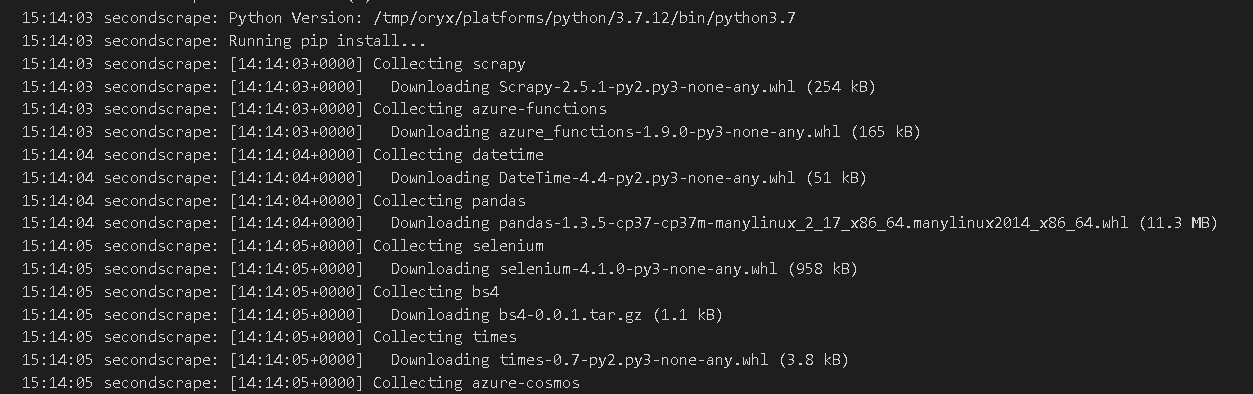

i just ran some tests ! and even added some different paths but still didn't work.
In the following captures you can see that the path exist in sys.path, plus i looked for "scrapy" module path and it's there.


Thanks for the details provided in comments.
The default Python project will force a remote build on deployment. This can be changed, or checked, by looking at the settings.json file in the .vscode directory. The setting: "azureFunctions.scmDoBuildDuringDeployment": true, determiens if you are going to do a remote or local build.
Assuming this is still set to true, you should be using Oryx to do a remote build and installing the packages within the requirements.txt. If you are still seeing errors when doing a remote build, you should confirm that your requirements.txt is setup correctly, and what package(s) you are having issues with. Another thing to confirm is that the local .venv python version matches the python version you are running on the Azure function, mismatches in the python version used to install the modules, and what we are running on in Azure can cause issues with Modules not Found.
I hope this helps!
Please 'Accept as answer' and ‘Upvote’ if it helped so that it can help others in the community looking for help on similar topics.
Im actually using a remote build ! the requirements.txt is set correctly but i believe that the python version might be causing this error.
In fact Oryx downloads python 3.7.12 and use it for the package installation.
However i checked the python version that i use when running the python file and it's the same (3.7.12).
I even changed The setting: "azureFunctions.scmDoBuildDuringDeployment" to false and it's the same problem.
for the python version i use locally and when i deploy are slightly different ( i use 3.7.8 locally and in azure 3.7.12) but since the .venv is ignored i don't think that's the problem.
@Wassim Louiz , Can you try to deploy via CLI and see if it works? I am trying to unblock you from this issue
https://learn.microsoft.com/en-us/azure/azure-functions/create-first-function-cli-python?tabs=azure-cli%2Cbash%2Cbrowser
@Wassim Louiz , Following up to know the outcome of CLI deployment