Microsoft Security | Intune | Configuration Manager | Other
Other Configuration Manager-related features and issues

This browser is no longer supported.
Upgrade to Microsoft Edge to take advantage of the latest features, security updates, and technical support.
' cx='32' cy='32' r='32' /%3E%3Ctext x='50%25' y='55%25' dominant-baseline='middle' text-anchor='middle' fill='%23FFF' %3EDD%3C/text%3E%3C/svg%3E)
Hello,
When trying to delete a resource from a collection I am getting an error:
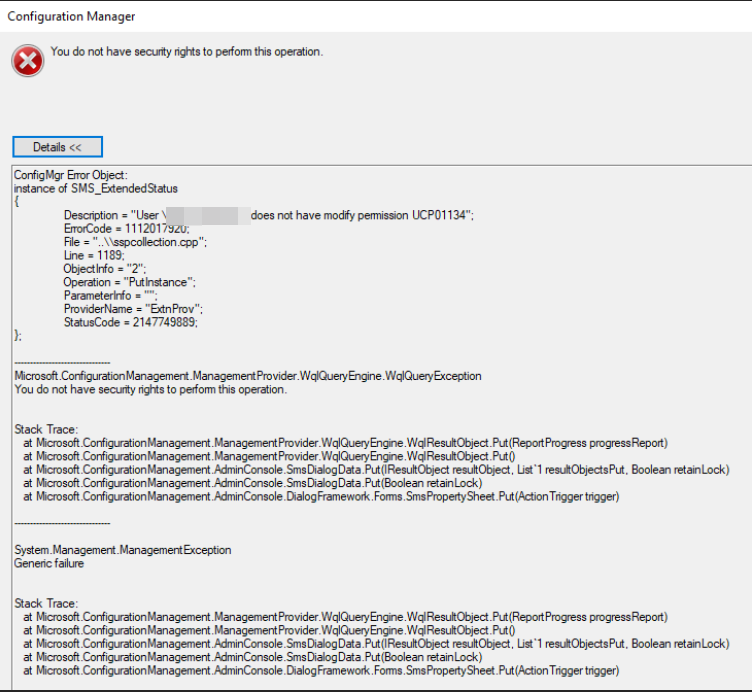
Which permission(s) did I miss?
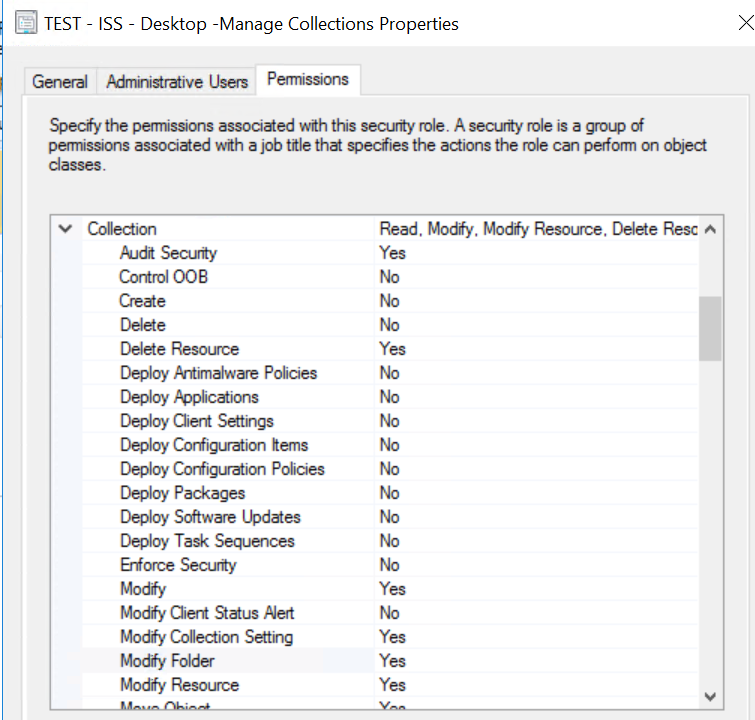
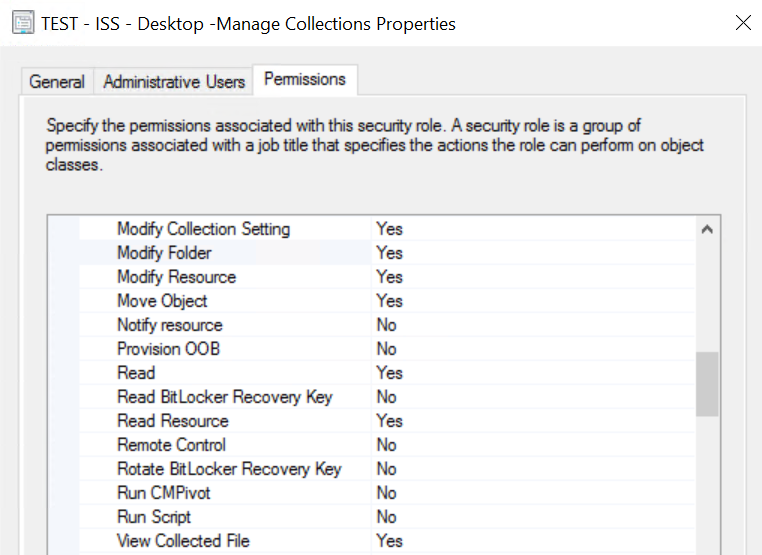
Any permission(s) outside the collection bucket?
Thanks,
Dom

Delete resource is actually delete it from the database, the resource in other collections will also be deleted.
So I guess the collection you selected is not enough, you may try to add the "All Systems" collection to the security scope to see if it work.
Thank you for posting in Microsoft Q&A forum.
I did a quick test in my lab environment, I just add the "Delete Resource" permission of Collection for the security role "Read-Only Analyst".
And it's enough to delete a resource in collection.
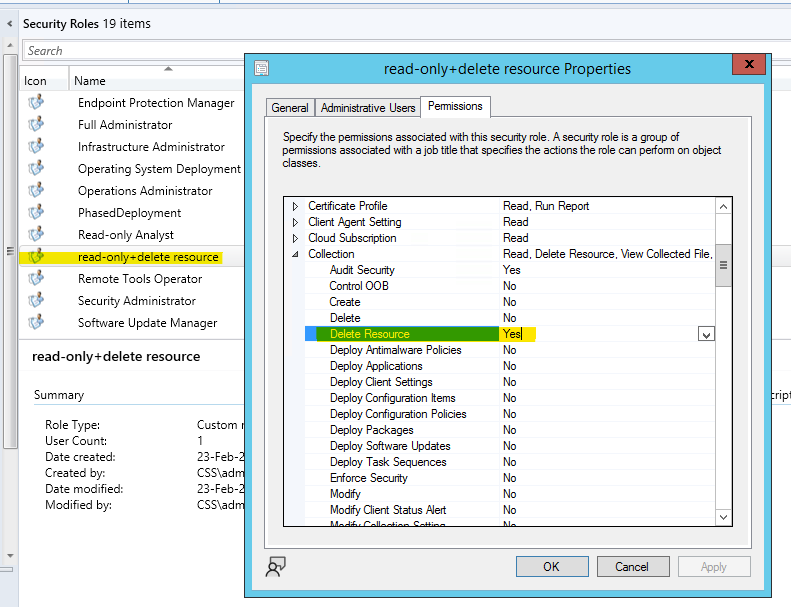
You may check the Security Scopes for your user to see if it has enough security scope?
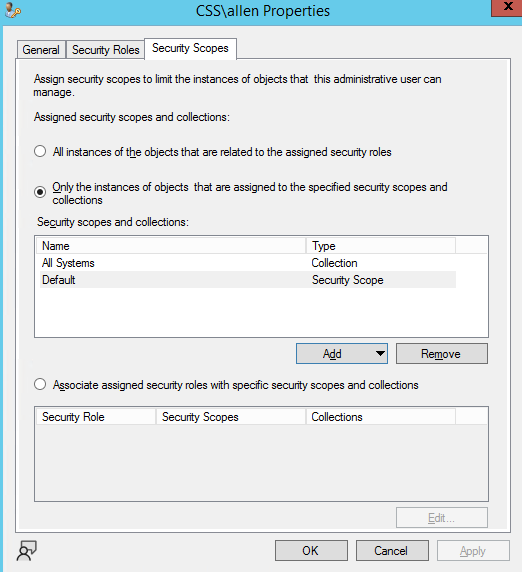
If the answer is the right solution, please click "Accept Answer" and kindly upvote it. If you have extra questions about this answer, please click "Comment".
Note: Please follow the steps in our documentation to enable e-mail notifications if you want to receive the related email notification for this thread.
I'm confused. Why do you create permission for each collection? And how?
What I did is create a custom security role and assign it to a user:
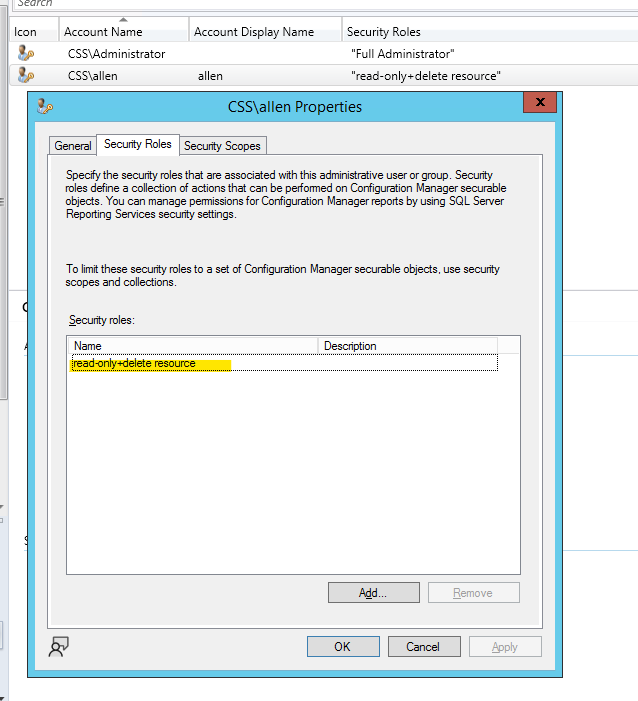
Hello,
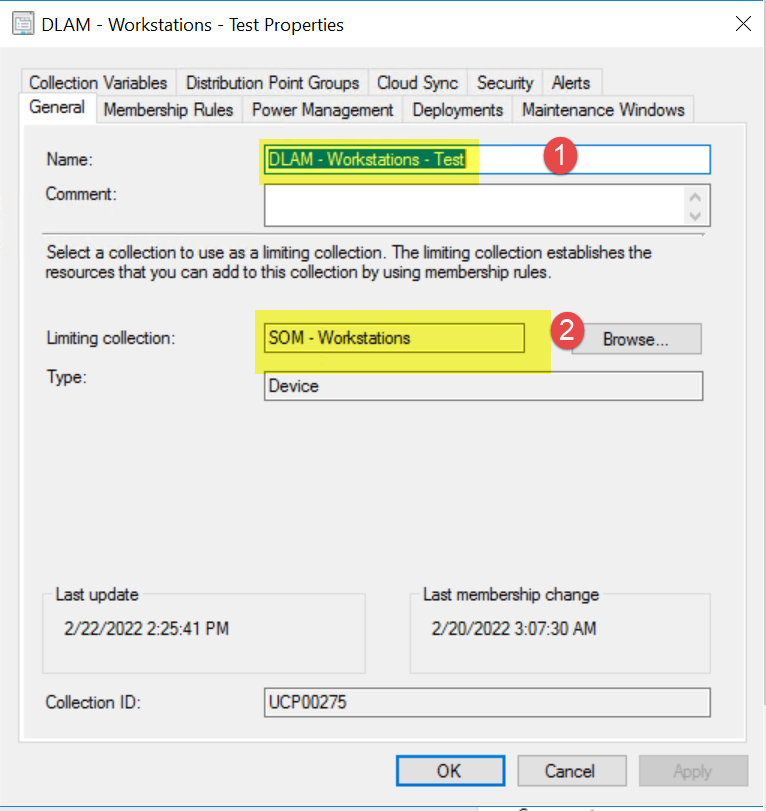
I had already these permissions on Cllection #1 but it did not work...
So I added the same permissions on the "Limiting collection" #2 as well..
Thanks,
Dom
Correct for the security role
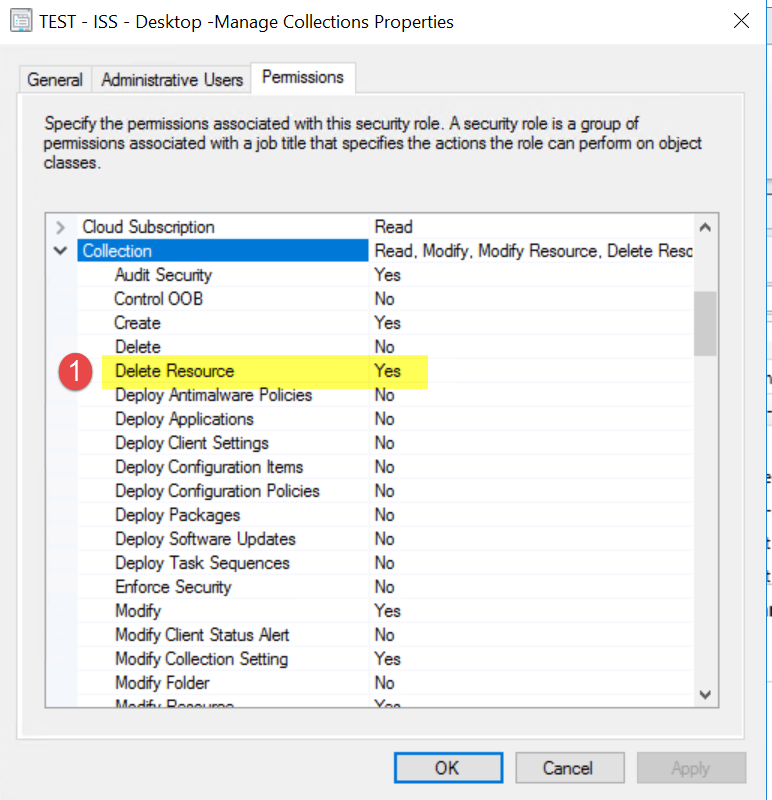
but I added the "limiting collection" in the Administrative user.

Thanks,
Dom