Inheritance for Computer AD objects

FXE 521 Reputation points
2022-03-03T09:05:57.563+00:00

Hi all,

I'm facing an inheritance question about Computer objects in AD.
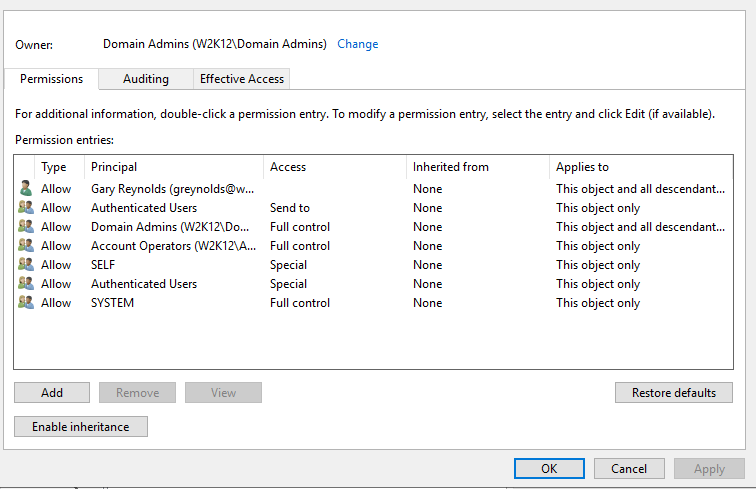
In an OU, each Computer object does not have same ACL whereas inheritance is set on each object.
So I would to get same rights to all of these AD objects.

First question : why ACL are not the same ?
Second question : how should I do to get consistent ACL ?

Thank you.
Regards,

Windows for business | Windows Client for IT Pros | Directory services | Active Directory
0 comments No comments
{count} votes

Answer accepted by question author
  1. Gary Reynolds 9,626 Reputation points
    2022-04-05T08:31:42.007+00:00

    Hi,

    You can reset the permissions using the ADUC security dialog, which is very manual, or you can use the dsacls /resetdefaultDACL command. I'm not aware of any powershell commands that can reset the permissions.

    You could use powershell to automate the running of dsacls command, with a list of objects that you want to reset.

    Gary.

    0 comments No comments

6 additional answers

Sort by: Most helpful
  1. FXE 521 Reputation points
    2022-03-31T10:26:08.08+00:00

    Hello @Gary Reynolds and thank you for your answer.

    I've found some time to go ahead on this topic, and I see something which could be the root cause of this behavior.
    On Computer objects with inheritance issue, the owner is an user AD account (a legacy IT admin account) that no more exists in our AD.

    First question : why the owner is an IT admin account instead of "Domain Admins" group ?
    Second question : how can I set the good owner for all Computer objects ?

    Thank you !
    Regards,


  2. FXE 521 Reputation points
    2022-04-05T10:51:24.267+00:00

    OK, thank you again for your help !
    Have a good day.

    0 comments No comments

Your answer

Answers can be marked as 'Accepted' by the question author and 'Recommended' by moderators, which helps users know the answer solved the author's problem.