Developer technologies | Windows Presentation Foundation
A part of the .NET Framework that provides a unified programming model for building line-of-business desktop applications on Windows.
This browser is no longer supported.
Upgrade to Microsoft Edge to take advantage of the latest features, security updates, and technical support.
' cx='32' cy='32' r='32' /%3E%3Ctext x='50%25' y='55%25' dominant-baseline='middle' text-anchor='middle' fill='%23FFF' %3ESJ%3C/text%3E%3C/svg%3E)
I am working on a webview2 supported MFA application prototype to enhance FIDO2 USB/biometric device authentication. It was developed for Windows 1809 build(LTSC 2019) OS. Windows native security key option is not available in this OS version, instead, a browser embedded popup is available to detect the device and achieve MFA.
Fig1: Browser embedded security popup
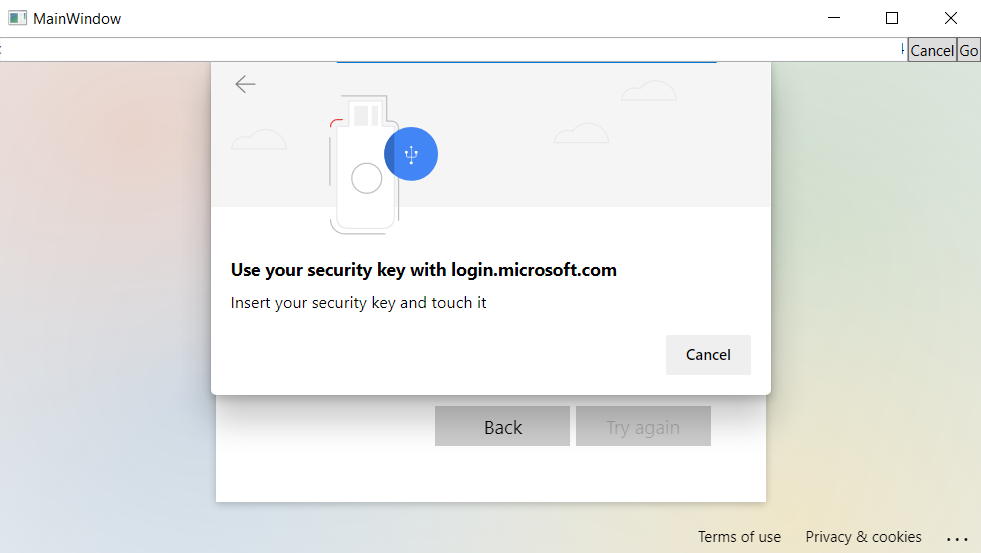
Fig2: Windows native security key dialog
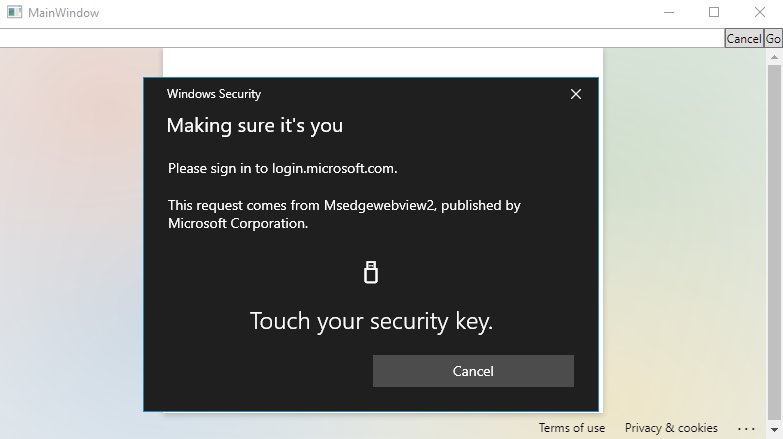
In the latest Windows OS, authentication through the device is achieved through the native windows security key, not with the browser embedded popup. When I investigated, I came to know that after a particular windows version the device authentication support is done through windows native security key. The browsers including webview2 also switched to this option.
My requirement is to use the browser embedded popup for device detection, due to the reason that the native windows security dialogue does not appear in a custom desktop(programmatically created desktop).
I used the command-line option(--disable-features="WebAuthenticationUseNativeWinApi"), in the webview2 test application and edge browser, to show browser embedded popup instead of windows native security dialog. The popup appears, but the device is not detected when I use this option in the latest OS. But when I tried with chrome browser, the device detected with security popup.
I am trying to find the reason why the device is not detected while using an edge browser/webView2 app with embedded security popup in the latest OS.
Any help will be greatly appreciated.
' cx='32' cy='32' r='32' /%3E%3Ctext x='50%25' y='55%25' dominant-baseline='middle' text-anchor='middle' fill='%23FFF' %3EML%3C/text%3E%3C/svg%3E)
When I try to set up a USB drive as a security key I get caught in a ridiculous loop. First I get asked to take a pic of a QR code with the device (which is impossible because my USB doesn't have a camera) then I get asked to insert a USB key - which I do - but then nothing happens. All I can do his hit cancel and start the process again - including logging in using my phone. I am using Edge - I never thought to try Chrome...
