Azure App Service
Azure App Service is a service used to create and deploy scalable, mission-critical web apps.
This browser is no longer supported.
Upgrade to Microsoft Edge to take advantage of the latest features, security updates, and technical support.
' cx='32' cy='32' r='32' /%3E%3Ctext x='50%25' y='55%25' dominant-baseline='middle' text-anchor='middle' fill='%23FFF' %3ECM%3C/text%3E%3C/svg%3E)
Hello All,
I having some issues deploying a wcf service using WSDualHttpBinding into Azure.
When I try to run my server and client locally with administrator rights everything run smoothly.
I can deploy the server side on Azure App Service using publish in VisualStudio, I can access my service using : https://xxx.azurewebsites.net/service.svc
So everything looks good from the server side.
But when I try to access my service using Azure App Service, it raise the following exception :
“The content type text/html; charset=UTF-8 of the response message does not match the content type of the binding (application/soap+xml; charset=utf-8). If using a custom encoder, be sure that the IsContentTypeSupported method is implemented properly. The first 1024 bytes of the response were….”
Using Fiddler, I look at the Xml response, which is the following :

My config files are :
Server Side Web.config :
<?xml version="1.0"?>
<configuration>
<system.diagnostics>
<trace>
<listeners>
<add type="Microsoft.WindowsAzure.Diagnostics.DiagnosticMonitorTraceListener, Microsoft.WindowsAzure.Diagnostics, Version=2.8.0.0, Culture=neutral, PublicKeyToken=31bf3856ad364e35"
name="AzureDiagnostics">
<filter type="" />
</add>
</listeners>
</trace>
</system.diagnostics>
<system.web>
<compilation debug="true" targetFramework="4.7.2" />
<customErrors mode="Off"/>
</system.web>
<system.serviceModel>
<serviceHostingEnvironment minFreeMemoryPercentageToActivateService="0" multipleSiteBindingsEnabled="true" />
<protocolMapping>
<add scheme="http" binding="wsDualHttpBinding" />
</protocolMapping>
<behaviors>
<serviceBehaviors>
<behavior>
<!-- To avoid disclosing metadata information, set the value below to false before deployment -->
<serviceMetadata httpGetEnabled="true" httpsGetEnabled="true"/>
<!-- To receive exception details in faults for debugging purposes, set the value below to true. Set to false before deployment to avoid disclosing exception information -->
<serviceDebug includeExceptionDetailInFaults="false"/>
</behavior>
</serviceBehaviors>
</behaviors>
</system.serviceModel>
<system.webServer>
<modules runAllManagedModulesForAllRequests="true"/>
<!--
To browse web app root directory during debugging, set the value below to true.
Set to false before deployment to avoid disclosing web app folder information.
-->
<directoryBrowse enabled="true"/>
</system.webServer>
</configuration>
Client Side App Config:
<?xml version="1.0" encoding="utf-8" ?>
<configuration>
<startup>
<supportedRuntime version="v4.0" sku=".NETFramework,Version=v4.7.2" />
</startup>
<system.serviceModel>
<bindings>
<wsDualHttpBinding>
<binding name="WSDualHttpBinding_ISampleContract" clientBaseAddress="http://xxx.azurewebsites.net/" />
</wsDualHttpBinding>
</bindings>
<client>
<endpoint address="http://xxx.azurewebsites.net/Service.svc" binding="wsDualHttpBinding"
bindingConfiguration="WSDualHttpBinding_ISampleContract" contract="ServiceReference1.ISampleContract"
name="WSDualHttpBinding_ISampleContract">
<identity>
<userPrincipalName value="PC001\Aldrin1" />
</identity>
</endpoint>
</client>
</system.serviceModel>
</configuration>
I’m really confuse where I am missing something, I’m new to WCF and Azure so any help would be really appreciated.
Best,
' cx='32' cy='32' r='32' /%3E%3Ctext x='50%25' y='55%25' dominant-baseline='middle' text-anchor='middle' fill='%23FFF' %3ELH%3C/text%3E%3C/svg%3E)
Hi @Charles Mrt ,
I suggest you to check if the http and https addresses of the service are accessible through your browser.
Most of the time this means that your host is returning an error page (because the content-type is text/html) instead of your service returning application/soap+xml.
You should check that your service can be successfully activated by entering the service's url ( ) http(s)://localhost{:port}/{subSite}/(WCF URL).svc. If you can activate your service, next you should try to enable wcf tracing on both client and server side like this:
web.config/app.config and click Edit WCF Configuration. Diagnostics section, enable Log Auto Flush, and of course MessageLogging and Tracing to specify paths that your host identity has permission to write to. Best regards,
Lan Huang
Hello,
Thanks for your help, after enabling tracing and some digging, the issue was mostly a binding issue so it is now resolved but I have a new issue.
When calling my service I get the following exception :
"{"An error occurred while receiving the HTTP response to http://XXX:443/Service.svc. This could be due to the service endpoint binding not using the HTTP protocol. This could also be due to an HTTP request context being aborted by the server (possibly due to the service shutting down). See server logs for more details."}"
Using Fidler I can see the following response : "The server did not return a complete response for this request. Server returned 0 "
Looking at the HTTP log on Azure :
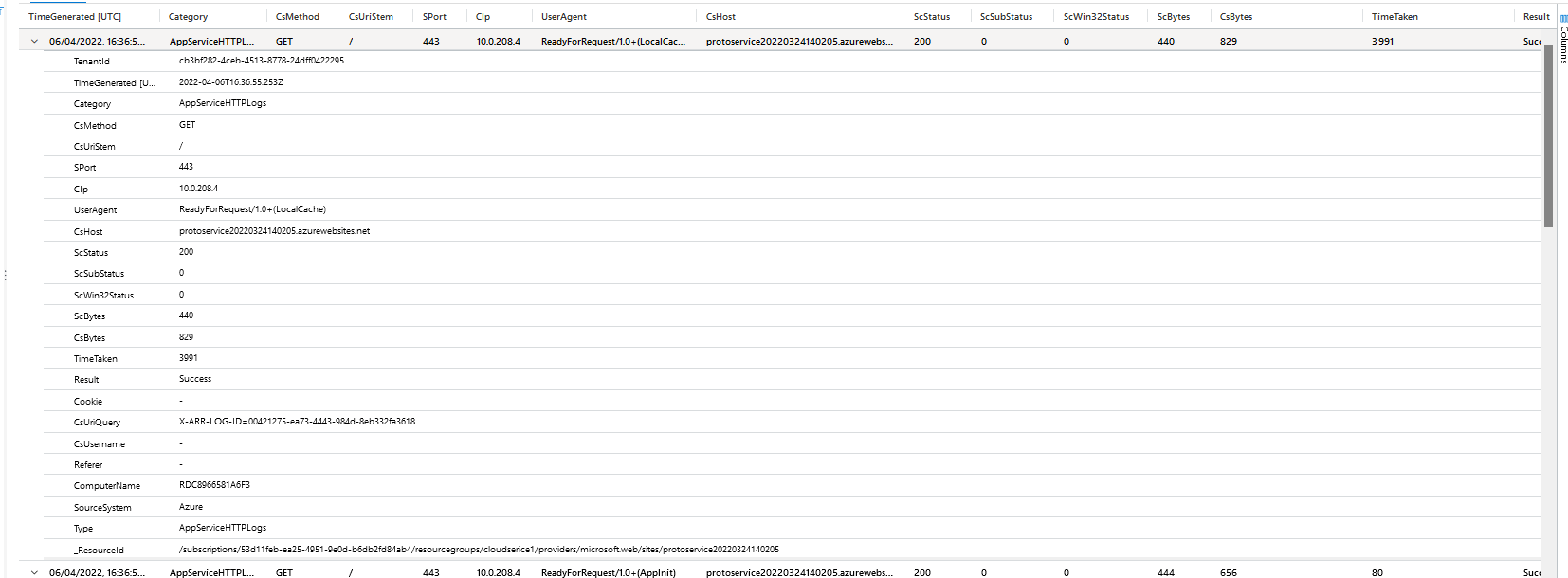
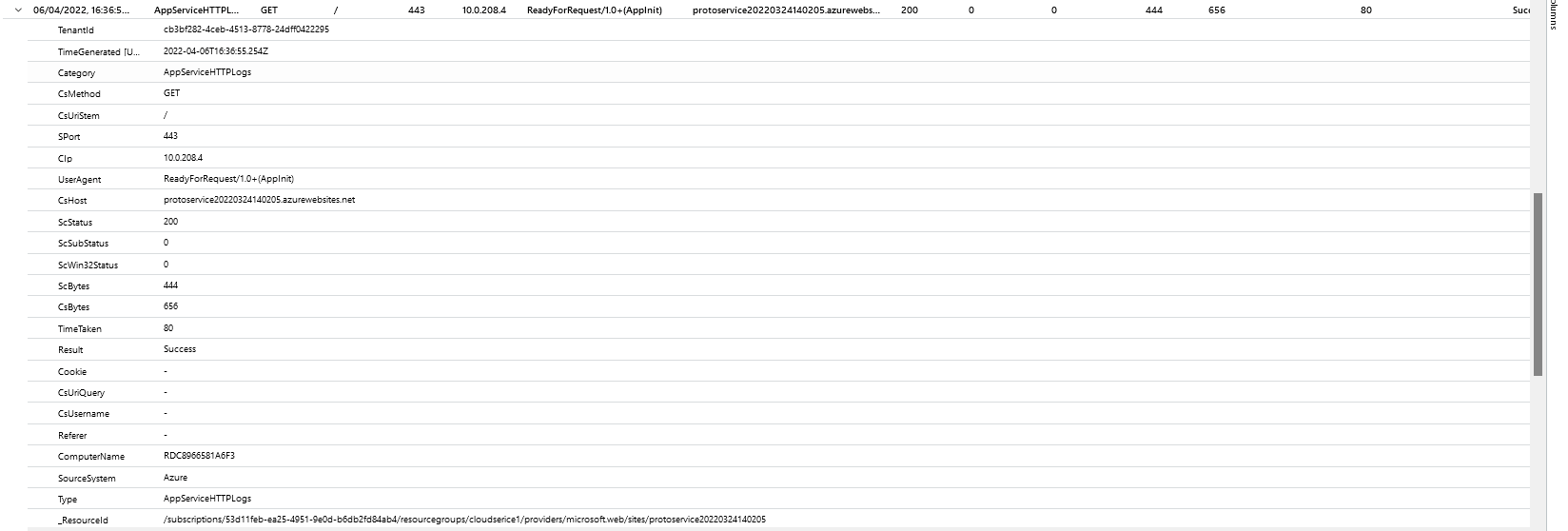
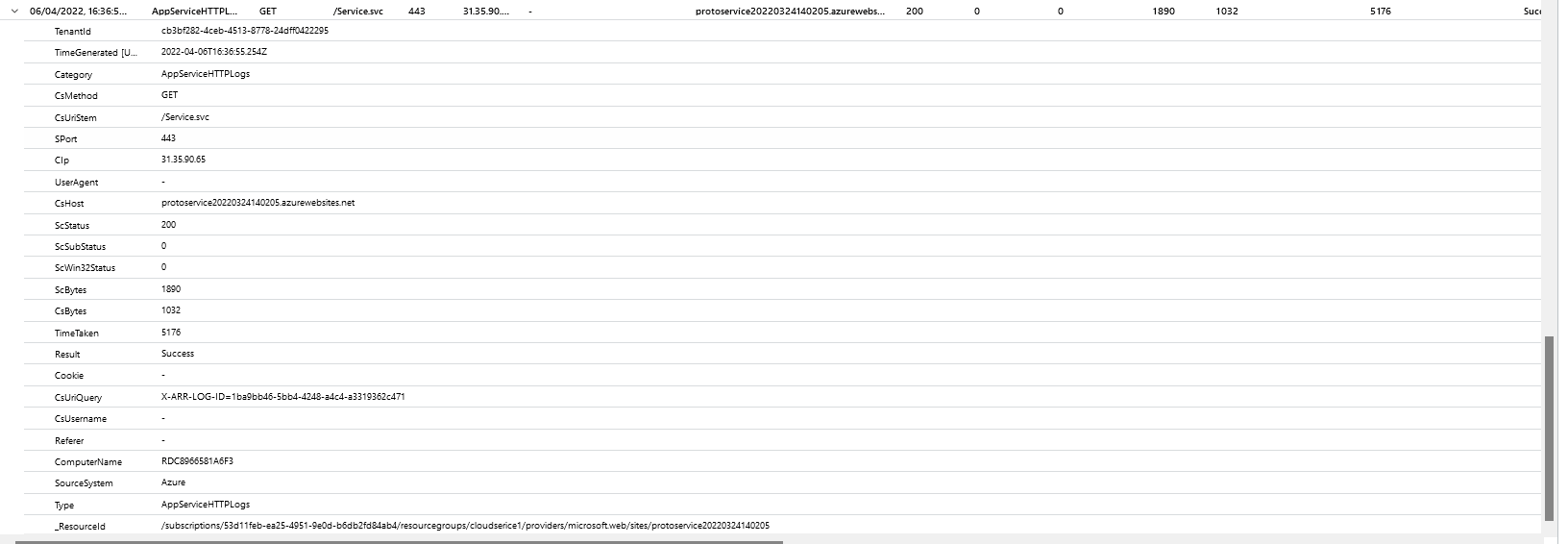
So I'm really confuse here, any help would be apreciated
Hi @Charles Mrt ,
This error may be due to serialization, I recommend that you still enable WCF logging for more information.
https://learn.microsoft.com/en-us/dotnet/framework/wcf/diagnostics/configuring-message-logging?redirectedfrom=MSDN
Best regards,
Lan Huang