Developer technologies | ASP.NET | ASP.NET Core
A set of technologies in the .NET Framework for building web applications and XML web services.
This browser is no longer supported.
Upgrade to Microsoft Edge to take advantage of the latest features, security updates, and technical support.
' cx='32' cy='32' r='32' /%3E%3Ctext x='50%25' y='55%25' dominant-baseline='middle' text-anchor='middle' fill='%23FFF' %3ED%3C/text%3E%3C/svg%3E)
I made a simple ASP MVC (Net Core 3.1) , I leave it as standard, and deploy it under a subfolder of the Apache (/var/www/html/myapps/app/v1)
I started the kestrel without any errors, I access the page (ie. https://example.com/myapps/app/v1), it shows but some css, js, lib don't load properly (ERR_ABORTED 404 (Not Found), I see they are already in the www-root folder
this is weird for me, and stuck on this for almost 2 weeks, I need help.
thank s a lot in advance
Don
Failed to load resource: the server responded with a status of 404 (Not Found)
bootstrap.min.css:1 Failed to load resource: the server responded with a status of 404 (Not Found)
bootstrap.bundle.min.js:1 Failed to load resource: the server responded with a status of 404 (Not Found)
jquery.min.js:1 Failed to load resource: the server responded with a status of 404 (Not Found)
site.js:1 Failed to load resource: the server responded with a status of 404 (Not Found)
/favicon.ico:1 Failed to load resource: the server responded with a status of 404 (Not Found)
site.css:1 Failed to load resource: the server responded with a status of 404 (Not Found)
bootstrap.min.css:1 Failed to load resource: the server responded with a status of 404 (Not Found)
and as default, all of the file references (.css, js, etc already been in the /wwwroot) and I already referenced them in _layout.cshtml
below my configs:
[root@iZk1aa2qin3uxnqh8agvrmZ ~]# httpd -v
Server version: Apache/2.4.6 (CentOS)
Server built: Nov 16 2020 16:18:20
[root@iZk1aa2qin3uxnqh8agvrmZ ~]#
my kestrel
[Service]
WorkingDirectory=/var/www/html/prime/test/v1
ExecStart=/usr/bin/dotnet /var/www/html/prime/test/v1/WebApplication4.dll
Restart=always
RestartSec=10
KillSignal=SIGINT
SyslogIdentifier=dotnet-example
User=root
Environment=ASPNETCORE_ENVIRONMENT=Production
Environment=DOTNET_PRINT_TELEMETRY_MESSAGE=false
TimeoutStopSec=90
.my httpd.conf
<VirtualHost *:443>
ServerName apps.example.com
ServerAlias apps.example.com
ServerAdmin info@example.com

DocumentRoot /var/www/html

<Directory /var/www/html>
    Options -Indexes +FollowSymLinks
    AllowOverride All
</Directory>

<Location /myapps/test/v1/>
  ProxyPreserveHost On
  ProxyPass http://localhost:5003/
  ProxyPassReverse http://localhost:5003/
  Require all granted
</Location>
and last but not least, my startup.cs
 public class Startup
 {
    public Startup(IConfiguration configuration)
    {
        Configuration = configuration;
    }

    public IConfiguration Configuration { get; }

    // This method gets called by the runtime. Use this method to add services to the container.
    public void ConfigureServices(IServiceCollection services)
    {
        services.AddControllersWithViews();
    }

    // This method gets called by the runtime. Use this method to configure the HTTP request pipeline.
    public void Configure(IApplicationBuilder app, IWebHostEnvironment env)
    {
        if (env.IsDevelopment())
        {
            app.UseDeveloperExceptionPage();
        }
        else
        {
            app.UseExceptionHandler("/Home/Error");
            // The default HSTS value is 30 days. You may want to change this for production scenarios, see https://aka.ms/aspnetcore-hsts.
            app.UseHsts();
        }

        app.UseHttpsRedirection();
        app.UseStaticFiles();
        app.UsePathBase("/myapps/test/v1");

        app.UseRouting();

        app.UseAuthorization();

        app.UseEndpoints(endpoints =>
        {
            endpoints.MapControllerRoute(
                name: "default",
                pattern: "{controller=Home}/{action=Index}/{id?}");
        });
    }
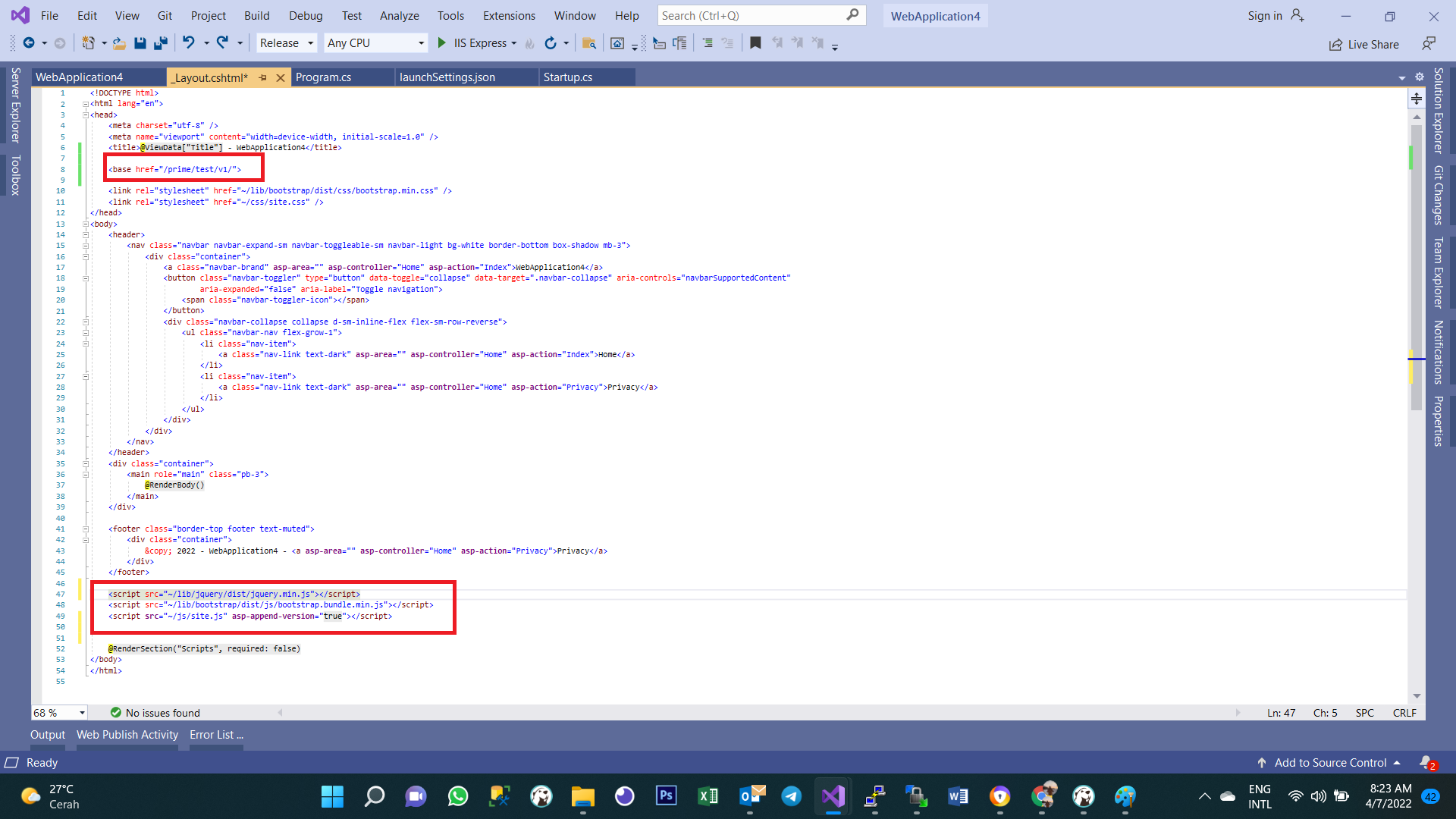
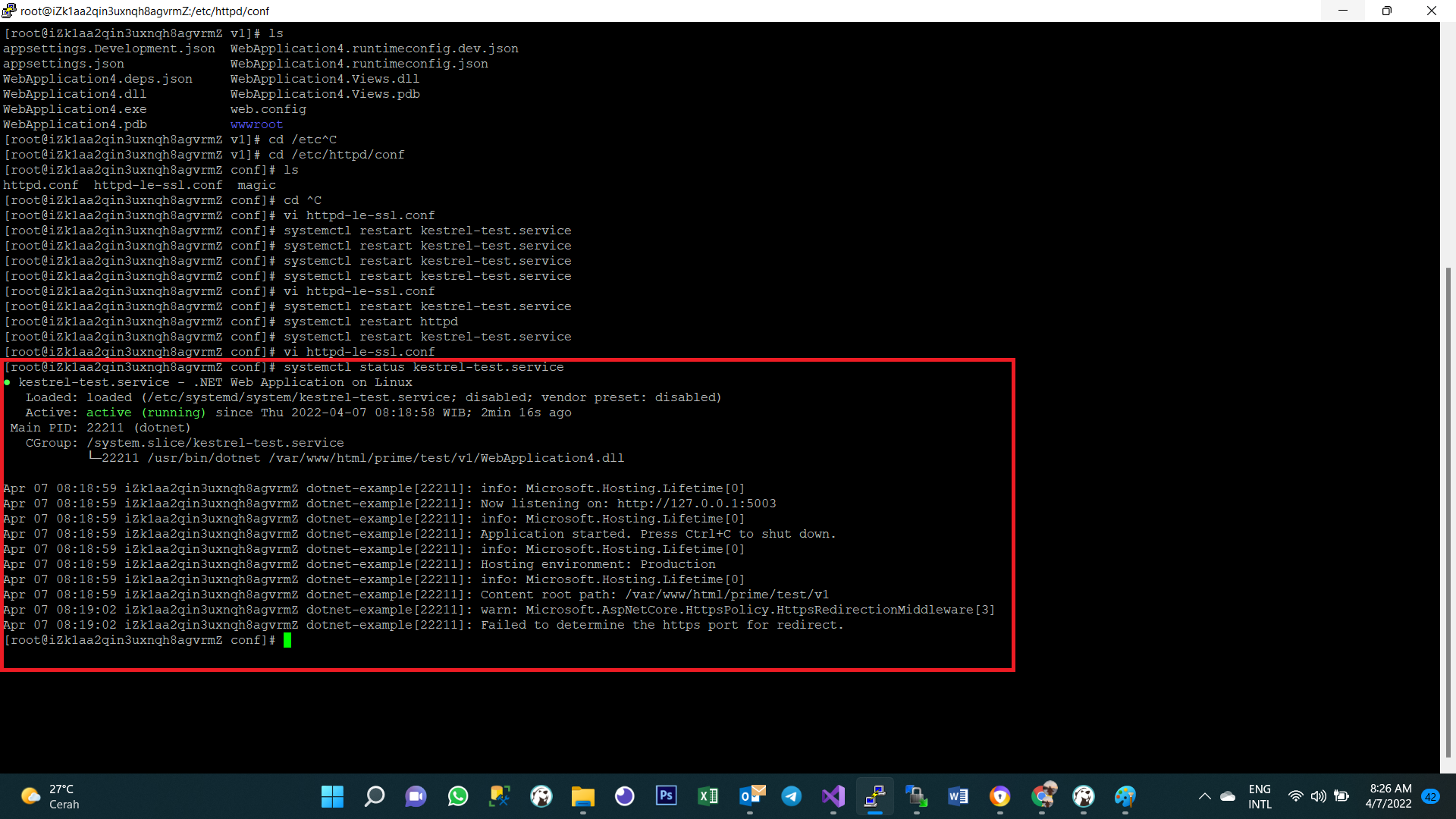
I have as suggested, now it returns 404 (see enclosed screenshots as below), and my startup.cs, program.cs and httpd.conf was like below, please help. thank you so much in advance.
have a good day!
-- startup.cs --
using Microsoft.AspNetCore.Builder;
using Microsoft.AspNetCore.Hosting;
using Microsoft.AspNetCore.HttpsPolicy;
using Microsoft.Extensions.Configuration;
using Microsoft.Extensions.DependencyInjection;
using Microsoft.Extensions.FileProviders;
using Microsoft.Extensions.Hosting;
using System;
using System.Collections.Generic;
using System.IO;
using System.Linq;
using System.Threading.Tasks;

namespace WebApplication4
{
    public class Startup
    {
        public Startup(IConfiguration configuration)
        {
            Configuration = configuration;
        }

        public IConfiguration Configuration { get; }

        // This method gets called by the runtime. Use this method to add services to the container.
        public void ConfigureServices(IServiceCollection services)
        {
            services.AddControllersWithViews();
        }

        // This method gets called by the runtime. Use this method to configure the HTTP request pipeline.
        public void Configure(IApplicationBuilder app, IWebHostEnvironment env)
        {
            if (env.IsDevelopment())
            {
                app.UseDeveloperExceptionPage();
            }
            else
            {
                app.UseExceptionHandler("/Home/Error");
                // The default HSTS value is 30 days. You may want to change this for production scenarios, see https://aka.ms/aspnetcore-hsts.
                app.UseHsts();
            }

            app.UseHttpsRedirection();
            app.UseStaticFiles();

            //app.UseStaticFiles(new StaticFileOptions
            //{
            //    RequestPath = "/prime/test/v1"
            //});
            //app.UsePathBase("/prime/test/v1");

            app.UseRouting();
            app.UseAuthorization();
            app.UseEndpoints(endpoints =>
            {
                endpoints.MapControllerRoute(
                    name: "default",
                    pattern: "{controller=Home}/{action=Index}/{id?}");
            });
        }
    }
}
-- program.cs --
using Microsoft.AspNetCore.Hosting;
using Microsoft.Extensions.Configuration;
using Microsoft.Extensions.Hosting;
using Microsoft.Extensions.Logging;
using System;
using System.Collections.Generic;
using System.Linq;
using System.Threading.Tasks;

namespace WebApplication4
{
    public class Program
    {
        public static void Main(string[] args)
        {
            CreateHostBuilder(args).Build().Run();
        }

        public static IHostBuilder CreateHostBuilder(string[] args) =>
            Host.CreateDefaultBuilder(args)
                .ConfigureWebHostDefaults(webBuilder =>
                {
                    webBuilder.UseStartup<Startup>().UseUrls("http://127.0.0.1:5003");
                });
    }
}
-- httpd.conf --
<Location /prime/test/v1/>
ProxyPreserveHost On
ProxyPass http://localhost:5003/prime/test/v1/
ProxyPassReverse http://localhost:5003/prime/test/v1/
Require all granted
</Location>

' cx='32' cy='32' r='32' /%3E%3Ctext x='50%25' y='55%25' dominant-baseline='middle' text-anchor='middle' fill='%23FFF' %3EBS%3C/text%3E%3C/svg%3E)
With the Apache config, you mapping the full path to. Now you need a base path also you are proxying to http, so be sure you have the forward headers or remove the https redirect.
app.UsePathBase("/prime/test/v1");
app.UseStaticFiles();
If you set base and removed required https, and run locally without Apache
http://localhost:5003/prime/test/v1
Should work correctly. Next try with proxy.
still the same :(
startup.cs
-----------
![public class Startup
    {
        public Startup(IConfiguration configuration)
        {
            Configuration = configuration;
        }

        public IConfiguration Configuration { get; }

        // This method gets called by the runtime. Use this method to add services to the container.
        public void ConfigureServices(IServiceCollection services)
        {
            services.AddControllersWithViews();
        }

        // This method gets called by the runtime. Use this method to configure the HTTP request pipeline.
        public void Configure(IApplicationBuilder app, IWebHostEnvironment env)
        {
            if (env.IsDevelopment())
            {
                app.UseDeveloperExceptionPage();
            }
            else
            {
                app.UseExceptionHandler("/Home/Error");
                // The default HSTS value is 30 days. You may want to change this for production scenarios, see https://aka.ms/aspnetcore-hsts.
                app.UseHsts();
            }

            app.UseHttpsRedirection();
            app.UseStaticFiles();

            app.UsePathBase("/prime/test/v1");
            app.UseStaticFiles();

            app.UseRouting();
            app.UseAuthorization();
            app.UseEndpoints(endpoints =>
            {
                endpoints.MapControllerRoute(
                    name: "default",
                    pattern: "{controller=Home}/{action=Index}/{id?}");
            });
        }
    }][1]
you added static files twice and force https
            //app.UseHttpsRedirection(); // as you use http - remove
             //app.UseStaticFiles(); //remove this line

             app.UsePathBase("/prime/test/v1");
             app.UseStaticFiles();

             app.UseRouting();
@Bruce (SqlWork.com)
still the same :(